Product Demo Video: How to Create a Product Demonstration Video That Answers Every Pre-Purchase Question
A product demo video exists to do one job. It answers the specific questions that make a customer hesitate right before they click the checkout button. If your product is complex, highly functional, or requires a change in routine, static photos will not close the sale.
Definition
A product demo video is a short, functional recording that shows exactly how a physical item works in real life. It focuses on mechanical operation, scale, and specific features rather than lifestyle branding or emotional appeals.
Shoppers will abandon their cart because they are not entirely sure if the item actually works as promised. Most founders treat their demo videos like brand commercials. That is a massive mistake. A good product demonstration video is not a commercial. It is a visual FAQ. It exists to prove utility, break down friction, and prove that the reality of the product matches the marketing claim.
When shoppers cannot visualize themselves using the item successfully, they leave. Understanding how missing visual trust drives checkout abandonment is the first step to fixing your conversion rate. You fix it by showing, not just telling.
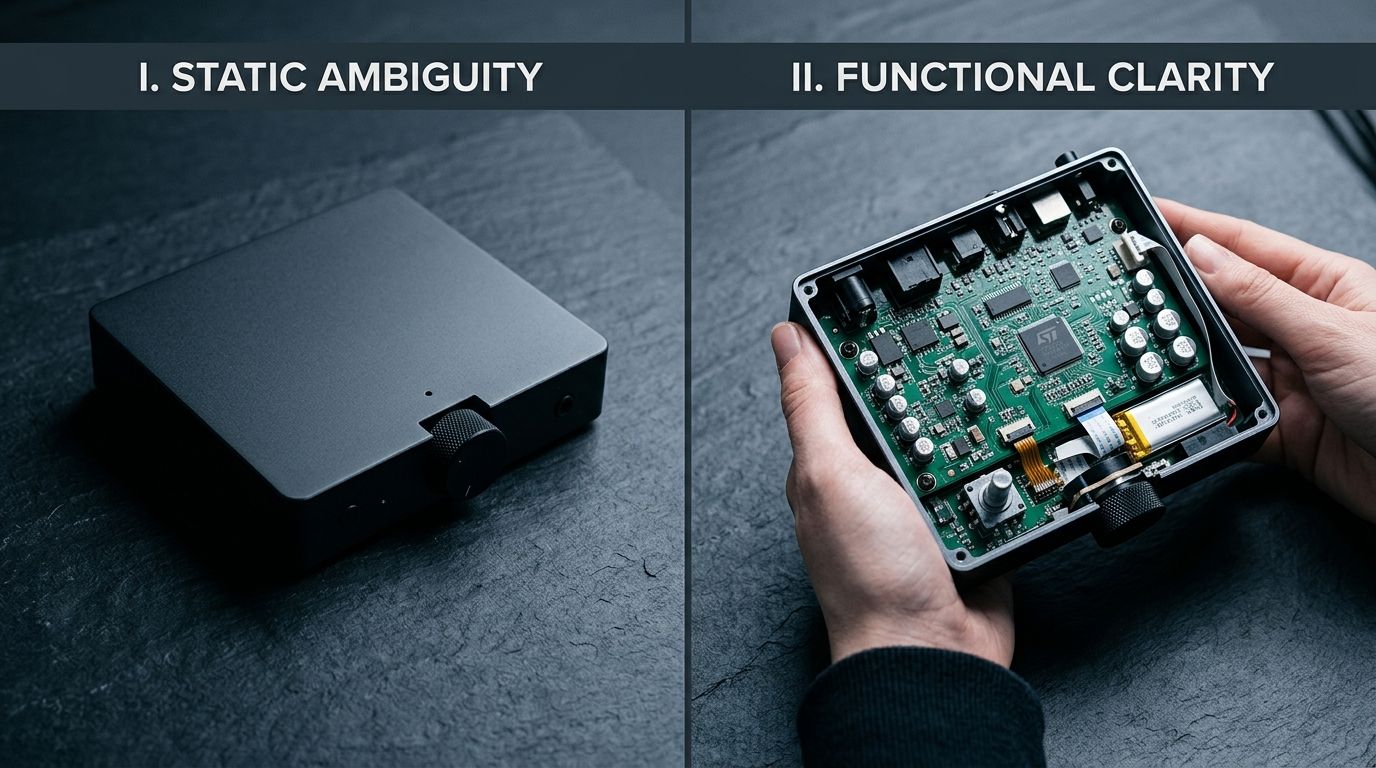
The anatomy of a product demo video that actually converts
A video that looks beautiful but fails to address customer objections is just an expensive piece of art. The goal is conversion. To get there, you need a structured approach to identifying what your customers actually need to see.
Map your support tickets first
Do not guess what buyers want to know. Your existing data already holds the blueprint for your video script. Open your customer support software and filter your tickets by pre-purchase questions. Look at your return reasons.
If twenty percent of your returns state the item was smaller than expected, your video must explicitly show scale by placing the item next to a familiar object. If customers frequently email asking how loud the motor is, your video needs a segment with the original audio track playing so they can hear it run. Find the friction points and map them directly to visual demonstrations.
Script for objections, not just features
Founders love to list features. Buyers only care about outcomes and risks. Instead of drafting a script that reads like a spec sheet, write a script that systematically destroys objections.
If you sell a waterproof hiking jacket, do not just mention the proprietary seam sealing technology. Turn a hose on the jacket while someone is wearing it. Unzip the pocket and pull out a bone dry piece of paper. You are creating visual proof that closes the visual gap costing sales between your ad and your product page. They clicked the ad because they wanted a waterproof jacket. The video proves they found one.
How to make a product demonstration video on a lean budget
(Worth noting: I once paid a production crew five thousand dollars for a one minute video that ended up performing significantly worse than a shaky iPhone clip shot by our warehouse manager on a Tuesday afternoon).
You do not need a Hollywood budget. You need authenticity, decent lighting, and a clear message. When you eliminate the bloated agency fees, you can produce highly effective video assets in-house.
Lighting matters more than the camera
The fastest way to make a product video look cheap is poor lighting. Shadows hide detail. Mixed color temperatures make your product look discolored. You can shoot a massive winner on a modern smartphone, provided your lighting is dialed in.
Invest in a basic three point lighting setup. Use a strong key light to illuminate the front of the product, a softer fill light to reduce harsh shadows on the opposite side, and a backlight to separate the product from the background. If you cannot afford professional lights, position a table facing a large window on a cloudy day. Soft natural light is highly forgiving.
Editing out the friction
Attention spans are brutally short. Your initial cut will be too long. Be ruthless in post production. Remove every single pause, fluff word, and unnecessary transition. The pace should be brisk.
Overlay text on the screen for every key point. A massive portion of mobile shoppers will watch your video with the sound off. If your demonstration relies entirely on the voiceover to make sense, you are losing half your audience. Make sure the visuals and the text overlays tell the complete story independently.
Product video versus product photography
Producing a high quality product demo video takes significant time. It is not something you can automate in five minutes. There is an undeniable trade-off between the depth of a video and the speed of photography. You cannot, and should not, shoot a full demonstration video for every minor color variant in your catalog.
The smartest ecommerce brands segment their visual strategy.
| Aspect | Demo Video | Catalog Photography |
|---|---|---|
| Primary Goal | Prove function and overcome objections | Show aesthetics and options quickly |
| Production Time | Days to weeks | Minutes with AI tools |
| Best For | Hero products, complex functionality | Colorways, basic SKUs, volume catalog |
| Cost per Asset | High | Low |
Save your video budget for the hero products that drive your revenue. For the rest of your catalog, use tools like CherryShot AI. You can upload a basic product image, select a visual mode, and generate campaign ready photos in minutes. By automating your static catalog imagery, you free up the time and capital required to produce a proper demonstration video that actually moves the needle.
Writing a script that keeps them watching
A great video is built in the writing phase, not the filming phase. If your script wanders, your audience will bounce. Focus your energy on three distinct sections.
The hook
You have three seconds. Do not start with your logo slowly fading in. Do not start by saying hello and introducing your brand. Start immediately with the biggest problem your product solves, shown visually. If you sell an indestructible dog toy, the first frame should be a large dog aggressively chewing it while text flashes "Finally, a toy they cannot destroy."
The proof
The middle of your video is pure utility. Show the product up close. Demonstrate the assembly if it requires putting pieces together. Show the interface if it is digital. This is where you are optimizing product videos for conversion across major platforms by directly addressing the reasons people normally return the item. Keep the cuts tight and the pacing fast.
The clear offer
End with absolute clarity. Tell them exactly what to do next. Do not just fade to black. Use a strong call to action overlay. Remind them of your guarantee, your free shipping threshold, or the current promotion. The goal is to funnel that newly built trust directly into a checkout flow.
Frequently Asked Questions
What is a product demo video?
A product demo video is a targeted visual asset showing a physical item in active use to clarify its exact mechanics. Functional demonstration content directly addresses common customer objections rather than relying on abstract lifestyle branding or emotional appeals. Record your inventory performing its primary use case under clean lighting to systematically eliminate the specific hesitation that causes checkout abandonment.
How long should a product demo video be?
Keep your ecommerce product demo video between thirty and ninety seconds for maximum engagement. Falling outside this precise window risks omitting necessary mechanical details or losing the attention of a shopper actively deciding whether to buy. Frontload the most impressive visual proof of function within the first five seconds to hook the viewer before they scroll past your product page listing.
How do I create a product demo video on a budget?
Film your inventory using a modern smartphone mounted securely on a basic tripod. Directing your limited marketing budget toward a continuous softbox lighting setup yields much better results than purchasing an expensive cinema camera body. Shoot your footage in a clean, neutral environment and use native desktop editing applications to cut out all pauses for a brisk, engaging final pace.
What products need a demo video?
Items that require a change in user behavior, feature complex functions, or carry a premium price tag absolutely require a demonstration video. Static photography frequently fails to explain how modular furniture connects or how a technical apparel clasp actually operates in real life. Publish a dedicated demonstration clip on your product page if an item leaves shoppers with obvious mechanical questions prior to finalizing their purchase.
Can AI create product demo videos?
Artificial intelligence tools handle scripting and synthetic voiceovers exceptionally well, but true demonstration videos demand real footage of your physical item. General video generation models consistently struggle to maintain strict physical accuracy when rendering complex product features in active motion. Apply generative image tools to build your static catalog photos while reserving your actual production time for shooting an authentic hero video.
Key Takeaways
- Map your customer support tickets to find the exact objections your video needs to answer.
- Invest in clean lighting and crisp audio before you ever consider upgrading your camera body.
- Keep the pace brutal by cutting out every pause, fluff word, and unnecessary transition in post production.
- Use AI for your volume catalog photography to free up the budget and time required for high quality hero videos.
A product demo video is the closest you can get to putting the item directly in a customer's hands. Stop treating it like an artistic endeavor and start treating it like a sales tool. When you systematically answer every question standing between the shopper and the checkout button, your conversion rate will reflect the effort.
Audit your product page visuals for missing context
Review your top-selling product pages and identify the most common customer questions from your support tickets. If your static imagery fails to answer those questions, supplement with a demo video or clearer photography. CherryShot AI can help you generate comprehensive static angles while you plan your video shoot.
Try CherryShot AI