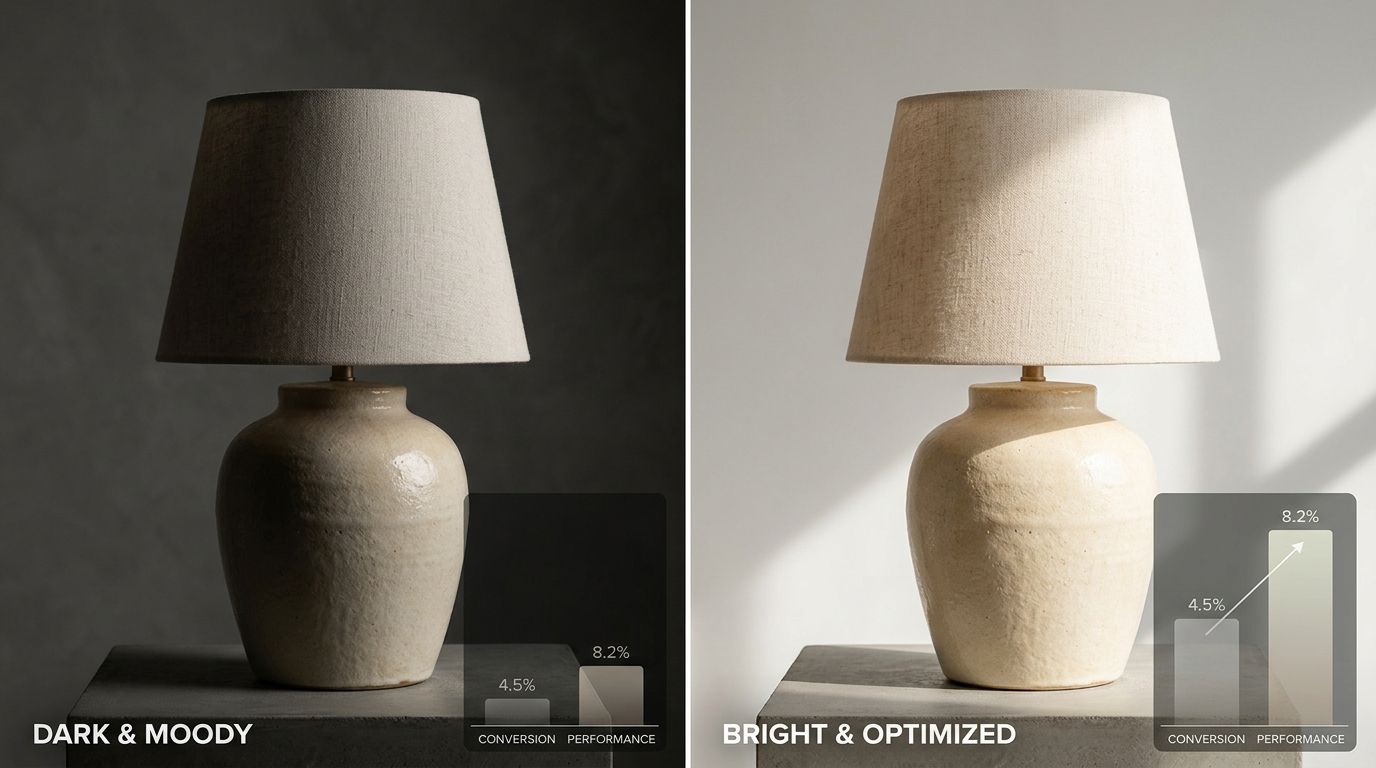
Product photo ab testing ecommerce strategies involve showing two different image sets to website visitors to measure which version generates more revenue. You route half of your incoming traffic to a control image and the other half to a variant, then track the resulting add-to-cart rates. A product photo A/B test is a controlled mathematical experiment where two versions of a visual asset compete in real time. The explicit goal is to determine which image yields a statistically significant increase in revenue per visitor.
Any brand still running a full studio shoot just to guess which hero image converts best is wasting marketing budget on internal opinions. Evaluating how to test product images ecommerce style requires you to stop relying on what the creative director prefers and start relying on what the consumer actually clicks. Setting up a structured image testing pipeline transforms your product pages from static displays into continuously optimizing sales engines.
Key Takeaways
- Product photo variant testing replaces subjective internal debates with definitive customer purchasing data.
- Testing lifestyle contexts against standard white background shots is the highest leverage visual experiment a brand can run.
- Validating an image conversion testing shopify setup requires running the test until it reaches 95% statistical significance.
- AI-generated photography allows teams to rapidly test multiple visual concepts without paying for separate physical studio shoots.
of consumers say the quality of a product image is very important in selecting and purchasing a product. Salsify Consumer Research, 2022
The Mechanics of Product Photo Variant Testing
Most direct-to-consumer businesses obsess over button colors and headline copy while completely ignoring the largest psychological anchor on their page. Visitors process images exponentially faster than text. Before a potential buyer reads a single bullet point regarding your fabric composition or warranty terms, they have already made a subconscious judgment based entirely on the primary product photo.
Visuals dictate online buying behavior more than any product description ever will.
Moving from Subjective Opinions to Data-Backed Decisions
The average direct-to-consumer brand refreshes its core product catalog twice a year. If the marketing team guesses wrong on the hero images during those two pivotal updates, they bleed sales for six straight months. Implementing a rigorous split test ecommerce product pages protocol ensures that every visual asset earns its placement through actual performance rather than aesthetic preference.
Generating the sheer volume of assets required for a continuous testing methodology used to be a massive financial roadblock. Brands simply could not afford to execute a minimalist studio shoot, a bright lifestyle shoot, and an edgy editorial shoot just to figure out which one worked best. You can now output a clean minimalist shot and a rich lifestyle version of the same item in minutes at cherryshot.ai to build an expansive variant library without booking a single photographer.
Formulating a Strong Image Hypothesis
You cannot run a successful ecommerce cro image testing campaign by randomly swapping pictures and hoping for a positive metric shift. Every test requires a foundational hypothesis. A hypothesis clearly states what you are changing, what you expect to happen, and the psychological reasoning behind it.
An example of a strong hypothesis is predicting that replacing a flat lay clothing image with an on-model image will increase add-to-cart rates by five percent because the customer can better visualize the garment fit. This specific framing allows you to measure the exact variable responsible for the uplift. If the test succeeds, you have established a proven principle that can be applied to your entire apparel catalog.
Core Variables to Isolate in Image Conversion Testing
Knowing which product images convert best testing starts with identifying the highest impact variables. Modifying minor details like background shadows will rarely yield a statistically significant result. You need to test sweeping conceptual changes that drastically alter how the user perceives the product value.
The Studio vs Lifestyle Context Test
The most critical variable to test is environmental context. Pure white studio backgrounds remove distractions and clearly communicate the physical details of the product. Lifestyle images communicate the emotional benefit of owning the product. You must test these two approaches against each other for your primary hero image.
(Worth noting: testing model faces often introduces unexpected variables related to eye-tracking, so start by testing cropped on-model shots before introducing full lifestyle portraits.)
Some product categories require absolute clarity for technical evaluation. Other categories rely entirely on selling an aspirational identity. Testing these distinct visual modes against one another provides a definitive answer for your specific audience.
Testing Scale and Proportion
Customers frequently abandon carts because they cannot accurately judge the physical size of an item online. You can split test product photography conversion rates by comparing an isolated product image against an image that places the item next to a universally recognized object.
Showing a travel mug held in a human hand provides instant scale confirmation that an isolated render completely lacks. If your return data indicates sizing confusion, testing scale anchors in your primary carousel will directly impact your bottom line.
Executing an Image Conversion Testing Shopify Setup
Platform architecture dictates how you execute your tests. While Shopify is an incredibly powerful commerce engine, it does not offer native server-side image testing out of the box. You cannot simply upload two images into the same slot and ask the platform to rotate them.
Selecting the Right Testing Architecture
You will need to integrate a third-party application to handle the traffic splitting logic. Tools like VWO, Optimizely, or dedicated Shopify apps like Dexter allow you to create a parallel version of your product page. The software routes incoming visitors randomly but consistently. A user who sees Variant A on Monday must still see Variant A if they return on Wednesday.
Setting up these tests requires clean tracking parameters. The testing software must be able to follow the user journey from the specific variant page all the way through the checkout funnel. If your tracking drops off at the cart page, you will gather zero actionable data regarding actual revenue generation.
Defining Primary and Secondary Metrics
Revenue per visitor is the ultimate metric for any ecommerce experiment. However, image changes often impact micro-conversions more directly than final sales. Measuring the add-to-cart rate provides a cleaner signal of image effectiveness because it isolates the immediate user action before shipping costs or checkout friction introduce external noise.
If a lifestyle image increases add-to-cart rates by eight percent but overall revenue remains flat, the image test was successful. The subsequent drop-off indicates a separate problem in the checkout flow that requires entirely different optimization strategies.
Avoiding the Traps of Split Test Ecommerce Product Pages
Running an invalid test is significantly worse than running no test at all. Implementing a false positive will actively damage your conversion rates while tricking your team into believing they have made an improvement.
The Danger of Premature Significance
A common mistake in ecommerce CRO image testing is declaring a winner too early. You might launch a test on Friday afternoon and see a massive spike in conversions for Variant B by Saturday morning. Excitement takes over and the team immediately hardcodes the winning image.
This is a critical mathematical error. Traffic behaves differently depending on the day of the week, the current promotional cycle, and external traffic sources. You must run your tests for a minimum of two full business cycles to account for these behavioral fluctuations, regardless of what the early data suggests.
Testing Too Many Variables at Once
Testing five completely different images simultaneously requires massive traffic volumes that most mid-market brands simply do not have.
If you change the product angle, the background color, the lighting style, and the prop styling all in one variant, you will never know which specific change caused the conversion lift. Multivariate testing sounds sophisticated but usually results in muddy data. Stick to clear A versus B scenarios where only one core concept is challenged at a time. The ability to generate targeted, specific variants instantly using tools like CherryShot AI makes maintaining this discipline much easier.
Frequently Asked Questions
How do I set up an A/B test for product photos on Shopify?
You must install a dedicated testing app like Dexter, Neat A/B Testing, or an enterprise solution like VWO to split test on Shopify. Once installed, you duplicate your product page, change the hero image on the variant page, and set the application to distribute traffic evenly between the two distinct URLs.
What variables should I test first in product photography?
Always test your primary hero image first by comparing a pure white studio background against a situational lifestyle image.
How long should I run a product photo A/B test?
You need to run the test until you reach 95% statistical significance, which typically takes between two and four full weeks. Running the experiment for at least two business cycles is critical because shopper behavior fluctuates heavily between weekdays and weekends. A test must also capture a sufficient raw number of conversions, usually around two hundred per variant, to be mathematically valid. Shutting down a test early because a clear winner appears on day three is a mathematical trap that frequently results in implementing false positives.
What metrics should I measure when testing product images?
Add-to-cart rate is the most accurate indicator of image performance because it isolates the immediate user action before shipping costs or checkout friction can impact the final purchase decision.
If you want to see what this looks like for your specific product category without commissioning a new studio session, CherryShot AI starts at $10 for 50 images at cherryshot.ai.