AI Product Photography for Amazon FBA: The Requirements, Tools, and Workflow That Saves Sellers 90%
AI product photography for Amazon FBA is not a gimmick. It is a margin-saving operational shift. Amazon sellers who pay traditional studio fees for standard catalog listings are bleeding cash unnecessarily. The core function of an Amazon listing image is to clearly show the product and win the click from the search results page. You can accomplish that with an AI product photography workflow in ten minutes for less than the cost of shipping a physical sample to a photographer.
Definition
AI product photography involves using machine learning algorithms to automatically extract physical items from source images and place them onto fully synthesized digital backgrounds. This process bypasses traditional camera setups and manual photo editing workflows. Sellers rely on these systems to rapidly scale their visual content production while maintaining strict platform compliance.
Any brand still running a full studio shoot for a basic Amazon catalog update in 2026 is paying for logistics, not quality. The invoice you receive is not just compensating the photographer. It covers studio rental, lighting setup, professional retouching to achieve a pure white background, and the weeks of waiting between your initial brief and the final delivery. Most Amazon sellers I speak with cannot name the actual per-image cost of their last shoot. When they calculate it, the number is usually somewhere between $80 and $200 per finished image. That math simply does not work for an FBA business built on rapid testing and fast product launches.
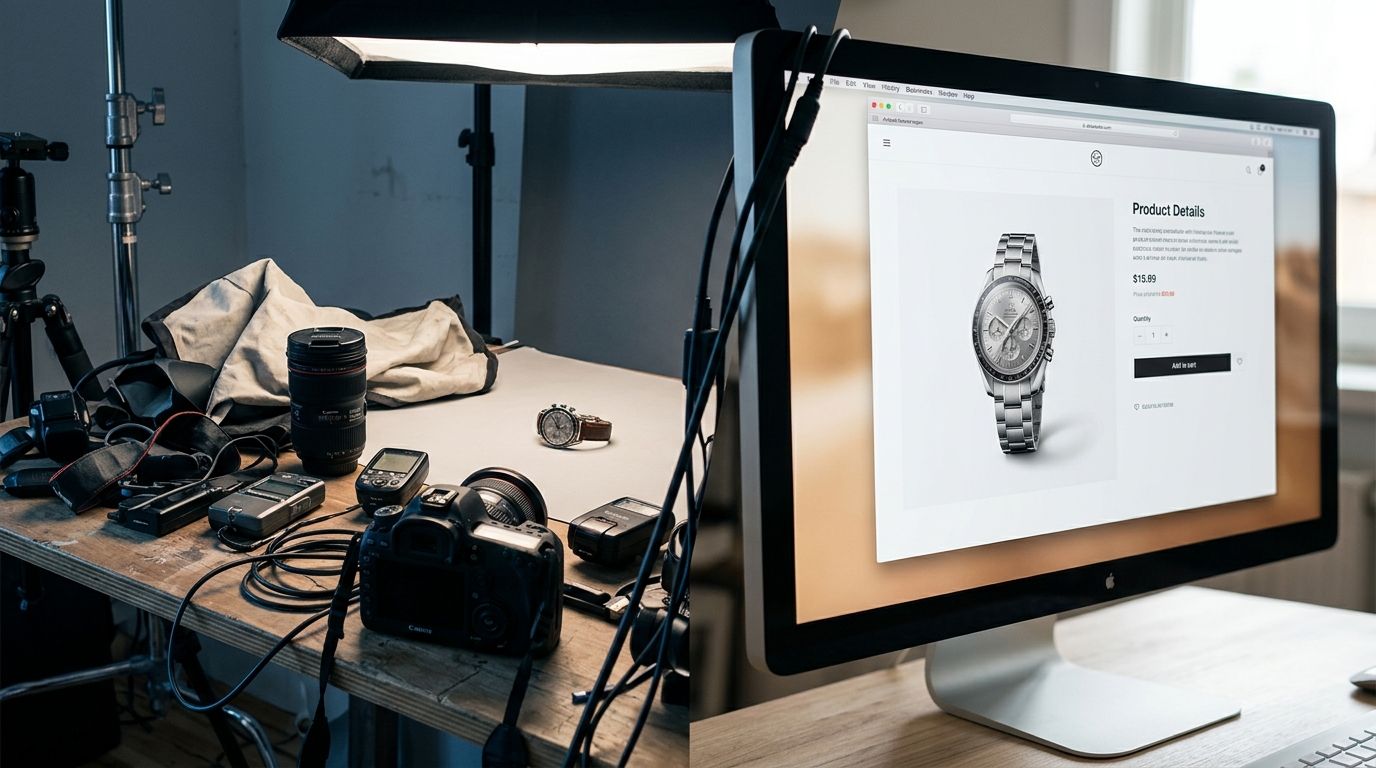
Moving from raw smartphone photo to fully compliant FBA listing asset in minutes without professional lighting.
We are going to break down exactly how you can replace your expensive studio pipeline with a repeatable software process. You will learn how to maintain strict compliance with Seller Central guidelines while generating lifestyle photos that actually convert.
Amazon image requirements are a math problem
Selling on Amazon is entirely reliant on your Click-Through Rate. When a buyer searches for a garlic press, they are met with dozens of identical options on the search results page. Your MAIN image is the only asset you have to earn their attention. If your image looks dull, badly lit, or poorly cropped, the buyer scrolls past. If they do not click, your product effectively does not exist.
To compound the issue, Amazon strictly polices these MAIN images. The product must sit on a pure white background with exact RGB values of 255, 255, 255. The item must fill at least 85 percent of the frame. You cannot include props, text, logos, or packaging that is not part of the core product. Sellers often learn the hard way that a gray or off-white background results in immediate listing suppression. To understand every technical constraint, reading through a comprehensive guide on Amazon product image requirements is mandatory before you launch.
Why pure white costs so much money
Achieving a genuine pure white background in a physical studio is remarkably difficult. Photographers must blast the backdrop with separate lights while carefully ensuring that light does not bounce back and wash out the edges of the product itself. After the shoot, an editor still has to open the file in Photoshop, draw a precise clipping path around the item, and drop the background entirely to guarantee compliance.
This labor-intensive editing is precisely why Amazon FBA product photography costs escalate so quickly. You are paying a human hourly rates to trace the edge of your garlic press on a computer screen. AI product photography eliminates this manual labor entirely. You upload a product photo, and the software instantly recognizes the subject, perfectly clips the edges, and places it on a compliant background. The bottleneck shifts from manual tracing to simply deciding which angle looks best.
The cost comparison that breaks the studio model
Let us look at a standard product launch. You are bringing a new line of stainless steel water bottles to market. You have four different colors. A traditional agency will charge you a base setup fee, a per-item fee, and a per-image fee. You will likely pay $1,200 for a package that includes one white-background shot per colorway and a handful of generic lifestyle photos. You also have to physically mail the bottles to the photographer and wait three weeks for them to fit you into their schedule.
Now look at the modern alternative. You unpack the bottles in your warehouse. You place them on a table near a window. You take four pictures with your phone. You upload those pictures to CherryShot AI. You select the Classic mode to generate your compliant main images. You then select the Lifestyle mode to place the bottles on a gym floor, a hiking trail, and an office desk. You have everything you need in thirty minutes. The total cost is less than your morning coffee.
| Production Metric | Traditional Agency Shoot | AI Photography Software |
|---|---|---|
| Cost per product variant | $300 to $500 | Under $5 |
| Average turnaround time | 2 to 4 weeks | Under 30 minutes |
| Physical logistics | Shipping samples required | No shipping required |
| Background compliance | Manual Photoshop clipping | Automatic AI extraction |
If you want to see the exact numbers side by side, looking at a direct cost comparison between AI and studio photography reveals exactly where the bloated margins are hiding in the traditional agency model.
The exact AI product photography workflow for FBA
Knowing that the technology exists is useless if you do not have a reliable process to implement it. Building a high-converting listing requires a specific sequence of actions. You cannot just blindly upload photos and hope for the best.
Step 1: Capturing the source asset
AI tools need to understand the physical geometry of your product. You do not need professional lighting, but you do need clarity. Wipe the dust off your product. Place it on a neutral surface like a wooden table or a solid-colored floor. Ensure the room has decent natural light. Hold your phone steady and snap the picture. Make sure the entire product is in the frame and the edges are sharply in focus.
(Worth noting: you still need to understand your target demographic. A flawless AI image of a grill spatula in a modern luxury kitchen makes no sense if your buyer is a tailgate enthusiast. The context matters just as much as the pixel quality.)
Step 2: Securing the MAIN image
Take your best source photo and upload it into your AI tool. Your first priority is the MAIN image slot. Select the pure white background setting. The software will strip away your table and your background. Download this image at 2000 by 2000 pixels. Amazon requires high-resolution images so that mobile users can double-tap to zoom in on the texture of your product. If your image is too small, the zoom feature disables, and your conversion rate will drop.
To be completely transparent, AI does have a ceiling. If your product is a completely clear glass bottle filled with a transparent liquid, AI generation might struggle with the natural refraction of light and require minor manual touch-ups afterward. For ninety-five percent of physical goods, however, the output is perfect on the first try.
Step 3: Building the secondary image stack
Amazon allows you to upload up to nine images, though only the first seven display before a buyer has to click to see more. These secondary slots are where you actually sell the product. A pure white background shows the buyer what the item is. A lifestyle image shows the buyer why they need it.
Take that same source photo and run it through different visual modes. If you sell a high-end face serum, select the Minimalist or Luxury modes to place the bottle on a marble bathroom vanity. If you sell a rugged phone case, use a custom prompt to drop it onto a rocky surface. These contextual clues help the buyer justify the purchase.
Maximizing A+ Content with AI generation
Once your top image carousel is complete, your focus must shift down the page. Brand Registered sellers have access to A+ Content, which replaces the boring text description with rich visual modules. This space is critical for cross-selling your other products and overcoming buyer objections before they scroll down to the reviews.
A+ Content requires large, banner-style images. Traditional lifestyle photography limits your options here. If your agency only shot your product in a kitchen, your entire page must look like a kitchen. With AI, you can generate an endless variety of wide-format scenes tailored to specific features. You can generate one banner showing the product in use, another showing it stored away compactly, and another highlighting its durability outdoors.
This level of visual dominance used to be reserved for legacy brands with massive creative budgets. Now, a solo seller running an FBA business from their laptop can completely overhaul their listing visuals in an afternoon. This speed of execution is precisely why so many direct-to-consumer operations are replacing their studios with AI generation tools.
A/B testing at scale without the friction
The smartest Amazon sellers never assume their first image is their best image. They use the Manage Your Experiments tool inside Seller Central to split-test different MAIN images against each other. Sometimes a slight angle change results in a fifteen percent increase in clicks. Sometimes showing the product standing up instead of laying flat changes the entire trajectory of the listing.
Testing requires assets. If every new angle costs you fifty dollars and two weeks of waiting, you will rarely test. When you use CherryShot AI, generating ten variations of an image takes a few minutes. You can test relentlessly until you find the exact visual presentation that Amazon shoppers reward with their wallets.
Key Takeaways
- Amazon strictly requires a pure white background for all MAIN images to prevent listing suppression.
- Traditional studios charge premium rates to manually clip paths and guarantee platform compliance.
- AI tools automate background removal and lifestyle generation, cutting per-image costs to under five dollars.
- Generative software enables rapid A/B testing, allowing sellers to optimize click-through rates practically for free.
Frequently Asked Questions
Can AI create Amazon FBA product photos?
Yes. AI platforms automatically generate the pure white main images and contextual lifestyle scenes required for Amazon FBA listings. The software completely eliminates physical studio rentals by algorithmically removing original backgrounds and relighting the item to match new environments. Simply upload a sharply focused smartphone picture of your item to instantly produce an entire gallery of compliant listing photos.
Does AI product photography meet Amazon's image requirements?
AI-generated photos fully comply with Amazon platform guidelines when formatted to the correct technical specifications. The marketplace heavily penalizes listings if the main image lacks a pure white background set exactly to RGB values of 255, 255, 255. Modern generators automatically crop your item to fill 85 percent of the frame and enforce these exact color codes without requiring a graphic designer.
How do I use AI to photograph products for Amazon FBA?
You begin by capturing a sharply focused picture of your item on a flat surface using natural window light. The generative model scans this initial upload to map the physical geometry and edge details of your merchandise. Select a pure white template for your primary listing slot, then switch to contextual modes to render the exact same item on kitchen counters or outdoor patios.
Is AI product photography cheaper than traditional Amazon photography?
Generative photo tools drop your visual production costs from over one thousand dollars down to less than five dollars per listing. Traditional commercial agencies bill heavily for equipment rentals, manual clipping paths, and the labor required to manipulate professional studio lighting. You immediately eliminate all sample shipping fees and retouching invoices by moving the entire visual creation process to a software subscription.
What AI tool is best for Amazon FBA product images?
CherryShot AI operates specifically as a dedicated visual generator for high-volume ecommerce operators and marketplace sellers. The platform focuses strictly on realistic shadow generation and precise edge detection to ensure final exports pass strict marketplace audits. You simply upload a raw image to automatically extract the subject and export a high-resolution, compliant file ready for immediate Seller Central upload.
The days of tolerating a three-week backlog to get a white background photo are over. If your current workflow is eating your margins and slowing down your launches, it is time to upgrade. Head over to CherryShot AI, upload a quick photo of your product, and watch how easily you can generate an entire compliant listing gallery before your lunch break.
Audit your Amazon MAIN images for pure white compliance
Pull up your top-performing Seller Central listings and check if your primary photos truly feature a 255 RGB white background. If you notice gray shadows or off-white edges, your conversion rate is artificially suppressed. Drop your raw product photos into CherryShot AI to instantly generate platform-compliant assets.
Try CherryShot AI