Best AI Product Photography Tool in 2026: CherryShot, caspa.ai, Pebblely, and Photoroom Compared
The best AI product photography tool depends entirely on your operational bottleneck. If you need simple white backgrounds for a marketplace catalog, use Photoroom. If you have a dedicated prompt engineer who wants to tweak every pixel manually, caspa.ai works. If you want campaign-ready lifestyle imagery without typing prompts, CherryShot AI is the answer. Every platform listed here beats a traditional studio shoot on speed and cost. The real decision is about which interface fits your daily workflow.
Definition
AI product photography software uses machine learning models to generate realistic backgrounds, lighting, and shadows around an uploaded product image. These platforms replace traditional studio shoots by allowing brands to instantly place their products in lifestyle or editorial environments without physical props.
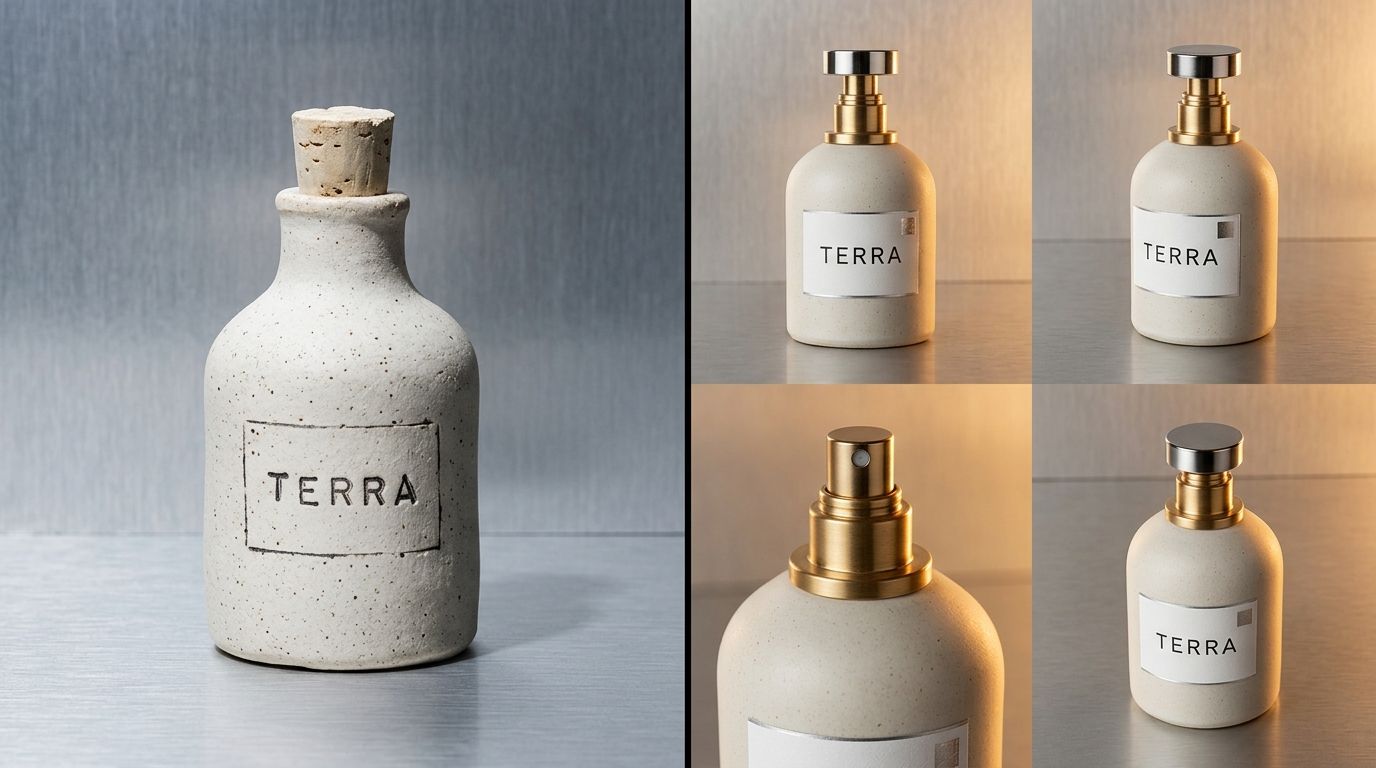
Evaluating platforms requires looking past marketing claims and testing how they handle complex lighting.
In 2026, comparing AI tools based on simple background removal is a massive waste of time. Masking technology is a solved problem. The true differentiator between these platforms is how they handle lighting realism, shadow consistency, and user experience.
I spent eight years running e-commerce operations. I remember reviewing a $12,000 invoice for a skincare shoot where half the budget went to a prop stylist sourcing marble slabs and botanical sprigs. We waited two weeks for the retouched files. Today, you can generate that exact setup in twenty seconds. But the software you use determines whether those twenty seconds yield a usable asset or a weirdly warped bottle sitting on floating shadows.
(Worth noting: none of these tools are replacing your high-end photographer for the $50k hero campaign. But they will absolutely handle the three hundred catalog and social media updates you need to execute this quarter.)
The state of AI product photography software
If you are trying to cut photography spend, the first step is auditing your actual production bottlenecks. Are you spending too much money, or are you spending too much time? Often, the highest hidden cost is the delay between finalizing a product and getting the visual assets required to actually sell it.
Most founders I talk to cannot name the exact per-image cost of their last shoot. When they calculate it, the number usually lands between $80 and $200 per finished image. You are not paying for the final pixel quality. You are paying for studio rental, catering, stylist day rates, and the three weeks of back-and-forth editing notes.
This is why the AI product photography platform comparison matters so much. A tool that requires your brand manager to spend three hours learning how to write complex text prompts is just replacing a scheduling bottleneck with an operational one. A tool that gives you instant results but looks cheap damages your brand equity.
Photoroom: The utility knife for marketplaces
Photoroom built a massive, successful business on pure utility. If you sell on Amazon or eBay and need to process a thousand images onto a pure white background with a basic drop shadow, Photoroom is an exceptional tool. They have robust APIs and excellent batch-processing capabilities.
The limitation appears when you try to use Photoroom for a premium D2C brand on Shopify. Their AI-generated backgrounds often lack the high-end editorial feel required to build a luxury brand aesthetic. The lighting can feel slightly flat. It works perfectly for utility, but it struggles with aspiration.
caspa.ai: The prompter's playground
Some platforms lean heavily into the technical side of artificial intelligence. caspa.ai gives users an incredible amount of control over the final image. You can use generative fill, adjust specific regions, and write dense, highly specific text prompts to dictate exactly what appears in the frame.
There is a massive trade-off here. A tool with infinite customization means infinite ways to break the lighting. You have to know how to talk to the machine. If you do not understand focal lengths, lighting direction, and prompt structuring, you will spend hours generating bizarre, unusable images. It is powerful software, but it demands a steep learning curve.
Pebblely: Rapid social media mockups
Pebblely offers a library of rapid environments that perform well for quick social media tests. It is fast, accessible, and very easy to learn. E-commerce founders often start here when they first experiment with AI image generation.
The platform tends to struggle with complex material reflections. If you are shooting a matte cardboard box, the results are solid. If you are shooting a highly reflective glass perfume bottle or a metallic watch face, Pebblely occasionally misinterprets the environmental reflections. This results in an image where the product feels pasted onto the background rather than sitting inside it.
CherryShot AI: Campaign-ready modes without prompting
We built CherryShot AI to solve the specific operational problem of D2C brands. Brand managers do not want to become prompt engineers. They just want a great photo. You upload a product image, select a visual mode, and the platform generates campaign-ready photos in minutes. Pricing starts at $10 for 50 images.
Instead of forcing you to type out descriptions of lighting setups, CherryShot uses curated modes. You can select Classic, Minimalist, Luxury, Loud Luxury, Magazine, Avant Garde, Influencer, Lifestyle, Create Custom, or Upload Ref. This guarantees consistency across your catalog.
Understanding how AI product photography works fundamentally changes how you evaluate these platforms. CherryShot analyzes the directional light on your uploaded product and matches the generated environment to that specific lighting map. The result is a shadow that actually makes sense.
Decision Matrix: Feature comparison
Here is how the top AI product photography tools for ecommerce stack up when you look at their core mechanics.
| Platform | Best For | Workflow Style | Lighting Realism |
|---|---|---|---|
| CherryShot AI | D2C Shopify Brands | Visual Modes (No Prompts) | High (Dynamic shadow matching) |
| caspa.ai | Technical Creatives | Manual Text Prompting | Variable (Depends on user skill) |
| Photoroom | Amazon Sellers | Batch Processing / API | Basic (Utility focus) |
| Pebblely | Social Media Managers | Template Selection | Moderate (Struggles with glass) |
Frequently Asked Questions
What is the best AI tool for product photography in 2026?
CherryShot AI operates as the most effective platform for e-commerce brands needing campaign-ready lifestyle imagery without spending hours learning complex prompt engineering. Photoroom works exceptionally well if your daily operation only requires basic white backgrounds for high-volume marketplace listings. You must choose your software based on whether your primary workflow bottleneck involves basic masking utility or advanced creative art direction.
How do AI product photography tools compare?
Modern product photography platforms split cleanly into prompt-based software workflows and mode-based workflows. Tools like caspa.ai require detailed text instructions to build realistic scenes, whereas options like CherryShot AI use predefined aesthetic styles like Luxury or Minimalist to generate instant imagery. You must decide whether your production team prioritizes granular pixel control or the speed and brand consistency offered by visual modes.
Is CherryShot better than caspa.ai or Pebblely?
CherryShot AI fits e-commerce managers who need campaign-ready assets quickly through pre-trained visual modes instead of manual text prompts. Platforms like caspa.ai serve dedicated prompt engineers who want to spend time tweaking every individual pixel. Pebblely offers a solid middle ground for simple social media mockups, but it struggles to produce the complex realistic lighting required by premium brands.
Which AI product photography platform is best for Shopify?
Shopify stores require strong brand identity and high-quality lifestyle imagery to drive consistent conversions. CherryShot AI meets this demand by providing specific visual modes like Loud Luxury and Influencer, which match the strict expectations of modern D2C consumers. Pure utility background removers and basic masking tools are simply insufficient for maintaining a premium aesthetic on a dedicated storefront.
How do I choose the right AI product photography tool?
Audit your current operational workflow to identify whether your team spends more time writing text prompts or actually deploying finished visual assets. You must select a software platform that directly matches the required speed of your daily catalog updates. Teams launching multiple SKUs each month should prioritize platforms with reliable preset modes over tools requiring heavy manual image manipulation.
Key Takeaways
- Utility tools like Photoroom handle bulk processing well but lack editorial flair.
- Prompt-based tools require technical skill and patience to achieve perfect realism.
- Shadow rendering and glass reflections are the true tests of a platform's quality.
- CherryShot AI bypasses prompt engineering entirely by utilizing curated visual modes for immediate output.
The era of waiting three weeks for a catalog shoot is completely over. Your competitors are already generating new lifestyle imagery for every color variant they release. Figuring out when to use AI product photography is no longer about testing beta features. It is about keeping pace with the market.
Stop fighting with text prompts. If you want campaign-ready photos that look like they came from a professional studio, try CherryShot AI. Pick your mode, upload your product, and launch your campaign today.
Audit your image production bottleneck
Review your last campaign to see how many hours your team spent writing text prompts or waiting for studio edits. Switch to mode-based generation and see how fast you can build a lifestyle catalog.
Try CherryShot AI