How to Take Product Photos: Step-by-Step Guide
Most founders learn how to take product photos out of sheer necessity. You launch a new product, get quoted two thousand dollars for basic catalog shots, and realize the math does not scale. You need a way to capture clean, accurate imagery without destroying your margin. The answer is not buying expensive gear. Taking campaign-ready product photos requires exactly three things. You need to control your light, stabilize your lens, and edit for pure consistency.
Definition
Product photography is the process of capturing highly accurate, commercial-grade images of physical goods for online sale. It prioritizes image clarity, precise color matching, and consistent staging to help customers visually evaluate items before making a purchase.
(Worth noting: doing this yourself teaches you exactly what you actually value in an image. When you eventually hire a professional photographer for high-end hero shots, you will write a much tighter brief because you know how lighting changes the shape of your product.)
Doing this entirely by hand will cost you hours of frustrating trial and error before the shadows look right. You will adjust a lamp, take a photo, notice a glare, move the lamp, and repeat the process for every angle.
But the effort matters. A blurry photo signals a cheap product. Crisp, bright photography builds immediate trust with a buyer who cannot physically touch your inventory before handing over their credit card.
Key Takeaways
- Indirect light is your greatest asset. Never point a bare bulb directly at your product.
- A cheap tripod will do more for your photo quality than an expensive camera upgrade.
- Wipe away fingerprints and dust before shooting to save yourself hours of editing work.
- AI generation turns one basic baseline photo into hundreds of campaign assets in minutes.
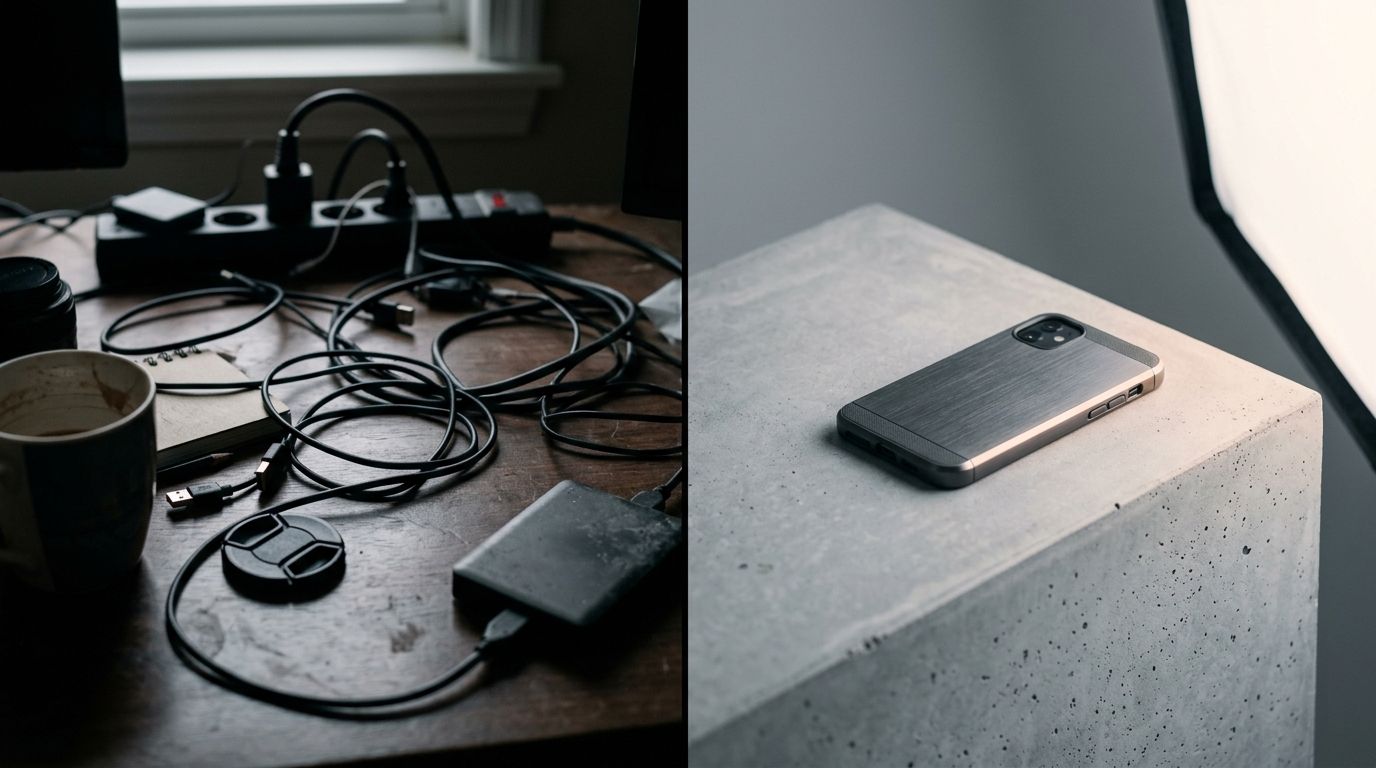
Clean lighting and a steady camera dictate the quality of your product shoot more than the price of your gear.
The reality of taking photos for ecommerce in 2026
We no longer live in a world where uploading one low-resolution photo to your product page is enough to secure a sale. Consumers expect to zoom in on fabric textures. They expect to see the product from the top, the side, and styled in a real environment. Meeting that expectation used to require booking a studio for three days.
Now, your product shoot workflow needs to be agile. If a manufacturer sends you a new colorway on a Tuesday, you need that product live on your website by Thursday. You cannot wait three weeks for a freelance photographer to clear their schedule. This is why mastering your own product photo setup is a non-negotiable skill for modern operators.
Speed matters more than perfection
Perfection is the enemy of a launched product. Do not spend six hours trying to capture a complex reflection on a glass bottle in your kitchen. Your goal is accuracy and clarity. The customer needs to know exactly what they are buying. Capture the product cleanly, make sure the colors match the physical item, and get the listing live.
Your product photo setup
The fastest way to fail at product photography is walking into a camera store without a plan. Salespeople will convince you to buy strobes, umbrellas, light meters, and heavy metal light stands. You do not need any of that to start.
The camera you already own
A dedicated DSLR or mirrorless camera offers incredible control over depth of field. If you own one, use it. But if you do not, your current mobile phone is more than capable. The secret to smartphone product photography is locking your exposure and using a tripod.
When you hold a phone in your hand, it constantly tries to refocus and adjust brightness. This results in five photos of the same product looking completely different. Buy an inexpensive tripod and a phone mount. Set your phone in the mount, tap the screen where your product sits, and lock the focus. The image immediately stops shifting.
Light is your only real constraint
Photography is just the act of capturing light. Bad light equals bad photos. The easiest effective lighting setup for a beginner involves zero electricity. Find the biggest window in your home or office. You want indirect light. If the sun is beaming directly through the glass and casting hard, black shadows on the floor, move to a different window or wait until the sun shifts.
Soft, indirect window light wraps around a product beautifully. It creates gentle shadows that give your item dimension without hiding the details.
| Lighting Approach | Best Use Case | Upfront Cost |
|---|---|---|
| Natural Window Light | Beginners shooting a small batch of products during daylight hours | $0 (Uses existing space) |
| Continuous LED Kit | Scaling brands needing identical exposure across hundreds of SKUs | $100 to $300 |
Product photography step by step
You have your camera on a tripod. You have a table set up next to a window casting soft light. Now you execute the actual shoot. Follow this workflow in order to minimize the time you spend reshooting mistakes later.
Step 1: Build the sweep
A seamless background removes all distractions from the frame. Buy a roll of white seamless paper or a large sheet of flexible white poster board. Tape the top edge to the wall behind your table. Let the paper drape down naturally onto the table surface to create a gentle curve. Place your product in the center of that curve. The lack of a visible corner behind the product makes the background disappear entirely.
Step 2: Prep the product meticulously
A camera lens sees things your naked eye ignores. It sees every single speck of dust on a black plastic cap. It captures the oils from your fingerprints on a glass bottle. Before you place the product on the sweep, wipe it down with a microfiber cloth. Use compressed air to blow away lint. Wear cotton gloves if you need to handle highly reflective items. Spending two minutes cleaning the physical product saves you two hours of tedious stamp-tool editing in post-production.
Step 3: Bounce the light
With your product sitting in front of the window, you will notice the side facing away from the glass is completely dark. Do not move the table. Instead, take a piece of white foam core board. Stand it up on the dark side of the product, directly opposite the window.
This white board acts as a reflector. The sunlight hits the white board and bounces right back onto the dark side of your product. You will immediately see the shadows lift. You have just created a professional two-light studio setup using one window and a piece of craft store cardboard.
Step 4: Lock the camera and shoot
Mount your camera. Frame the shot so the product is dead center. If you are shooting for an ecommerce catalog, shoot straight on, then shoot a 45-degree angle, then shoot the back. Keep the camera locked on the tripod and simply rotate the product itself. This guarantees the item stays in the exact same spot in the frame for every single shot.
The AI product photography alternative
Following the steps above works flawlessly when you have three products to launch. It becomes a massive logistical headache when you have fifty products to launch, or when you need those products styled in a kitchen, on a marble vanity, and outdoors on a rock.
General-purpose AI image tools struggle here because they alter the actual shape of your product. Ecommerce requires absolute truth. If the AI changes the angle of a zipper, the customer will notice and demand a refund.
Skipping the studio entirely
This is exactly where CherryShot AI steps in. Instead of spending hours adjusting foam boards and window light, you just need one clear, basic photo of your product. You upload that single image to CherryShot AI. You select a visual mode like Classic for clean white backgrounds, Minimalist for modern shadows, or Lifestyle to place the item in a realistic environment.
CherryShot AI generates campaign-ready photos in minutes. It preserves the exact physical dimensions and details of your original upload while building perfect lighting and environments around it. The per-image cost drops to under $5. Pricing starts at $10 for 50 images, meaning you can test dozens of creative directions for less than the cost of a photographer's lunch.
Frequently Asked Questions
What do I need to take product photos?
You need a camera or modern smartphone, a stable tripod, a light source like a large window, and a plain seamless background. Securing your lens on a fixed mount eliminates motion blur and guarantees catalog consistency across multiple items. Buy inexpensive foam core boards from a local craft store to bounce natural light and fill in dark shadows on the unlit side of your product.
How do I take product photos at home?
Find a room with a large window that lets in soft, indirect sunlight to avoid harsh shadows. Tape a seamless paper sweep to the wall so it curves gently down onto a sturdy table positioned next to the glass. Place your product in the center of the curve and stand a white board on the opposite side to reflect natural light back onto the dark side of the item.
What lighting should I use for product photography?
Natural, indirect daylight offers the most accessible and flattering illumination for beginners shooting basic ecommerce items. Consistent catalog work across hundreds of SKUs requires buying two continuous LED lights equipped with softbox diffusers to maintain identical exposure settings at any time of day. Position these lights at a 45-degree angle pointing toward your item to eliminate deep shadows while emphasizing the physical shape.
How do I edit product photos after shooting?
Correct your white balance immediately so product colors remain perfectly accurate to the naked eye and prevent inaccurate color expectations that cause customer returns. Crop every image precisely so the physical product fills the frame with exact consistency across your entire catalog grid. Use a spot healing brush to erase distracting background blemishes or apply an automated clipping path to replace the backdrop completely with pure white.
Is AI photography better than taking product photos yourself?
Artificial intelligence generation is significantly faster and more cost-effective for volume catalog work or complex lifestyle variations. Manual photography remains required to capture the initial accurate baseline image of your physical product on a plain background. Generating the rest of your campaign assets from that single base photo requires a fraction of the budget compared to building fifty different physical studio sets.
Taking control of your own imagery breaks the bottleneck holding back your product launches. Start with a window and a tripod to get your baseline shots, then upload them to CherryShot AI to scale your visual assets without scaling your payroll. If you sell clothing, the same baseline shot also works with a ghost mannequin alternative for hollow-form apparel images.
Scale your baseline product shots into full campaigns
You now know how to capture a clean, accurate image of your physical product. Upload that single baseline shot to CherryShot AI to instantly place it in realistic lifestyle environments without renting a studio.
Try CherryShot AI