Instagram Ads Not Converting for Shopify: Why the Visual Bar Is Higher and How to Meet It
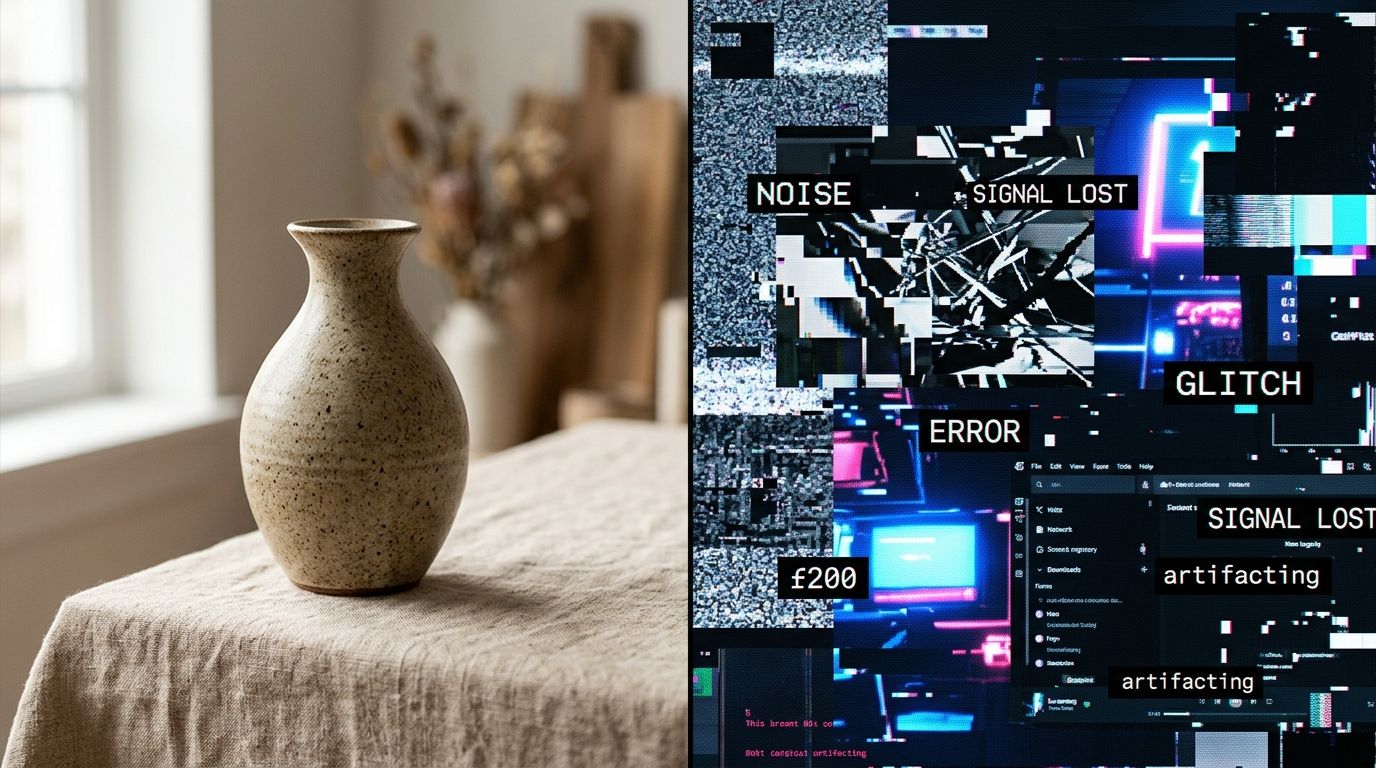
If you are staring at your Ads Manager wondering why your Instagram ads are not converting for your Shopify store, the problem is rarely your targeting. The problem is usually a visual bait and switch. You showed an Instagram audience a highly stylized lifestyle image to earn their click. Then you dropped them onto a clinical product page with three poorly lit images on a white background. They bounced because the visual aesthetic they were promised did not match the destination they arrived at.
Definition
A visual bait and switch occurs when a highly stylized social media ad drives traffic to a basic, clinical product page. This mismatch causes immediate loss of buyer trust and high bounce rates. Maintaining visual continuity ensures the shopper's expectations are met from the initial click to the final checkout.
Shoppers on Instagram are not searching for utility. They are scrolling for inspiration. When you interrupt their feed with an ad, you are selling a specific lifestyle or a curated vibe. If the product page fails to sustain that vibe, customer trust evaporates instantly. An instagram ads not working shopify crisis almost always traces back to this exact moment in the user journey.
Fixing your product photography will not save a fundamentally flawed product or a completely misaligned ad targeting strategy. If nobody wants what you sell, better photos just help them figure that out faster. But if you have a great product that gets plenty of cheap clicks that refuse to convert, your product page photography is the leak in your funnel. (Worth noting: a clean white background still has a place in e-commerce, but it can never be the only thing a social buyer sees when they land on your site.)
The Visual Bait and Switch
I have audited hundreds of Shopify stores over the last eight years. The scenario is always the same. A founder complains about low ROAS. I click their best performing ad. It is a stunning, fast-paced video showing their product in a beautiful home. The lighting is moody, the staging is immaculate, and the hook is undeniable. Then I look at the page they are sending traffic to. It is a sterile template with two low-resolution photos on a gray background. I do not need to look at their ad account targeting. The problem is right there on the screen.
Imagine walking into a high-end boutique based on a stunning window display. The window promises luxury. But when you step through the door, the interior looks like a discount warehouse with fluorescent lights, products piled on metal shelves, and zero atmosphere. You would turn around and walk out. That is exactly what happens when your instagram ad to product page transition is jarring.
Your ad set an expectation. The ad is the window display. The product page is the store interior. If the ad relies on a cinematic aesthetic, the product page needs to carry that same visual weight. If the ad uses bright influencer content, the product page needs to feel accessible and vibrant. When an instagram conversion problem ecommerce founders cannot solve arises, it is usually because they treated the ad and the product page as two isolated projects rather than one continuous customer journey.
Why Instagram Traffic Demands a Higher Visual Standard
Search Intent Versus Social Browsing
Let us look at why the visual bar is so specific to this platform. Traffic from a Google search is driven by intent. The shopper typed a specific query into a search bar. They want a tool to solve an immediate problem. If your product page gives them clear specifications, a competitive price, and basic photos, they will buy it. They tolerate ugly websites because their intent to purchase was established before they ever saw your brand.
Instagram traffic is entirely different. They were not looking for your product. They were looking at photos of their friends or highly curated interior design accounts. Your ad interrupted them. To convert that traffic, your product page has to maintain the same instagram visual expectations that caught their eye in the first place.
| Traffic Source | Shopper Intent | Visual Expectation |
|---|---|---|
| Google Search | High intent. Searching for immediate utility. | Clinical accuracy. Simple white backgrounds are perfectly acceptable. |
| Instagram Ads | Low intent. Browsing casually for inspiration. | High aesthetic standard. Requires lifestyle context and emotional resonance. |
If you are staring at a dashboard full of traffic but an empty checkout queue, our breakdown on why you are getting clicks but no sales will show you exactly where the drop-off occurs in your funnel. The math is brutal. You paid top dollar for that traffic. Letting them bounce because your product photos look cheap is a complete waste of capital.
The Cost of an Ugly Product Page
Most founders spend weeks optimizing ad creatives. They test different hooks. They tweak the copy. They split-test audiences endlessly. But if you are getting clicks, the ad is doing its job. The product page is failing to close the deal. The drop-off happens because the instagram traffic product page experience feels disconnected.
When founders face an instagram ad ROAS low shopify scenario, their instinct is usually to turn off the ads entirely. They assume the audience is fatigued. They assume the algorithm changed overnight. They hire a new media buyer to fix the top of the funnel when the bottom of the funnel is leaking. Every click that lands on your Shopify store costs you money. If your product page conversion rate is hovering below one percent, your ad account will never be profitable.
The cost of poor photography is not just lost sales. It is the wasted ad spend you burned to get those people to your site in the first place. You are subsidizing Mark Zuckerberg's wealth while your own inventory gathers dust in a warehouse.
Auditing Your Own Store
Fixing this requires a brutally honest audit of your entire catalog. You need to look at the top five performing ads in your Instagram account. Take a screenshot of the best ad. Now, place it side-by-side with the destination product page on your mobile phone. Does it look like the same brand? Does it feel like the same price point? If the ad looks like it belongs in Vogue and the product page looks like an Alibaba listing, you have found your primary conversion leak.
How to Elevate Your Visual Standard Without a Studio
To meet the instagram ecommerce visual standard, your product pages need contextual lifestyle imagery. You need multiple angles. You need shots that show scale. More importantly, you need shots that reinforce the lifestyle promised in the ad. If your ad targets busy professionals looking for a sleek commute backpack, your product page needs images of that backpack on a subway, sitting on a sleek desk, or carried next to a tailored coat. A single shot of the bag floating in a white void forces the customer to do the imagination work. When you force casual social traffic to work, they leave.
Historically, populating a product page with five to seven high-quality lifestyle images for every SKU was a mathematical nightmare. If you had fifty products, and each needed five unique lifestyle shots, you were commissioning a massive studio production. You had to hire a stylist, rent a location, and wait weeks for the retouched files. Founders would compromise. They would shoot a beautiful video for the Instagram ad and settle for basic catalog shots for the Shopify store. They accepted the ROAS penalty because the alternative was spending thirty thousand dollars on a location shoot.
That compromise is no longer necessary. You do not need to rely on massive studio budgets to maintain a high visual standard across your store. When you use automation effectively, you completely change your margin structure. Our guide on AI product photography breaks down exactly when to rely on these tools and when to book a traditional shoot.
With CherryShot AI, you eliminate the production bottleneck. You simply upload a basic product photo, select a visual mode like Influencer, Magazine, or Lifestyle, and generate campaign-ready photos in minutes. You can populate your Shopify store with context-rich imagery that perfectly matches the aesthetic of your Instagram ads. The cost drops from thousands of dollars to under five dollars an image. You get the visual consistency required to convert social traffic without the three-week scheduling delay.
If you want to understand how this shifts your production timeline, reading about how to scale ad creative will outline the exact workflow modern brands use to keep their visual assets cohesive.
Frequently Asked Questions
Why are my Instagram ads not converting for my Shopify store?
Instagram ads fail to convert on a Shopify store when there is a visual disconnect between the promotional creative and the destination product page. Users click these ads because they are drawn to a specific lifestyle aesthetic curated in their feed. You must bridge this gap by replacing basic catalog shots with contextual images that maintain the exact mood of your initial advertisement.
Does product photography affect Instagram ad conversion?
Product photography heavily dictates your conversion rate from social traffic by acting as the primary trust signal for buyers. Cheap or clinical photos immediately alienate users who arrived expecting the polished aesthetic promised by your expensive campaigns. Ensure your product page imagery reassures the visitor that the brand is legitimate by providing multiple angles, clear scale, and environmental context that matches their expectations.
What visual standard does Instagram traffic expect on a product page?
Traffic from Instagram expects your product page to feel like a direct extension of the advertisement they clicked. Shoppers require lifestyle imagery, clear indications of scale, and an overall presentation that aligns with modern visual commerce standards. You must provide editorial-style photos rather than a sterile white background to maintain the interest of a buyer who was casually browsing their feed.
How do I improve Instagram ad ROAS through product page photography?
You improve Return on Ad Spend by matching the visual quality of your destination page directly to your promotional creative. Aligning these elements prevents expensive clicks from bouncing the moment they arrive at your store. Generate specific lifestyle and editorial imagery for each SKU to increase the likelihood that a visitor trusts your brand enough to complete the final checkout process.
Is Instagram ad traffic harder to convert than Google traffic?
Social traffic is generally harder to convert than search traffic because the underlying shopper intent is entirely different. While Google visitors actively seek a specific solution, Instagram users are casually browsing until your ad interrupts them. You must capture this interrupted user by presenting flawless visual assets from the first touchpoint all the way through to the final checkout confirmation.
Key Takeaways
- Social traffic bounces when the product page fails to match the aesthetic of the ad.
- Google traffic buys utility, but Instagram traffic buys a curated lifestyle.
- Fixing an unprofitable ad account often starts with upgrading the destination product page.
- AI tools eliminate the cost barrier of producing high-volume lifestyle imagery for every SKU.
You cannot force Instagram traffic to settle for a mediocre shopping experience. They will simply return to their feed. Upload your basic product shots to CherryShot AI, select a visual mode that matches your ad creative, and generate the assets you need to finally close the loop. The traffic you paid for deserves a reason to stay.
Audit your product page images before your next campaign
Place your highest-performing ad next to your Shopify product page on a mobile screen to spot the exact visual gaps causing shoppers to bounce. You can then use AI to generate missing lifestyle context without booking a new studio shoot. Upgrade your standard catalog shots to campaign-ready visuals instantly.
Try CherryShot AI