LinkedIn Post Image Size 2026: Dimensions for Posts, Ads, and Company Pages
A standard linkedin post image size in 2026 is 1080 by 1080 pixels for square feed uploads and 1200 by 628 pixels for linked articles. B2B product brands treat LinkedIn like a text platform, and they are leaving money on the table. They upload a poorly cropped lifestyle photo, watch the feed cut off the hardware itself, and wonder why their engagement is zero. If you are selling physical goods to businesses, your visual presentation on professional networks must match your actual catalog quality.
Definition
LinkedIn image dimensions refer to the specific pixel widths and heights required to display graphics without distortion or clipping. These standards vary by post type, such as feed updates, banner headers, or paid advertisements.
Most B2B product companies default to stock photography. They rely on pictures of people pointing at whiteboards or generic office spaces. This is a mistake. When buyers scroll their professional feeds, they want to see the actual servers, packaging, or wholesale merchandise they are evaluating. Showing your product clearly requires getting the linkedin image dimensions exactly right before you hit publish.
This is not just about avoiding blurry logos. It is about understanding how screen real estate works on a platform designed for fast mobile scrolling. You have milliseconds to arrest attention. If your product is cropped off center, the scroll continues.
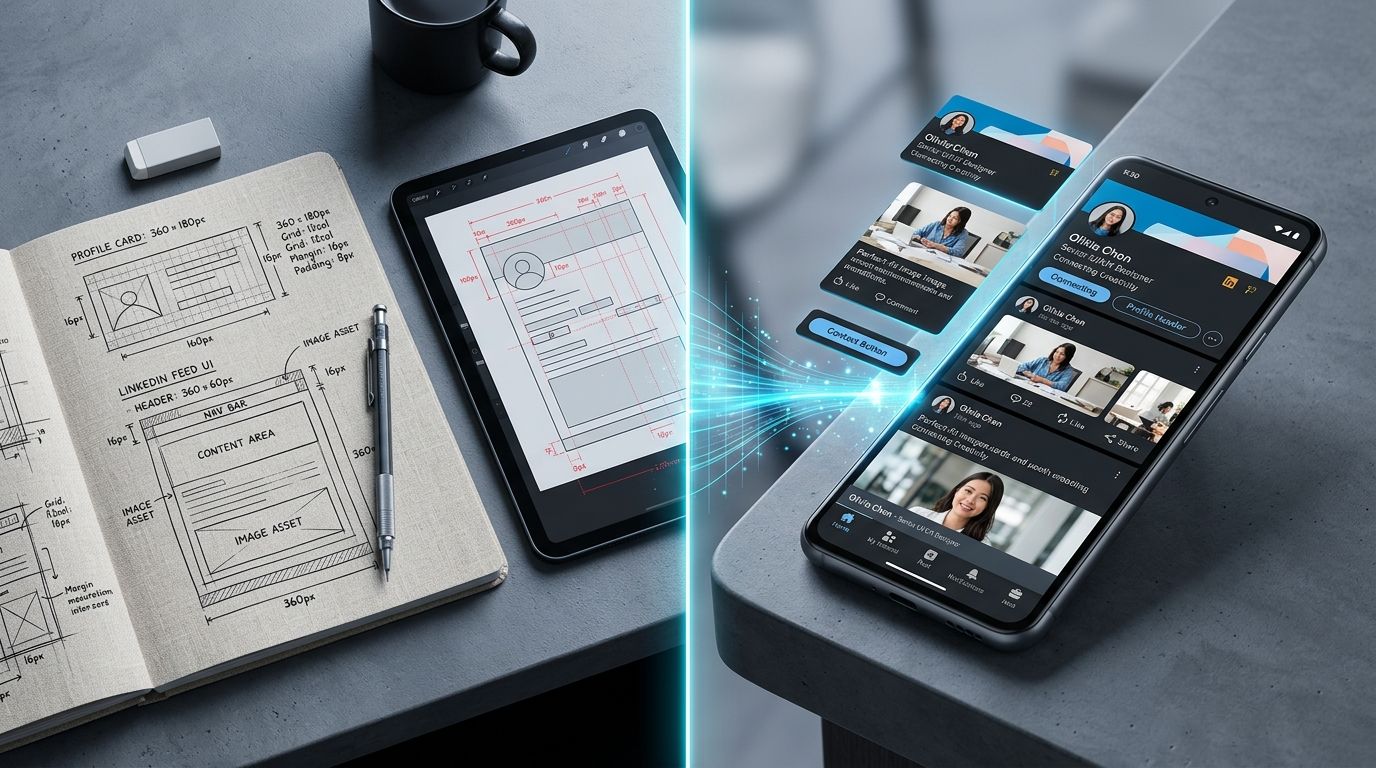
Using exact dimensions ensures your product is never cropped aggressively in the mobile feed.
The Anatomy of LinkedIn Post Dimensions
Organic posting gives you the most flexibility, but it also presents the highest risk of automated cropping. When you upload a photo from your camera roll, the platform algorithms decide what part of your image matters most. They are usually wrong.
Square Images Dominating the Feed
The optimal size for a standard image post is 1080 by 1080 pixels. This creates a 1:1 aspect ratio that occupies massive vertical space on mobile phones. Since over half of all professional networking traffic now occurs on mobile applications, commanding vertical screen height is a strategic advantage. You want your product to fill the entire visible frame between the author line and the engagement buttons.
Reusing your Instagram square assets on LinkedIn is often a necessary compromise when resources are tight. You do not always need bespoke dimensions for every single organic post. The 1080 square format translates perfectly across both networks. If your team is strapped for time, standardize your organic pipeline on this single resolution.
Portrait and Landscape Variations
Some brands push the limits with portrait uploads at 1080 by 1350 pixels. This 4:5 aspect ratio works well, but you risk the top and bottom margins being compressed on certain desktop displays. Landscape images, typically sized at 1200 by 628 pixels, look distinctly like advertising. They are the default size for sharing URLs. If you paste a blog post into a status update, LinkedIn scrapes the destination site for an image matching this 1.91:1 ratio.
Just like understanding Facebook Ad Image Sizes, mastering LinkedIn dimensions prevents your core message from being compromised by automated layout shifts.
Building Authority with Company Page Dimensions
Your company page is often the first touchpoint for a procurement manager researching your brand. A pixelated banner signals poor attention to detail. A clipped logo suggests you do not care about your digital storefront.
The Company Banner Trap
The official linkedin company banner size is 1128 by 191 pixels. This is a violently wide and narrow canvas. It is incredibly difficult to fit meaningful product photography into this space without heavy cropping. The solution is to use environmental textures or wide product lineups, keeping all focal points near the horizontal center.
Mobile cropping rules change constantly, so putting text in the absolute center safe zone is the only defense you have against arbitrary platform updates.
The company logo itself must be a perfect square at 300 by 300 pixels. Keep in mind that this logo sits inside a circular mask on most views. If your brand mark extends to the very edges of the square canvas, the corners will be chopped off. Always leave a 10 percent padding margin around your actual logo graphic.
LinkedIn Ad Image Size Compliance
Organic feeds are forgiving. Advertising placements are ruthless. If your file is one pixel off, the campaign manager will block your upload. Sponsored content demands strict adherence to the linkedin ad image size rules.
Single Image and Carousel Formats
For standard single image ads, you must use 1200 by 628 pixels. These appear in the feed mimicking organic shared links. Carousel ads operate entirely differently. Each card in a carousel must be a perfect 1080 by 1080 pixel square. You can string up to ten cards together, making this format incredible for showing off hardware features or different product angles.
When testing multiple visual styles for these carousels, waiting on a photographer for new variations stalls the entire campaign. Upload a basic product photo to CherryShot AI, select an aesthetic like Minimalist or Studio, and generate dozens of professional catalog variations in minutes. Pick the best outcomes, render the batch, and launch your test immediately. The per image cost drops drastically, and the turnaround goes from weeks to an afternoon.
Choosing the Best Image Formats for Web matters immensely here. LinkedIn compresses images aggressively to save bandwidth. Always export your finalized graphics as high quality PNG files. If you use heavily compressed JPEG files, any text overlay will develop blurry artifacts around the letters.
Article Covers and Newsletter Assets
If your leadership team publishes long form articles directly on the platform, you need cover images. The linkedin article cover image specification is 1920 by 1080 pixels. This is a standard 16:9 widescreen ratio. These headers set the professional tone before a single word is read. Do not stretch a square logo to fit this space.
Newsletters follow similar rules. The newsletter cover acts as the primary thumbnail across user notifications. Treat these headers like magazine covers. Use high contrast, striking product angles, and minimal text.
If you want to build Scroll-Stopping Social Ad Images, you need clear subjects against simple backgrounds. The professional feed is cluttered with text heavy infographics. A beautifully lit piece of physical hardware cuts through the noise simply by being visually distinct.
| Placement | Dimensions | Aspect Ratio |
|---|---|---|
| Feed Post | 1080 x 1080 px | 1:1 |
| Shared Link | 1200 x 628 px | 1.91:1 |
| Company Banner | 1128 x 191 px | 5.9:1 |
| Article Cover | 1920 x 1080 px | 16:9 |
Frequently Asked Questions
What size image should I use for LinkedIn posts?
Use a 1080 by 1080 pixel square for organic feed posts to ensure full screen coverage on mobile devices. This format prevents automatic cropping while maintaining high visual clarity across desktop and phone views. Set your primary product images to these dimensions before uploading them to the platform.
What are LinkedIn company page banner dimensions?
Design your company banner at 1128 by 191 pixels to fit the designated header space. Keep your text and logo inside the central safe zone to prevent them from being hidden by profile pictures or UI elements. Test the alignment on both desktop and mobile applications before finalizing your production files.
What size are LinkedIn ad images?
Format your single image ads to 1200 by 628 pixels for the best display results within sponsored feed placements. Carousel ads require 1080 by 1080 pixel squares for every individual card in the series. Confirm that all creative assets remain under 5MB to comply with the technical requirements of the campaign manager.
How do I make product photos look good on LinkedIn?
Center your product clearly against a clean and high-contrast background to stand out during rapid scrolling. Busy lifestyle images often cause hardware or packaging to blend into the surroundings and disappear from the viewer's focus. Produce crisp and professionally lit assets to ensure your physical goods look authoritative.
Does LinkedIn image size affect post reach?
Poor image sizing indirectly lowers your reach by reducing engagement metrics like clicks and time spent viewing the content. Automated cropping often removes crucial visual context, which discourages users from interacting with your post. Higher engagement rates signal to the platform algorithm that your content deserves wider exposure.
Key Takeaways
- Standardize your feed assets at 1080 by 1080 pixels for maximum cross device visibility.
- Company banners require a 1128 by 191 pixel canvas with a strict central safe zone.
- Paid campaigns demand precise compliance with the 1200 by 628 pixel single ad format.
- Export all final files as PNGs to prevent the platform from compressing your text into blurry artifacts.
B2B marketing does not have to look boring. When you respect the native dimensions of the platform, your product photography actually gets a chance to do its job. Stop uploading cropped whiteboards. Build a visual presence that makes buyers want to learn more about the physical goods you actually sell. Generating professional scale imagery is easier than ever with CherryShot AI.
Audit your product page images before your next campaign
Review your top performing catalog assets to ensure they meet these standard LinkedIn requirements. If you find your images lack the necessary contrast or clarity, generate new high-quality variations using CherryShot AI to boost your professional engagement.
Try CherryShot AI