Product Photography Workflow: The End-to-End System That Takes a Product From Unboxed to Published in One Day
Most ecommerce brands treat product photography like a frantic fire drill rather than a repeatable business process. Every time a new container arrives at the warehouse, the scrambling begins. You negotiate rates with a freelance photographer, rush physical samples to a rented studio, and cross your fingers that the final deliverables match your vision. Two weeks later, the invoice arrives and you are still missing the specific lifestyle angles your web developer needs for the product page layout.
Definition
A product photography workflow is the standardized sequence of operational tasks, from staging and lighting to post-processing, required to turn raw inventory into finished ecommerce assets. It transforms production into a reliable cycle rather than a series of one-off creative experiments.
A highly systematized product photography workflow changes this equation entirely. When you remove the on the fly decisions and establish a strict operational framework, you stop paying for idle studio time. You eliminate the endless back and forth regarding lighting and angles. Instead, you build a machine that reliably moves fresh inventory from unboxed to published on your storefront in a single day.
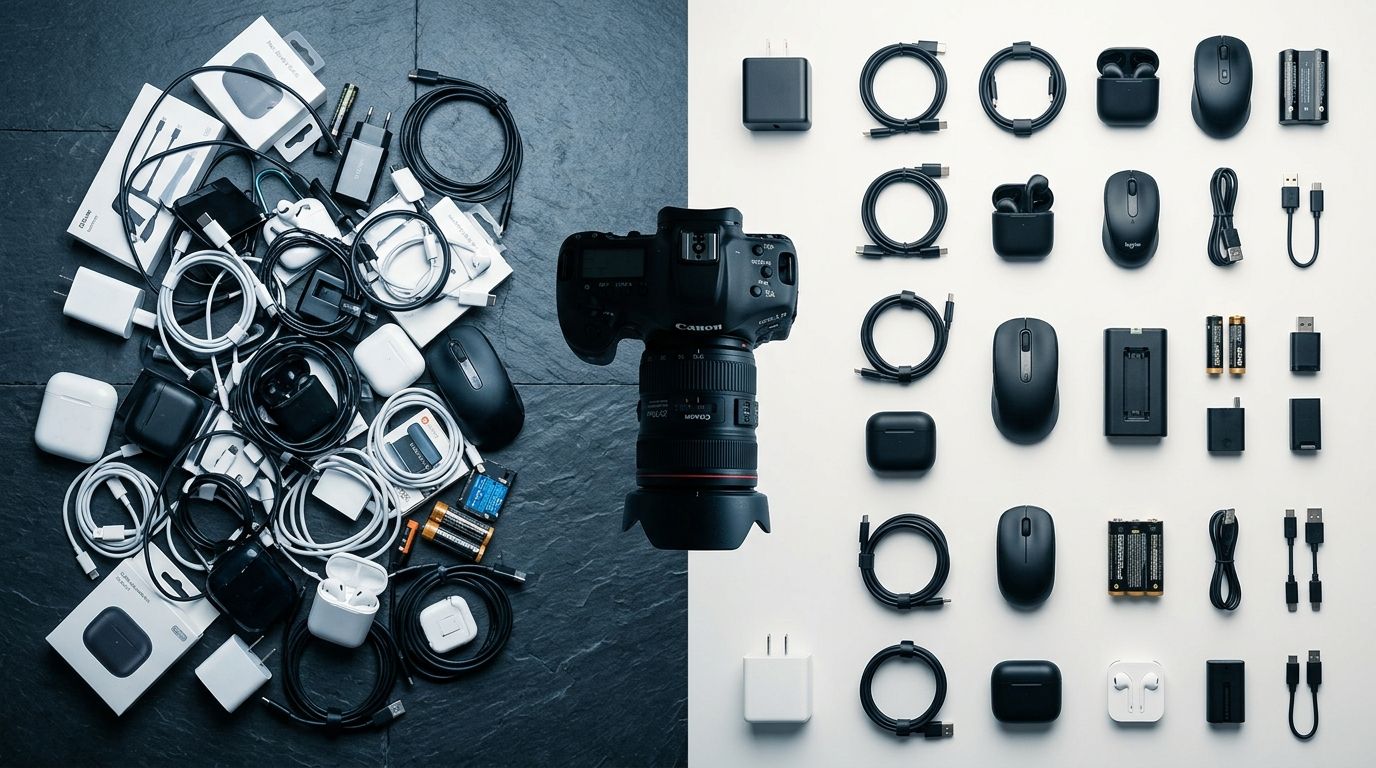
The Cost of Ad Hoc Photography Shoots
I spent my first few years in ecommerce winging it. We booked studio time whenever a new collection was ready. We treated every shoot as a unique creative endeavor. That lack of structure bled our margins dry. We paid premium day rates for photographers to spend two hours just dialing in the lighting because we had not recorded the strobe settings from the previous session. We received photos that looked entirely different from the products already listed on our site.
Worth noting: a highly systematized physical workflow means sacrificing some creative spontaneity. You lock the tripod down, mark the floor with tape, and shoot the list. If you want whimsical, inspired art direction for a massive billboard campaign, a rigid one day system will feel incredibly restrictive. For volume catalog work, you need factory precision, not art.
The fundamental problem with treating catalog photography as an ad hoc event is the staggering amount of hidden time it consumes. Managing logistics takes longer than capturing the actual photos. You have to prep the garments, steam the wrinkles, build the sets, and manually rename hundreds of files before uploading them to your store. To fix this, you need to break the ecommerce product photography process down into three rigid phases.
Building a One Day Product Photography Production Workflow
Getting everything done in twenty four hours requires militant preparation. The clock starts ticking the moment a product box is opened, but the actual work begins days before. If anyone is making a creative decision on the day of the shoot, your system is already broken.
Phase 1: The Pre Shoot Organization
Do not unpack a single item until you know exactly how it needs to be captured. The foundation of this phase is creating a product photography brief that details every required angle, crop, and file format. Group your products logically. Do not shoot a glossy black item immediately after a matte white item, because the lighting change will cost you twenty minutes. Batch your SKUs by size, material, and required lighting setup. When the photographer steps onto the set, they should find a rolling rack perfectly ordered to match a printed shot list.
Phase 2: The Locked Down Capture Process
Consistency is the only metric that matters here. Tape your tripod position to the floor. Mark where the front legs of the product table sit. Record the exact power outputs of your strobes. When you standardize the environment, taking good product photos yourself becomes a matter of pressing a button rather than mastering advanced lighting theory.
Shoot tethered directly to a computer. Checking a tiny camera screen guarantees you will miss focus issues until it is too late. By shooting directly into your management software, the art director or brand manager can approve the angle in real time, apply a baseline color preset, and instantly flag the file for the editing queue.
Phase 3: The Post Production Assembly Line
The shoot is only half the battle. Post production is where most timelines fall apart. If you are waiting on a freelancer to manually remove backgrounds and adjust contrast, your one day launch goal is dead. The trick to efficient product photo editing is aggressive batch processing. You apply global color corrections to an entire folder of images at once. You use automated background removal scripts. You establish export presets that automatically size the images for your Shopify store, your Amazon listings, and your Instagram feed simultaneously.
How AI Replaces the Entire Physical Workflow
Even the most refined physical studio workflow still has a ceiling. You are always bound by the limits of human speed and physical logistics. This is exactly where AI product photography has fundamentally changed the math for ecommerce brands.
Instead of building an intricate assembly line of lights, cameras, and tether cords, you can bypass the physical set entirely. With CherryShot AI, the product photography workflow shrinks to three steps. You upload a basic, well lit photo of your product captured from a smartphone. You select a visual mode that matches your brand identity, whether that is Minimalist, Luxury, or an Avant Garde editorial style. Minutes later, you receive a batch of campaign ready photos.
CherryShot AI eliminates the entire post production bottleneck. The backgrounds are generated flawlessly, the lighting is rendered perfectly onto the object, and the final files require zero color grading. By adopting an AI native workflow, brands drop their per image cost from fifty dollars down to pennies. More importantly, the time from unboxing a new sample to pushing the product page live goes from weeks to minutes. You shift the bottleneck away from asset production and put the focus entirely on merchandising and sales.
| Workflow Type | Resource Intensity | Turnaround Speed |
|---|---|---|
| Ad Hoc Studio | High (Rental & Crew) | Weeks |
| Internal System | Moderate (Staff & Gear) | Days |
| AI Production | Low (Subscription) | Minutes |
Building a rigid physical system is a massive upgrade over winging it. If you have a massive warehouse and the budget for dedicated staff, locking down an internal studio makes sense. But for lean brands that launch new SKUs aggressively, an AI workflow is the only way to scale without proportionately scaling your headcount.
Frequently Asked Questions
What is a product photography workflow?
A product photography workflow is the formal system used to plan, capture, and publish ecommerce images. It coordinates every stage from unpacking inventory to setting up lighting and final file export. This structure turns photography from an unpredictable creative event into a repeatable operational process that keeps your store updated.
How do I systematize my product photography production?
You systematize your production by standardizing every variable to remove daily guesswork. Secure your camera on a tripod, mark the floor for exact light placement, and follow a rigid shot list for every SKU. By eliminating on the fly decisions, you drastically increase shooting speed and guarantee visual consistency across your entire product catalog.
What is the most efficient product photography workflow?
The most efficient workflow replaces physical production entirely by using artificial intelligence. Instead of renting studios or adjusting lights, brands snap a reference photo and use an AI tool to generate polished campaign imagery. This approach shortens the production timeline from weeks down to a few minutes per item.
How long does product photography take per SKU with a good workflow?
In a highly optimized physical studio, shooting and editing one SKU takes between twenty and thirty minutes. Moving to an AI-driven workflow drops that time to under five minutes per SKU, including variations and different backgrounds. Efficiency gains allow your team to focus on sales rather than manual asset preparation.
How does AI photography change the product photography workflow?
AI photography removes the major logistical bottlenecks found in traditional photo shoots. You no longer need to manage complex schedules between photographers, stylists, and studio managers. The process shifts from managing physical sets and editing queues to quickly iterating on high-quality digital generations from your laptop.
Streamline your product page visual production
Review your current imaging process to identify where manual labor is slowing down your store updates. Automating your asset creation allows you to respond to new inventory drops instantly without coordinating expensive studio time.
Try CherryShot AI