AI Video Generator for Product Photography: How Generative AI Creates Motion From Static Images
Producing video for an ecommerce brand used to mean writing a blank check. You hire a crew, rent a studio, block out two full days, and hope the lighting perfectly matches your existing product catalog. If the final cut is missing a crucial angle, you are completely out of luck. Reshoots destroy profit margins.
Definition
An AI video generator for product photography is a software application that converts still product images into realistic, moving video clips. It uses advanced mathematical models to predict and render how lighting and shadows behave as a virtual camera moves around a static, two-dimensional product photo.
Today, you do not need a film crew to get motion onto your product pages. An AI video generator for product photography can take a single static image and turn it into a realistic video asset in about three minutes. The technology has crossed the uncanny valley. It is now entirely possible to generate product video from an image that looks indistinguishable from a five-thousand-dollar studio production.
The math on this is brutal for traditional agencies. Brands are realizing they can bypass the entire logistical nightmare of physical production. You just need a perfect base image, the right generative model, and a very specific approach to prompting.
Key Takeaways
- Image-to-video technology completely removes the need for physical video shoots for standard catalog motion.
- The quality of your final AI video depends entirely on the lighting and resolution of your starting static image.
- Camera movement prompts (pan, zoom, track) yield far better results than subject movement prompts.
- Different AI models serve different purposes. Runway is best for cinematic camera control, while Kling excels at liquid and fabric physics.
The Financial Reality of Ecommerce Video in 2026
Most founders drastically underestimate the total cost of video production. They look at the videographer's day rate and assume that is the bottom line. They forget the prop stylist, the studio rental fee, the specialized lighting gear, and the three weeks of post-production editing. By the time the final mp4 files land in your inbox, a simple set of product loops has cost you thousands.
This is why most brands settle for static images on their product pages. It is an unfortunate compromise. The data is very clear on when product videos convert better than flat photography. Motion shows scale. It shows texture. It proves the product exists in three-dimensional space. Shoppers want to see how light hits the packaging when it moves.
Generative AI product video solves the budget problem instantly. The cost drops from thousands of dollars to the price of a monthly software subscription. The turnaround time drops from a month to a single afternoon. You do not have to ship inventory anywhere. You do not have to pray for good weather. The bottleneck shifts entirely from physical logistics to simple creative direction.
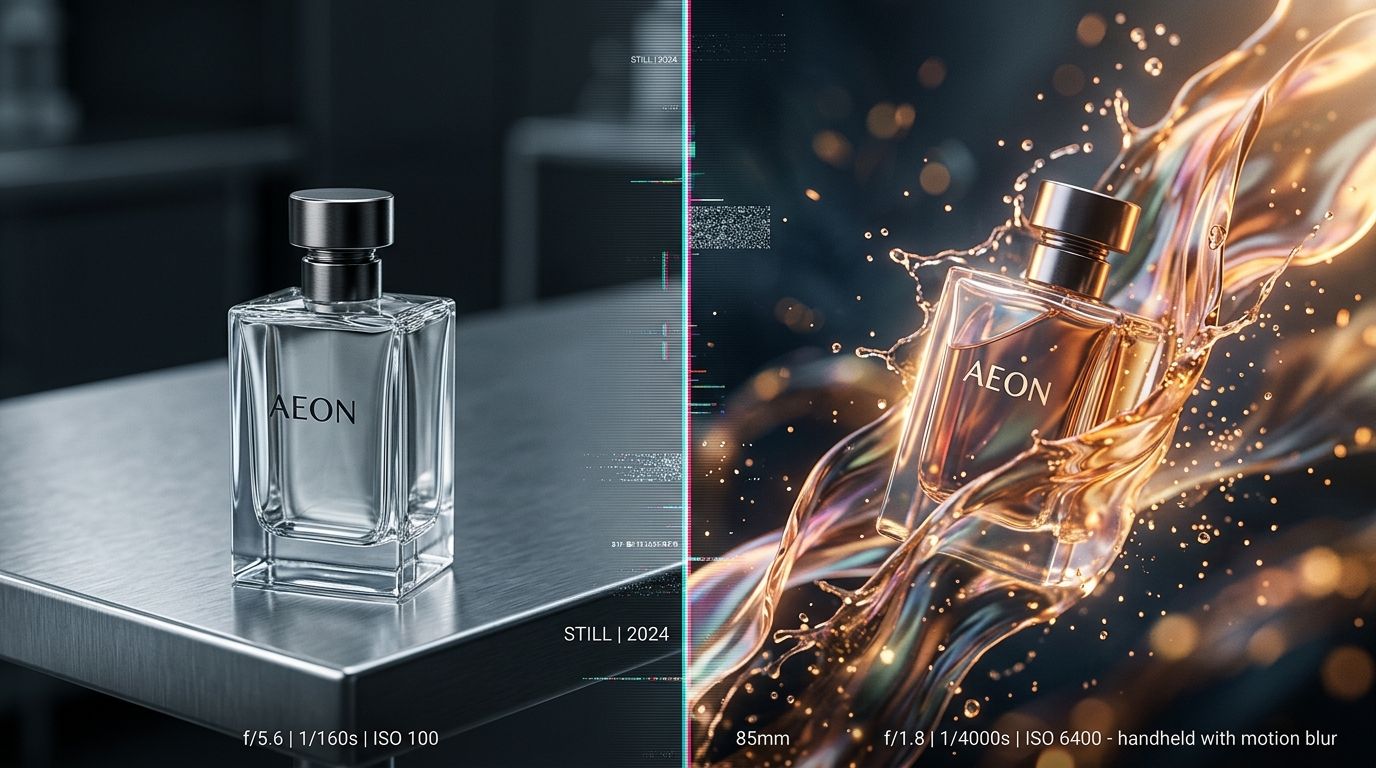
Generative tools excel at smooth, cinematic camera movements over high-resolution static scenes.
How AI Creates Video from Static Images
Two years ago, AI video meant typing a text prompt and getting back a blurry, morphing mess. Text-to-video is notoriously unstable. If you type "a bottle of perfume on a table," the AI has to guess the exact shape of your bottle, the exact typography on your label, and the specific color of your liquid. It usually guesses wrong.
The breakthrough for ecommerce was the shift to image-to-video capabilities. You no longer rely on the AI to design your product. You feed it a finished, perfect image, and you simply ask the AI to introduce a camera movement.
This is why understanding how AI product photography works is the mandatory first step. The video generator cannot fix a bad photo. If your starting image has poor lighting, the resulting video will have poor lighting in motion. If the label is blurry, the video will be blurry.
Your workflow should look exactly like this. First, you take a basic, well-lit snapshot of your product on your phone. You upload that into CherryShot AI, select a visual mode like Minimalist or Loud Luxury, and generate a flawless, campaign-ready static image. Once you have that pristine visual asset, you download it and drop it into an AI product video generator like Runway or Kling.
Prompting for Camera Movement
The biggest mistake marketers make is asking the AI to move the product itself. If you upload a picture of a sneaker and prompt the tool to "make the shoe walk," the software will attempt to bend the rubber and morph the laces. The result will look bizarre.
Instead, you must direct the camera. The best results come from treating the AI like a mechanical rig. Your text prompts should be extremely literal. Ask for a "slow cinematic pan to the right" or a "smooth macro push-in." When you keep the subject still and move the virtual camera around it, the illusion of reality is perfectly maintained. It creates incredibly effective scroll-stopping product video ads without asking the software to invent physics it does not understand.
Kling vs. Runway: Choosing the Right Model
Not all video generators process images the same way. If you are comparing options, you need to match the tool to the specific product category you are selling.
| Feature | Runway (Gen-3/4) | Kling AI |
|---|---|---|
| Best Use Case | Cinematic camera control, precise tracking shots, hard goods. | Fluid physics, pouring liquids, falling fabrics, organic movement. |
| Visual Consistency | Extremely high for rigid objects. Excellent text preservation. | Moderate. Can sometimes hallucinate textures during heavy motion. |
| Ideal Product Types | Electronics, supplements, boxed cosmetics, footwear. | Beverages, skincare serums, flowing apparel. |
Creating the Runway Product Photography Video
Runway dominates the market for hard goods. If you sell a premium skincare jar resting on a marble podium, Runway handles the lighting reflections flawlessly. As the virtual camera orbits the jar, you will see the digital light bounce accurately across the glass surface. This creates a deeply premium feel. Runway relies heavily on short, focused outputs. You generate a four-second clip, download it, and loop it directly on Shopify.
Leveraging Kling AI Product Video Features
Kling operates differently. It was trained heavily on complex physics. If you have a static image of a water bottle sitting in a shallow pool, Kling is the tool you use to animate the water rippling around the base. It is incredibly strong for beverage brands that need ice dropping into glasses or coffee pouring into a mug. The trade-off is that heavy motion risks altering the label text.
Sora product video ecommerce applications are also incredibly impressive, offering longer generation times and complex scene consistency. However, public access remains tiered and restricted compared to the immediate availability of Runway and Kling.
The Uncomfortable Truth About Quality Limits
We need to be entirely honest about what this technology cannot do. Artificial intelligence is not ready to render a sixty-second Super Bowl commercial featuring multiple camera angles, complex dialogue, and flawless continuity.
(Worth noting: if you try to force an AI model to generate a clip longer than ten seconds, you will almost certainly see the product start to melt or the brand logo drift off-center. Generative video degrades over time. Short bursts of motion are the absolute key to success).
There is also a strict limitation regarding complex text. While static generators like CherryShot AI ensure your brand label is pristine, video generators occasionally scramble fine print as the camera moves past it. You must review every frame of your output. Do not blindly upload AI-generated video to your ad accounts without checking the typography.
These limitations are why knowing when AI product photography makes sense is crucial. It is built for volume, speed, and standard catalog replacement. It handles the eighty percent of your content needs that drain your budget. You reserve your traditional video team for the massive seasonal brand anthems, and you use AI for the daily heavy lifting of product page loops and Instagram Stories.
Frequently Asked Questions
Can AI generate product videos from photos?
Image-to-video models convert static product photographs into realistic short videos by extrapolating geometry and lighting. This process works by interpreting the visual depth of the source file and projecting fluid camera movement across the digital scene. Upload a pristine static shot into your chosen platform, input a precise camera direction prompt, and export a clean four-second looping MP4 for your product page.
What AI tools create product videos?
Runway, Kling, and Sora operate as the primary generative platforms capable of handling commercial ecommerce video production. Each software model processes physical simulations differently, making platform selection highly dependent on your specific merchandise category and desired visual effect. Process hard goods requiring precise cinematic camera tracking through Runway, while reserving Kling for advertising campaigns demanding complex liquid splashes or moving apparel simulations.
Is AI-generated product video good enough for ecommerce?
Generative video functions perfectly for commercial ecommerce applications when carefully restricted to short, looping assets. The underlying mathematical models excel at maintaining visual consistency across brief intervals but suffer from severe texture degradation when forced to generate lengthy narrative sequences. Limit your individual generated outputs to four seconds per clip and string them together during post-production to build high-converting visual assets for your digital storefront.
How do I use Kling or Runway to create product videos?
Begin the animation process by uploading a perfectly lit, high-resolution static photograph into your chosen platform's image-to-video module. The final video quality mirrors your initial input exactly, meaning any blur or poor lighting in the source file compounds exponentially during the render. Write literal text prompts commanding the virtual camera to pan slowly to the right rather than asking the software to animate the physical object.
What is the best AI video generator for product photography?
The optimal generative platform strictly depends on the physical characteristics and material properties of the item you intend to animate. Different artificial intelligence models interpret material behavior differently, creating a hard division in performance between rigid architectural objects and soft, fluid dynamics. Process your solid cosmetics packaging through Runway for flawless orbital tracking shots, but switch immediately to Kling when animating poured beverages or dropped textiles.
The brands winning right now are moving fast. They are not waiting for AI to become entirely flawless for long-form narrative film. They are looking at their ecommerce stores, realizing their static images are losing attention, and fixing the problem today. Generate your perfect static photos with CherryShot AI, drop them into a video model, and get your products moving. The workflow is already here.
Generate your perfect base images before animating
Your video output will fail if the starting photograph has bad lighting or blurry text. Use CherryShot AI to render a pristine, high-resolution static product shot first so your video models have flawless data to animate.
Try CherryShot AI