Amazon Product Image Size Requirements 2026: Main Image, Secondary, and A+ Specs
Most sellers find out they got the Amazon product image size wrong when their listing gets suppressed mid launch. To answer the core question immediately: your Amazon listing images should be exactly 2000 by 2000 pixels. The platform requires a minimum of 1000 pixels on the longest side to activate the hover to zoom feature, but stopping at the bare minimum is a mistake. Uploading at 2000 pixels guarantees crisp resolution across both retina desktop displays and modern smartphone screens.
Definition
Amazon product image specifications refer to the required pixel dimensions, file formats, and background color settings that sellers must meet to maintain active listings. These rules govern how images appear on search results, detail pages, and A+ content sections.
I have audited hundreds of Amazon seller accounts over the last decade. The most common reason a listing dies on day three is a suppressed main image. Usually the background was 96 percent white instead of pure RGB 255,255,255. Other times the product filled 70 percent of the frame instead of the required 85 percent. You do not want to fix these issues while paying for pay per click traffic that cannot convert. Sellers who want to avoid listing suppression learn very quickly that Amazon treats these specifications as hard laws.
The math behind these rules is tied directly to buyer behavior.
Amazon Main Image Requirements for 2026
Your main image is the single most important asset in your entire business. If the main image fails to earn a click on the search results page, your bullet points and A+ content do not matter. Nobody will ever see them.
Let us outline the non negotiable rules for slot one. The background must be pure white. No props. No watermarks. No text overlays. If you sell a three pack of soap, the main image must show exactly three bars of soap. Not one bar with text saying "Pack of 3" layered on top. Text is forbidden on main images. Showing the exact physical quantity is mandatory.
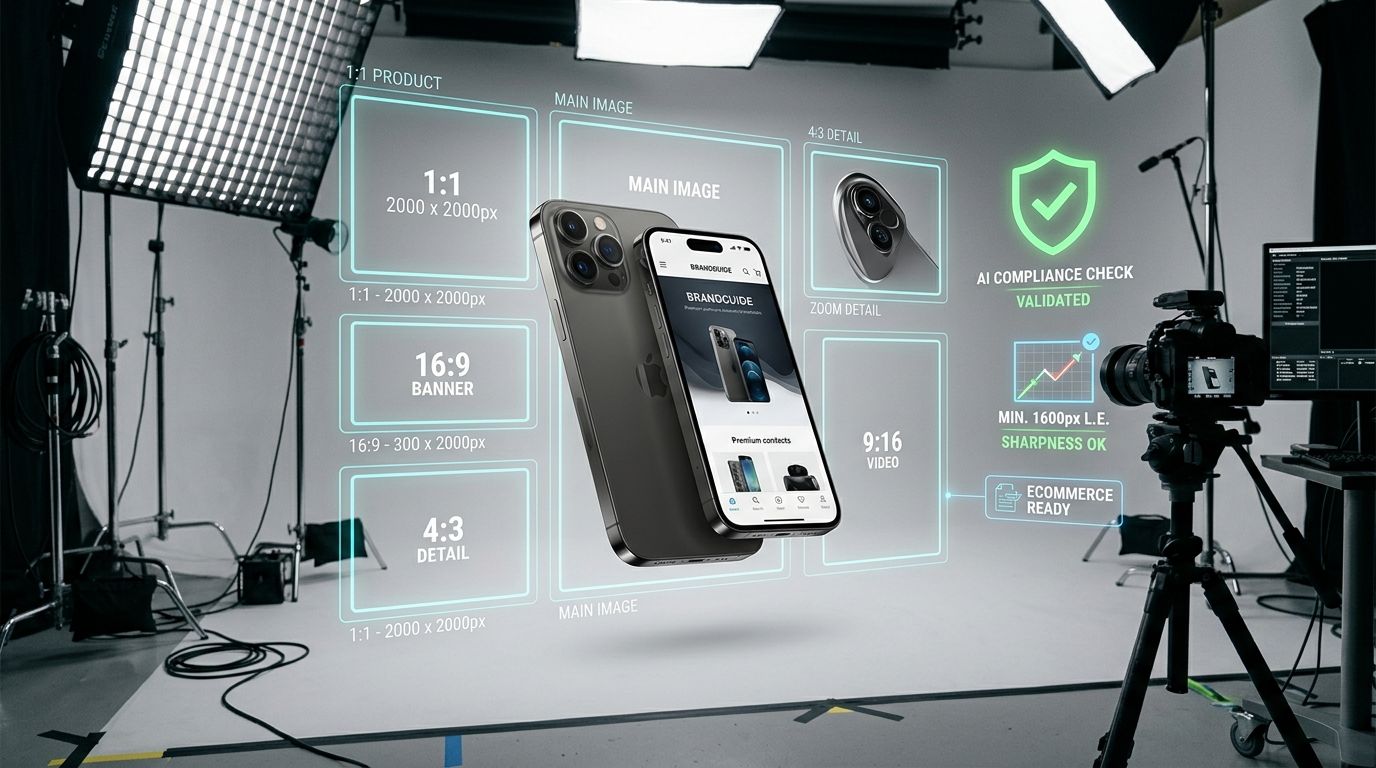
A 2000 pixel square image provides the optimal balance between high definition zoom capabilities and fast page loading speeds.
The 85 Percent Frame Fill Rule
This rule trips up more sellers than anything else. Amazon algorithms scan your main image to calculate the ratio of white pixels to product pixels. The physical product must occupy at least 85 percent of the image frame. You must crop out dead space.
Blank space ruins your click through rate on the search results page.
If you sell a wide item like a keyboard, crop tightly to the left and right edges. If you sell a tall item like a broom, crop to the top and bottom. On Amazon, search results display in a grid of squares. If you upload a horizontal image, Amazon will add white bars to the top and bottom to force it into a square. This visually shrinks your product compared to competitors who cropped properly. A smaller product on the search page means a lower click through rate. Always crop to a 1:1 square ratio before uploading.
Secondary Listing Image Dimensions
Slots two through nine have entirely different rules. These are your infographics, lifestyle shots, and size charts. This is the space where you actually sell the product and address buyer objections.
Keep the pixel dimensions consistent with your main image. If a buyer swipes from a 2000 pixel main image to a 1000 pixel lifestyle shot, the blur is instantly noticeable. It makes the brand look cheap. You can use props, text, and real environments here. Figuring out the optimal number of images usually means filling every available slot without repeating the same visual information twice.
| Asset Type | Ideal Dimensions | Background Rule |
|---|---|---|
| Main Image | 2000 x 2000 px | Pure White |
| Secondary | 2000 x 2000 px | Flexible |
| A+ Image Header | 970 x 600 px | Flexible |
| A+ Sidebar | 300 x 400 px | Flexible |
The Hover to Zoom Advantage
Hover to zoom is a critical conversion tool. When a buyer cannot pick up the physical product, they inspect the pixels instead. They want to see the texture of the fabric, the quality of the stitching, or the finish on the metal. If your image is only 500 pixels wide, the zoom feature will not activate. The buyer feels like they are being kept in the dark. Transparency drives sales, and high resolution images provide that transparency.
Amazon A+ Content Image Size Guidelines
A+ content is the hidden boss of Amazon listings. Standard widths dictate everything about how your brand is perceived on the page. A Standard Image Header with Text needs to be exactly 970 by 600 pixels to look crisp. A Standard Single Image and Sidebar module requires 300 by 400 pixels. A Standard Single Left or Right Image needs to be 300 by 300 pixels. Getting these dimensions wrong results in automatic cropping by the platform. Automatic cropping ruins your carefully designed text overlays and makes your brand registry look like an amateur operation. Detail orientation here separates the private label veterans from the weekend hobbyists.
File Size and Format Specifications You Cannot Ignore
Amazon accepts JPEG, TIFF, PNG, and GIF files. Forget the last three options entirely. JPEG is the only format you should actually use. It offers the best balance of compressed file size and visual fidelity.
Keep your file size under 10 megabytes. When you save a JPEG from your editing software, you choose a compression quality level. A quality level of 80 out of 100 is usually the sweet spot. Large file sizes slow down page load times on mobile connections. Amazon will compress your image automatically if it is too large, and their default compression algorithm is brutal. You want to control the compression yourself before uploading to retain visual clarity.
Ensure your color profile is set to sRGB. CMYK files will display with distorted, neon colored hues on web browsers. Many sellers ignore color profiles and wonder why their dark navy product looks bright purple online. Poorly compressed product images losing sales is a completely preventable problem once you standardize your export settings.
How AI Image Generation Fits Into Amazon Compliance
Producing eight high resolution lifestyle images for a new SKU used to mean booking a freelance photographer, waiting three weeks, and hoping the studio props did not distract from the product itself. Now sellers upload a simple phone photo to CherryShot AI, select the Lifestyle or Influencer mode, and generate compliant 2000 pixel secondary images in a single afternoon.
(Worth noting: doing this well still requires a clean base image. AI cannot invent product details that were completely obscured in shadow in your original upload.)
While AI product photography is incredible for scaling lifestyle shots and contextual backgrounds, there is a clear trade off you need to understand. If you are selling a highly technical mechanical part where the buyer needs to verify a specific screw thread pitch, you still need a traditional macro lens photograph. AI is built for visual appeal and lifestyle context, not microscopic engineering verification. For everything else, the cost and speed advantage is undeniable.
Audit your product images for compliance before your next campaign
Review your main images against the 85 percent frame fill rule and confirm your file sizes are under 10MB. If you find gaps in your carousel, use CherryShot AI to generate lifestyle context that meets Amazon resolution standards.
Try CherryShot AIFrequently Asked Questions
What size must Amazon product images be?
Aim for 2000 by 2000 pixels for every listing asset. Larger files ensure the zoom feature triggers correctly on all display types. Uploading at this resolution prevents the common blurriness found when systems force expansion on smaller files.
Can Amazon images have text or logos?
Main images remain strictly prohibited from displaying text, watermarks, or branding logos. These elements are only permitted when they appear on the actual product surface. Use the carousel slots for infographic overlays, callouts, and secondary visual communication.
What background does Amazon require for main images?
All main images must feature a pure white background set to RGB 255,255,255. Any variations or lifestyle settings cause immediate listing suppression from the platform algorithms. Maintain this specific color profile across your entire primary image library.
How many pixels should Amazon product photos be?
Square 2000 by 2000 pixel dimensions provide the best compatibility for search result displays. This uniform shape avoids unnecessary white bars that often shrink the product size in search grids. High resolution files protect your visual assets against future display hardware upgrades.
Are AI-generated images allowed on Amazon?
Amazon allows AI imagery for lifestyle contexts and secondary carousel slots. Buyers must see an accurate representation of the physical product to minimize return rates and negative sentiment. Accuracy remains the priority regardless of the production method chosen for the shoot.
Key Takeaways
- Main listing images must have a pure white background at exact RGB 255,255,255.
- Upload square images at 2000 by 2000 pixels to enable high resolution zoom and maximize search result visibility.
- The physical product must occupy at least 85 percent of the main image frame.
- Secondary images and A+ content modules have unique dimension requirements that prevent automatic platform cropping.
Fixing image compliance issues mid launch is an expensive mistake. Getting your dimensions right before you upload protects your search ranking and ensures your advertising dollars actually turn into sales. If your workflow involves launching multiple variations or expanding into new product categories, using a tool like CherryShot AI can eliminate the traditional photography bottleneck entirely.