Create Product Videos on a Budget: The 4 Methods Ranked
Every founder eventually hits the wall where still images are not enough but a professional video crew is completely out of reach. If you want to create product videos on a budget, you have to accept a different set of trade-offs. You do not need to drop five grand on a production agency. You just need to match your available time and visual assets to the right production method.
Definition
Budget product videography involves creating moving visual assets for ecommerce without hiring external production agencies or renting expensive studio equipment. This practice relies on maximizing accessible tools like smartphones, motion graphics software, and existing still photography to deliver clear product context.
Most ecommerce teams trying to create affordable product video waste their budget buying cheap ring lights and motorized turntables when they should be investing in better still images and simple editing software. A clean, slow-moving still image will always out-convert a poorly lit, shaky video clip. Your customers do not care about cinematic ambition. They care about clarity. They want to understand the texture, the scale, and the context of the item they are about to buy.
We are going to break down the four most realistic ways to put a moving asset on your product page without killing your margin. The right choice depends entirely on whether you have more time or more existing imagery at your disposal.
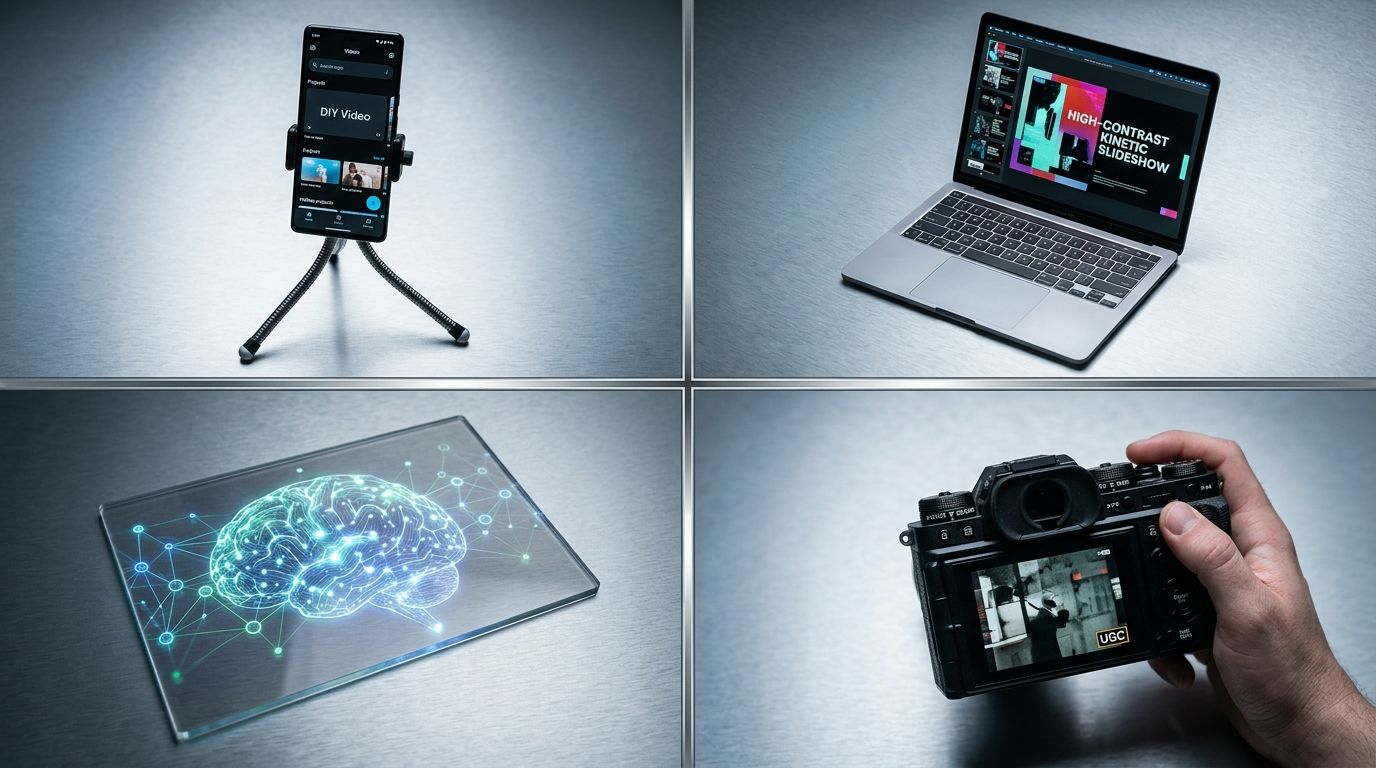
Balancing production budget requires understanding which method delivers the necessary visual clarity for your specific product category.
Method 1: Shooting DIY product videos on a smartphone
The phone in your pocket is already a better camera than the digital single-lens reflex bodies professionals used ten years ago. It shoots in 4K. It shoots at sixty frames per second. It handles low light better than ever. The hardware is not the limiting factor. The limiting factor is usually the environment where you choose to film.
The setup and execution
To make a DIY product video ecommerce customers will trust, you must strip away all distracting elements. Turn off overhead fluorescent lights. Move a table next to a large window during the daytime to use soft, natural sunlight. Use a clean sweep of paper or a plain fabric backdrop to hide your office or living room background.
(Worth noting: building a dedicated studio space in your office sounds like a great cost-saving measure until you realize you are paying rent on a room you use twice a month.)
Lock your phone on a tripod. Never hold it in your hands. Even slight hand tremors look violently distracting on a large monitor. Set your camera app to lock focus and exposure so the brightness does not shift when your hands enter the frame. Film the product rotating, being unboxed, or being used. If you want to understand exactly how much you save by doing this, comparing studio vs. home setup costs shows exactly where agency markup lives.
Method 2: Turning still photos into sliding product video
This is the secret weapon of low budget product video production. You do not actually need to record live action to create a video file. You just need to create motion.
Why motion graphics often beat bad live action
A perfectly lit, high-resolution still image slowly zooming in will always look more premium than a dark, grainy video clip. You can create a compelling slideshow product video using a free mobile app like CapCut. Import four or five exceptional photos, apply a smooth digital zoom to each, overlay some key benefit text, and add an upbeat audio track.
The prerequisite here is having flawless still images to begin with. If your current photography is lacking, you can fix it rapidly. You can upload a basic phone snapshot of your item into CherryShot AI, select the Minimalist or Luxury mode, and generate campaign-ready photos in minutes. Dropping those hyper-realistic AI images into a video timeline creates the illusion of an expensive production shoot for pennies. Understanding why product videos convert reveals that customers just want to see the product details clearly. Motion draws the eye, but the underlying asset provides the trust.
Method 3: Using AI to generate product videos
We are currently in a transition phase for generative video. General-purpose AI image tools and video models can create stunning environmental scenes from text prompts. You can ask for waves crashing on a beach or a camera flying through a neon city, and the output is breathtaking.
The speed versus realism balance
However, AI video generation is incredibly fast but the physics of how fabrics drape and liquids pour will still look slightly unnatural upon close inspection. Generative video also struggles to perfectly maintain the text on your product labels frame after frame. The logo might warp or misspell itself as the object rotates.
For an affordable product video right now, the smartest AI play is a hybrid. Use CherryShot AI to generate the perfect hero image of your product in an Avant Garde or Magazine setting. Then, run that static, perfect image through an AI motion tool to add subtle background movement like clouds shifting or shadows moving. This anchors the product perfectly while giving you the moving asset you need for social media algorithms.
Method 4: Sourcing low budget product video from creators
Sometimes the best way to film your product is to ask someone else to do it. User-Generated Content remains one of the highest converting asset types available, especially for top-of-funnel ads.
Managing the human element
You do not need to hire an agency to find creators. Reach out to micro-influencers in your niche who have under five thousand followers. Offer to send them free product in exchange for three raw, unedited clips of them using it.
Give them a strict brief. Tell them exactly what lighting to use and what features to highlight. When they send the raw clips back, you handle the editing. You string the clips together, add the captions, and trim the dead space. This approach is highly effective for making video ads on a budget because the aesthetic is meant to feel native to platforms like TikTok and Instagram. The slight imperfections in the footage actually add credibility.
Comparing the methods side by side
To make the right choice for your current campaign, you have to weigh hard dollars against your personal time. Here is how the four strategies stack up.
| Production Method | Hard Cost | Time Investment | Best Used For |
|---|---|---|---|
| DIY Smartphone | Low (Tripod, backdrop) | High (Setup, shooting, editing) | Close-up texture shots, unboxing details. |
| Image Slideshow | Zero to Very Low | Low (Minutes in an editing app) | Clean catalog videos, fast social media ads. |
| AI Generation | Low (Subscription fees) | Medium (Prompting and refining) | Conceptual lifestyle backgrounds, mood pieces. |
| Micro-Creator UGC | Medium (Product cost + shipping) | High (Outreach, following up, editing) | Trust-building social proof, organic feed posts. |
Visual content production does not have to drain your operating capital. You can have rich, engaging assets on every product listing if you are willing to get creative with your workflow. Focus on clarity over cinematic flair. A customer just wants to know exactly what they are putting their credit card down for.
Key Takeaways
- A slow pan across a high-quality still image often looks more premium than amateur live video.
- Smartphone footage is completely viable if you use a tripod and strict natural lighting.
- General AI video struggles with label text, making AI still photography paired with motion effects a safer hybrid approach.
- Sourcing raw clips from micro-creators gives you authentic assets for the cost of your physical product.
Frequently Asked Questions
How do I make a product video on a small budget?
Animating high-quality still photos with motion graphics software provides the most effective method for producing budget-friendly product videos. This specific approach bypasses the lighting inconsistencies and camera stability issues that typically ruin amateur live-action footage, keeping your hard costs at zero. Alternatively, you can secure your smartphone to a rigid tripod right next to a large window to capture steady DIY clips using natural sunlight.
What is the cheapest way to create product videos?
Assembling a still-image slideshow stands as the absolute cheapest method for creating product videos. Relying on existing clear product photography eliminates the need to rent cameras or hire lighting crews for dedicated live-action shoots. You can drop four or five high-resolution photos into a free mobile editing app like CapCut, apply a slow digital zoom effect to each frame, and export a polished final file without spending a single dollar.
Can I make product videos with just my smartphone?
Modern flagship smartphones provide exceptional recording capabilities capable of producing professional-grade product videos for any ecommerce platform. Recording your raw clips in 4K resolution at sixty frames per second gives editors the necessary visual data to apply smooth slow-motion playback without quality loss. You must lock your device securely onto a rigid tripod and rely exclusively on soft window light to eliminate distracting hand jitter and harsh artificial shadows entirely.
Is AI video good enough for ecommerce product videos?
General-purpose AI video generation still struggles to maintain the rigid physical accuracy and precise text replication required for commercial packaging. Current generative models frequently warp logos or hallucinate unnatural physics when trying to animate fabrics and pouring liquids frame by frame. Brands bypass this limitation by generating hyper-realistic still product photos using dedicated AI photography tools first, then applying subtle digital motion effects in editing software to create flawless video assets.
How do I get UGC product videos from customers?
Sending free products to niche micro-influencers in exchange for raw video clips is the most efficient way to source user-generated content. Requesting unedited footage rather than a fully polished commercial ensures the final aesthetic feels authentic and native to social media feeds. Ask these creators to film themselves simply holding, opening, or applying your product in natural daylight, and then edit those individual clips together yourself to control the brand messaging.
Producing visual assets efficiently is the only way a modern brand scales its catalog. If your current workflow feels too heavy or too expensive to maintain, it is time to shift your perspective. CherryShot AI gives you the pristine still images you need to build compelling video assets fast, starting at just $10 for 50 images.
Turn your existing product photos into video assets
Review your top-selling product listings and identify the items that lack moving visuals. You can drop your current hero images into a basic editor right now to create slow-zoom videos that capture customer attention. If you need clean, high-resolution starting photos, CherryShot AI produces studio-grade stills suitable for any motion graphic workflow.
Try CherryShot AI