Pebblely Alternative: How CherryShot Compares for Ecommerce
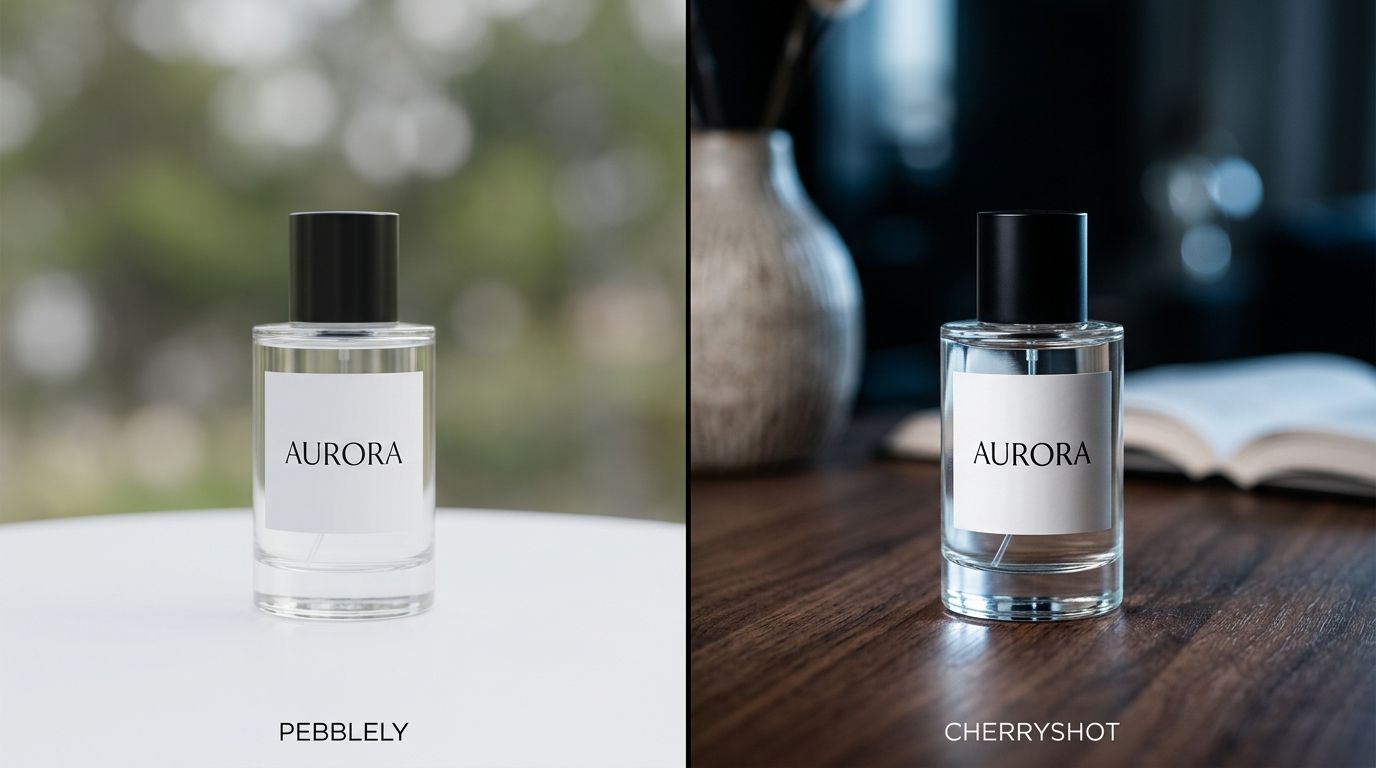
When founders look for a Pebblely alternative, they are usually running into the exact same wall. Pebblely is great for dropping a product into a colorful background for a quick social media post. But when you need campaign-ready lighting, precise shadows, and environments that look like a real physical set instead of a digital collage, it falls short. CherryShot AI is built specifically for ecommerce brands that need professional realism.
Definition
A Pebblely alternative is a specialized AI photography platform designed to replace basic background generation with professional-grade studio rendering. These tools focus on accurate physics, precise shadow integration, and realistic lighting to produce commercial assets for ecommerce catalogs.
(To be fair, if you just want a quick meme or an abstract story post, Pebblely is perfectly fine and often fun to use).
The true trade-off is that CherryShot has fewer quirky community background templates, focusing almost entirely on high-converting catalog and lifestyle imagery. If you want your product floating in outer space, you might want to look elsewhere. If you want your skincare bottle sitting on a marble vanity with morning sunlight creating a perfect diagonal shadow across the label, you need a tool built for commercial realism.
Why D2C Brands Outgrow General Image Generators
Ask any founder who has been through traditional studio production and you hear the same stories: shoots that run hours over schedule, invoices that arrive after the campaign was supposed to launch, long email threads about whether an angle matches the brief. That pain is why AI tools took off in the first place.
When AI first became accessible, brands flocked to tools like Pebblely because they offered an immediate escape hatch from that logistical nightmare. You upload a photo, click a button, and you get a background. The initial magic of that process is undeniable. It feels like a massive victory to get an image in three seconds instead of three weeks.
But the honeymoon phase ends quickly. After your third or fourth campaign, you start noticing the details. The product looks slightly flat. The shadow points to the left, but the highlight on your product cap indicates the light source is coming from the left. The background looks like a digital painting rather than a photograph. You start realizing that while you saved time, you sacrificed trust with your customer.
| Feature | General Generators (Pebblely) | Studio Renderers (CherryShot) |
|---|---|---|
| Lighting Accuracy | Flat, sticker-like integration | Physical shadow calculation |
| Primary Use Case | Social media testing | High-converting product pages |
| Aesthetic Control | Prompt-heavy guesswork | Dedicated photographic modes |
Understanding the common mistakes brands make with algorithmic photography is crucial here. The biggest mistake is assuming that generating a background is the same thing as photographing a product. They are completely different technical processes. General-purpose tools generate pixels that look nice together. Professional tools calculate lighting, depth, and material properties.
Audit your product page images for lighting accuracy
Compare your current AI-generated assets against your best physical studio shots. If you notice flat shadows or artificial backgrounds hurting your conversion rates, it might be time to upgrade your creative stack.
Try CherryShot AI