Product Photography AI Prompts: How to Write Prompts That Get Exactly the Image You Want
Most brands using AI image tools type a paragraph of adjectives into a text box and hope for the best. They ask the tool to make the product look premium, beautiful, and cool. The result is usually a weirdly floating bottle sitting on an impossible shadow in front of a heavily distorted background. The secret to writing product photography ai prompts is treating the text input exactly like a brief for a professional human photographer. You cannot just ask for a vibe. You have to dictate the lighting, the physical surface, and the depth of field.
Definition
AI product photography prompts are structured text instructions used to guide image generation models. These commands dictate technical lighting, surface materials, and camera settings to create consistent, high-quality ecommerce assets.
I spent eight years running ecommerce shoots. I have paid invoices that arrived two weeks late and argued with photographers over whether an angle was usable for a product detail page. When an art director tells a photographer to make a product pop, the photographer rolls their eyes. They know that pop is not a lighting setup. Pop is an opinion. When you give an AI an opinion instead of a technical instruction, it guesses. And its guesses cost you time.
Learning the right product photography prompt formula changes how fast you can launch a campaign. When you stop relying on general-purpose AI image tools and start using structured commands, you get usable catalog assets on the very first try.
The anatomy of perfect AI photography prompts products
You have to stop writing sentences. AI models do not read your prompt like a novel. They process the text as a series of distinct visual weights. If you bury the most important details at the end of a long, meandering paragraph, the generator will ignore them.
To understand how AI product photography works, you have to realize that the engine builds the image from the ground up. The best prompt formula for product photography always follows a strict, logical sequence. You build the environment exactly the way a set designer builds a physical set.
| Feature | Amateur Approach | Pro Approach |
|---|---|---|
| Surface | Table or floor | Brushed aluminum or limestone |
| Lighting | Bright or beautiful | Sharp rim lighting or softbox |
| Focus | Standard camera settings | Shallow depth of field or bokeh |
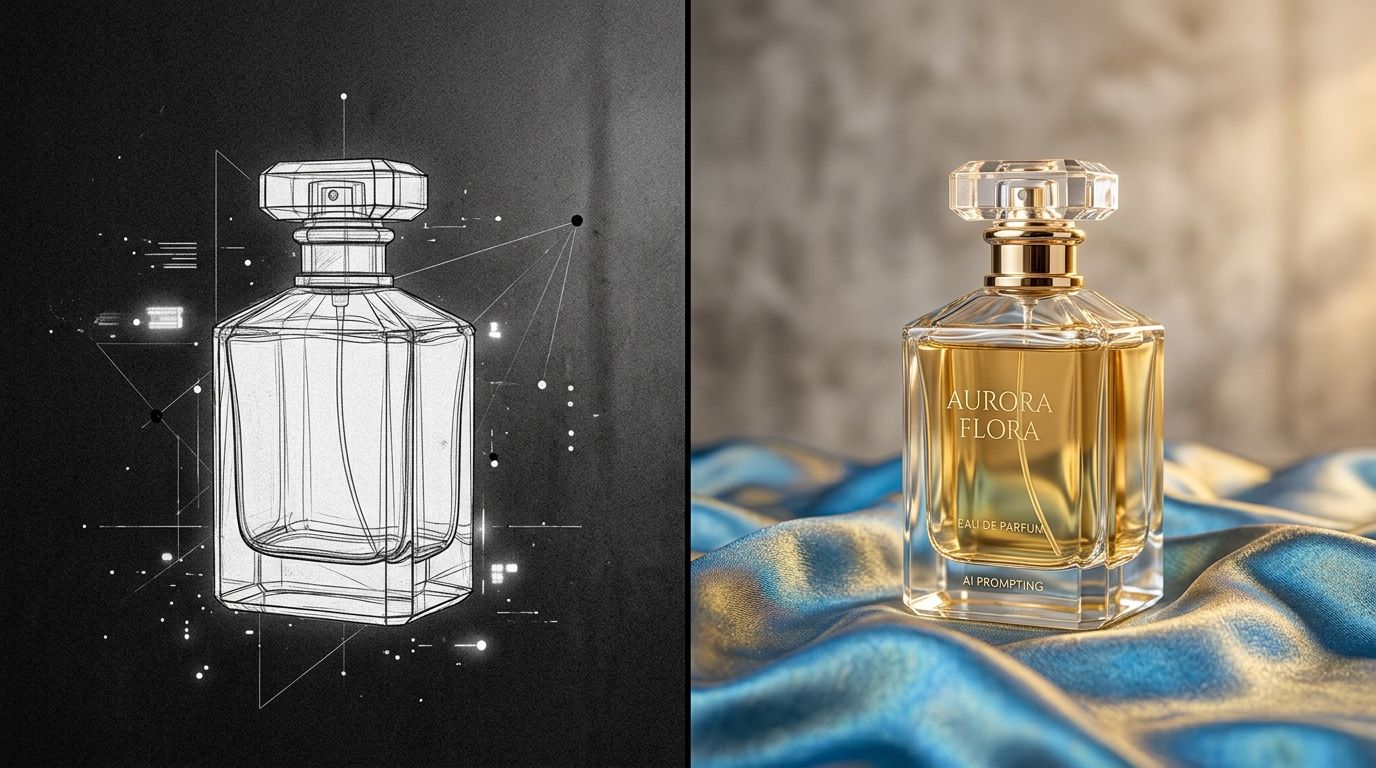
1. Define the exact physical surface
Your product cannot float in the void. Even if you want a clean studio look, the product needs a surface to cast a shadow onto. This is where most AI image generation product prompts fail. If you do not name the surface, the AI invents one, and it usually invents something entirely out of place for your brand guidelines.
Use highly specific nouns. Instead of saying a table, ask for a textured limestone plinth. Instead of saying a nice floor, ask for brushed aluminum. Other reliable surfaces include white matte acrylic, wet slate, terrazzo, natural oak, or frosted glass. The more specific the material, the more realistic the physical interaction between your product and the ground will look.
2. Dictate the lighting setup
Lighting separates amateur prompts from professional outputs. In the real world, lighting defines the shape of a product. In prompt engineering product photography, it does the exact same thing.
Never use words like bright or moody. Use actual photography vocabulary. If you want a soft, even look for a skincare bottle, ask for large softbox lighting or flat diffused studio light. If you are shooting a sneaker and want dramatic contrast, ask for harsh directional flash or dappled morning sunlight. Adding a phrase like sharp rim lighting will force the AI to draw a clean line of light around the edge of your product, separating it completely from the background.
3. Control the background depth
A common mistake is letting the background overpower the product. When writing background generation prompts, you must include a command that forces the camera to focus on the product. Use terms like shallow depth of field, heavily blurred background, or beautiful bokeh.
Then, tell the AI what should be in that blur. A muted plaster wall, a dense tropical forest, or an industrial concrete studio setup. By pushing the environment out of focus, you guarantee that the product remains the undeniable hero of the image.
The difference between an AI prompt for product photos and a general art prompt
You are not trying to win a digital art contest. You are trying to sell a product. This requires a completely different mindset when approaching an AI text box. General artists stack hundreds of descriptive words to build fantastical scenes. Ecommerce operators need restraint.
Writing a good prompt is a learned skill, but it is entirely different from knowing how to operate a DSLR camera. You are trading technical execution for creative articulation.
If you look at the common AI photography mistakes, the biggest one is the kitchen sink approach. A founder will type a massive paragraph detailing the exact species of a plant in the background, the exact color of the sky, and the exact emotional state of an invisible viewer. The AI gets confused by the sheer volume of variables. Keep it simple. Five to eight concrete commands are vastly superior to fifty vague descriptors.
Negative prompting matters just as much
Sometimes getting what you want means explicitly stating what you refuse to accept. While some platforms handle this behind the scenes, you should always be prepared to tell the engine what to exclude. If a tool keeps rendering strange props next to your product, simply add no additional objects, empty surface, or minimal composition to your main text.
When to skip prompting entirely
There is a hard truth about AI photography that no prompt formula can fix. If your source image is fundamentally flawed, your output will be useless. If you upload a dark screenshot with harsh iPhone flash glaring off a plastic bottle, the AI is going to try to respect that lighting. It will fight your prompt. You must start with a clean, flat, well-lit source image of your product isolated on a plain background.
Once you have that clean source image, you might realize that typing out prompts is still too slow. This is why we built CherryShot AI. At $10 for 50 images, it shifts the focus from engineering text to selecting aesthetics.
Instead of struggling to figure out how to prompt AI product photography for a high-end look, you just click the Luxury or Magazine mode. The engine applies a perfectly calibrated set of instructions automatically. If you want a clean white backdrop with soft shadows, you click Minimalist.
For brands that have a highly specific art direction, you can bypass words entirely by using the Upload Ref feature. You just feed the tool a reference photo of the exact lighting and background you want, and it maps your product into that world. It is the fastest way to achieve professional AI results without needing to learn complex lighting vocabulary. However, when you do need total granular control, selecting Create Custom gives you the text box to execute the exact prompt formulas outlined above.
Frequently Asked Questions
How do I write prompts for AI product photography?
Start your prompt by identifying the physical surface under your product and describing the light source direction. Treat your text input as a technical manual for a photographer rather than a creative story. Define specific material types and light qualities instead of using adjectives like beautiful or premium. Precise nouns ensure the generator understands the exact physical environment you need for the final composition.
What makes a good AI product photography prompt?
A good prompt removes all ambiguity by replacing vague requests with concrete technical specifications. Avoid asking for luxury vibes, and instead define a matte black acrylic podium, shallow depth of field, and harsh directional studio lighting. Sequences should flow logically from the foreground surface to the background environment. Using established photography terminology allows you to maintain control over the output rather than leaving aesthetic decisions to the algorithm.
How do I get specific results from AI product photography tools?
Constrain the AI by using strict negative space and lighting commands to refine the output. If the tool adds unwanted elements, explicitly state minimal environment or empty background to force focus. Within specialized tools, bypass complex text inputs by selecting predefined visual modes like Minimalist. Uploading a direct reference image acts as a primary anchor, locking the model into your desired style without requiring extensive written instructions.
What prompt formula produces the best product photography?
The most reliable formula follows a sequence of Surface, Subject Placement, Lighting, Environment, and Camera Properties. State the material the product rests upon before describing the light direction and quality. Finish the prompt by defining background elements and setting a depth of field command to ensure the focus remains on the product. Following this specific structure prevents the AI from creating visual clutter that competes with the subject.
How do I prompt for a specific background style in AI product photography?
Define your background by clearly separating it from the foreground surface using spatial language. Use phrases like set against a background of or in the distance to create depth. Include terms like blurred background or shallow depth of field to keep the setting from distracting the viewer. Name the specific environment you want, such as a tiled bathroom wall, to provide the AI with a clear visual target.
Streamline your product photography workflow today
Stop spending hours refining text prompts to get a basic studio shot. Try our predefined aesthetic modes to generate campaign-ready images with a single click using your existing product photos.
Try CherryShot AI