Product Photography Checklist for Ecommerce: The Pre-Publish Audit Every Brand Needs Before Going Live
Hitting publish on a new product page without a visual review is a gamble. You spend weeks perfecting the copy and dialing in the pricing strategy. Then a poorly cropped image ruins the perceived value of the item. A product photography checklist for ecommerce is not just busywork. It is the final barrier between a successful launch and a spike in customer complaints.
Definition
A pre-publish visual audit is a systematic technical review of product photography before it goes live on a storefront. It verifies that all images meet strict requirements for file compression, resolution limits, and exact margin alignment. This operational step prevents brands from launching unoptimized assets that degrade page speed and visual consistency.
Most brand operators rush the upload phase. The inventory has arrived at the warehouse. The pressure to generate revenue is high. You grab the folder of assets from your photographer, batch upload them to your store, and push the collection live. This is a mistake. An unoptimized image library will destroy your ad return faster than bad targeting.
If the shadows point in different directions on your category page, your brand looks cheap. If the file sizes are massive, your mobile conversion rate tanks. Running a strict product photo audit ecommerce process forces you to catch these leaks before you pay for the traffic.
The Coverage Audit: Do You Have the Right Angles?
Shoppers cannot touch the fabric. They cannot feel the weight of the hardware. They rely entirely on your image checklist before publishing to answer their physical questions. Missing a critical angle is guaranteed to cost you sales.
The Standard Hero Shot
Your hero shot does exactly one job. It earns the click from the category page. This image must be cleanly lit, perfectly centered, and instantly recognizable. The background should be pure white or a very subtle neutral tone. A chaotic hero image forces the user to figure out what you are actually selling. If they have to guess, they keep scrolling. Every product photography checklist must start by confirming the hero shot is visually dominant and completely isolated.
Texture and Detail Verification
Buyers want to know what they are paying for. If you sell a leather bag, the gallery needs a macro shot of the stitching and the zipper pull. If you sell a skincare serum, they need to see the viscosity of the liquid. Detail shots act as trust signals. They prove you have nothing to hide regarding your manufacturing quality. Check your staging link. Zoom in on the detail shot. If the image blurs before the texture becomes obvious, your resolution is too low.
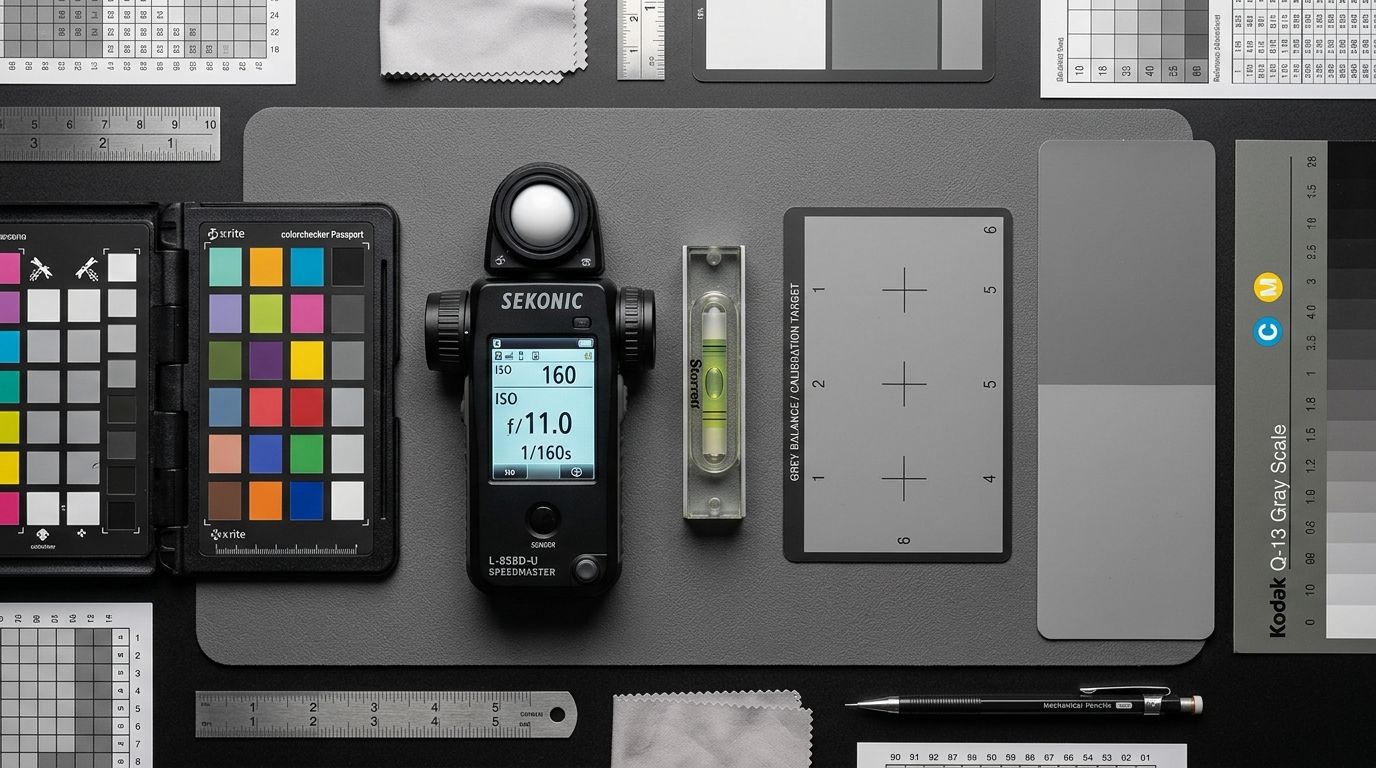
Auditing visual assets against color swatches before publishing prevents expensive return cycles.
Scale and Lifestyle Context
Without context, a ten-inch vase looks identical to a three-inch vase. You must provide a reference point. Lifestyle images put the product in a real room or on a real person. This solves the scale problem instantly. It also helps the buyer visualize ownership. Your pre-publish product image checklist should flag any SKU that lacks at least one environmental context shot.
The Technical Audit: Specs, Size, and Speed
Beautiful photos are useless if they take six seconds to load. Technical compliance is just as critical as visual appeal. Your ecommerce photography standards must dictate strict rules for file handling.
Resolution and Zoom Thresholds
Modern ecommerce platforms require large base images to enable their native zoom functions. You want a minimum of 2000 pixels on the longest side. Anything smaller will look pixelated when a mobile user pinches the screen to inspect a detail. However, uploading a massive raw file is a mistake. You must find the balance between clarity and file weight. Standardizing your approach to Shopify image optimization ensures your zoom works without breaking the server.
File Weight and Format Verification
Never upload a three-megabyte PNG file as a product image. Your page load speed will plummet. Slower pages lead directly to abandoned carts. Every image in your catalog should be compressed to under 300 kilobytes. Converting your JPEGs to the WebP format is the easiest way to achieve this without sacrificing visual fidelity. Add a strict file size limit to your product photography audit. If an image exceeds the limit, send it back through the compressor.
| Image Asset Status | Technical Specifications | Storefront Impact |
|---|---|---|
| Unoptimized Raw File | 2MB+ PNG format | Kills mobile load speed and spikes bounce rates |
| Marginally Compressed | 800KB standard JPEG | Causes visual delay on slower cellular connections |
| Audit-Compliant Asset | Under 300KB WebP format | Loads instantly while preserving native zoom clarity |
The Consistency Audit: Alignment and Color Accuracy
Consistency builds trust. When a shopper lands on a collection page, their brain immediately looks for patterns. Broken patterns signal a low-quality operation.
Grid Alignment and Margins
Look at your staging site on a mobile phone. Scroll through the new collection. Does the baseline of every product line up perfectly? Or do the items bounce up and down the screen? Inconsistent cropping is a massive conversion killer. If one shoe takes up eighty percent of the frame and the next shoe takes up fifty percent, the page looks messy. Your pre-publish visual review must include a strict check on margins and vertical alignment.
True-to-Life Color Grading
Color discrepancy is the leading cause of preventable returns. If your photos show a vibrant cherry red but the physical product is a muted burgundy, the customer will demand a refund. You are paying for the outbound shipping, the return label, and the restocking labor. Understanding how accurate images and return rates are permanently linked will change how you approach color correction.
(Worth noting: checking color accuracy on a single uncalibrated monitor will lie to you. Always review test links on a modern smartphone screen before approving the final batch, as this is where the vast majority of your customers will actually view the items.)
Shadow and Lighting Matching
If you shoot products over multiple days, the lighting often shifts. A shadow falling to the left on one product and to the right on another breaks the illusion of a cohesive catalog. You must verify that the lighting direction and shadow intensity match perfectly across the entire category. This is incredibly difficult to manage with a freelance photographer who breaks down their equipment every afternoon.
The Pre-Publish AI Advantage
A rigorous product photo audit takes time, and delaying a launch to fix margin alignment can feel painful when inventory is already sitting in the warehouse. This is the genuine trade-off of maintaining high standards. You either sacrifice speed to fix the images, or you sacrifice conversion by launching a messy grid.
When you rely on manual studio shoots, consistency is expensive. The photographer changes lighting setups. The retoucher crops things slightly differently on Tuesday than they did on Monday. Managing these variables takes hours of back-and-forth communication.
This is where AI product photography completely changes the math. Tools like CherryShot AI remove the human error from catalog consistency. You upload a raw product image, select a visual mode like Minimalist or Lifestyle, and generate campaign-ready photos in minutes. Because the output is governed by algorithms rather than a tired retoucher, the lighting, shadows, and alignment are mathematically perfect every time.
The per-image cost drops to under $5. The turnaround time drops from three weeks to a single afternoon. Instead of running a stressful audit trying to fix mistakes after the fact, you generate perfectly compliant images on the first try. You still need your checklist to ensure you have generated all the necessary angles, but the technical and consistency headaches disappear entirely.
Frequently Asked Questions
What should a product photography checklist include?
A pre-publish checklist must cover image coverage, technical specifications, and visual consistency. Verifying that all necessary angles exist prevents leaving buyers with unanswered questions about the physical item. Audit every file size to ensure it falls under 300 kilobytes, check resolution minimums for zoom functionality, and verify perfect margin alignment across your entire catalog grid to maintain professional standards.
How do I audit product images before publishing?
Review your collection pages on a mobile device to spot alignment issues before they reach your customers. Catching products that jump vertically across the screen saves your brand from looking unpolished and amateurish. Click into individual product pages to test the zoom functionality manually, ensuring detail shots remain sharp at 2000 pixels while keeping total file weights strictly under 300 kilobytes.
What quality standards should ecommerce product images meet?
Ecommerce photography standards dictate absolute visual clarity, accurate color reproduction, and strict catalog consistency. Maintaining these benchmarks builds immediate buyer trust because shoppers rely entirely on your photos to evaluate material quality. Verify that every hero image sits on a pure white background, ensure detail shots hold their sharpness at a minimum of 2000 pixels, and force shadows to fall in the exact same direction across all category items.
How do I know if my product images are good enough to publish?
Your visual assets are ready for publishing only when they answer every possible physical question a potential buyer might ask. Passing technical compliance means nothing if a customer cannot actually see the texture of your fabric or the specific closure mechanism on a bag. Review the gallery for missing utility shots, ensuring you show the interior, the back, and the packaging before pushing the collection to your live server.
What is a coverage audit for product photography?
A coverage audit systematically verifies that your gallery captures every necessary angle and functional detail of an item. Skipping this step often results in launching product pages that force buyers to guess about critical features, which directly depresses conversion rates. Cross-reference your staging links against a master list to confirm the presence of a hero shot, a macro texture detail, and an environmental lifestyle image for every single SKU.
Key Takeaways
- Verify you have at least one hero shot, one detail shot, and one lifestyle context image per SKU.
- Compress all final image files to under 300 kilobytes to protect your mobile page loading speeds.
- Check your category grids on a smartphone to confirm absolute margin and baseline alignment.
- Review color accuracy on an external mobile device to prevent expensive returns driven by tint discrepancies.
A systematic audit stops sloppy visual errors from destroying your launch day conversion rate. Taking ten minutes to run through this checklist is the most profitable decision you can make before taking a new product live. If you are tired of fighting with manual alignment and slow turnarounds, CherryShot AI gives you perfect, campaign-ready imagery in minutes.
Run a manual alignment check on your phone right now
Open your best-selling collection page on a mobile device and scroll through the product grid. If the baseline margins jump up and down, those inconsistencies are quietly eroding buyer trust. CherryShot AI automatically standardizes your product scaling and alignment before you ever hit publish.
Try CherryShot AI