Remove Background from Product Photos: Ranked Methods
If your team is spending more than five seconds to remove the background from a product photo in 2026, you have a process problem. Background removal is a solved issue. You do not need to pay a retoucher by the hour to draw paths around simple bottles. The most efficient method depends entirely on your SKU volume and edge complexity. Removing backgrounds is pure utility, and you just need it done fast.
Definition
Background removal is the process of isolating a primary subject from its original environment to place it on a transparent, pure white, or newly generated background. This digital masking technique allows brands to meet strict marketplace compliance standards and create versatile visual assets across all sales channels.
(Worth noting: a high-end human retoucher still makes sense if you are dealing with frizzy hair on an apparel model, but manual isolation is a complete waste of resources for standard catalog objects).
While automated tools chew through folders in seconds, you have to accept that they occasionally miss complex edges and require a human quality assurance check. The invoice for manual editing is not just the hourly rate. It is the friction of managing FTP servers, leaving comments on PDFs, and waiting two days for revisions because the editor missed a tiny gap in a coffee cup handle. Here is how the current methods stack up, ranked from the slowest manual grinds to fully automated AI workflows.
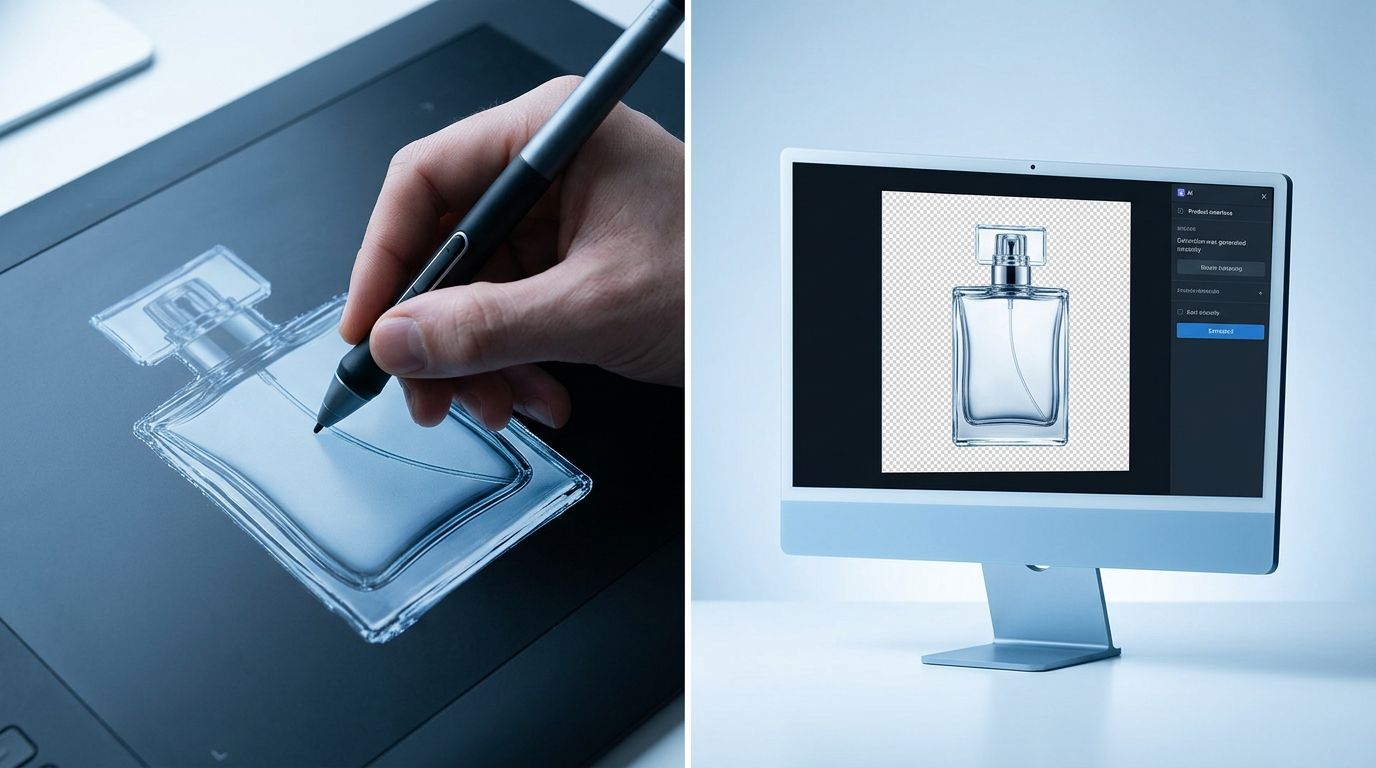
Scaling your catalog requires moving away from manual clipping paths and embracing automated workflows.
| Removal Method | Processing Speed | Edge Precision |
|---|---|---|
| Manual Clipping Paths | 2 to 10 minutes per image | Perfect control on complex edges |
| Bulk Software Removal | Seconds per batch | Struggles with transparency and fuzz |
| Generative AI Workflows | Under 30 seconds per scene | Handles geometry and casts realistic shadows |
Why background removal is still the biggest bottleneck in production
The compliance tax of marketplaces
Marketplaces do not care about your artistic vision. They care about their grid. If you sell on third-party channels, our guide to Amazon main image requirements explains why pure white backgrounds are non-negotiable for compliance. If you violate their strict formatting rules, your listings get suppressed automatically. Every single product you launch requires a clean cutout on a pure white canvas.
Multiply that requirement by thirty SKUs a quarter. Each SKU needs five angles. Suddenly you have 150 images sitting in a post-production queue just waiting for a white background product photos removal process. It delays product launches. It ties up cash in physical inventory you cannot sell yet because the visual assets are not ready.
Method 1: The manual clipping path in Photoshop
When precision overrides speed
For a decade, manual clipping was the only way to remove the background from product photos reliably. A professional retoucher opens Adobe Photoshop, selects the pen tool, and manually clicks hundreds of tiny anchor points around the entire perimeter of your product. They zoom in to 400% to make sure they do not accidentally slice off the edge of a curved bottle.
The upside is absolute control. If your product has highly complex edges like faux fur, loose strings, or intricate jewelry clasps, manual paths give you a perfect, razor-sharp edge every single time. There is no algorithm guessing where the product ends.
The downside is the invoice. A skilled editor can draw a perfect path around a complex object in ten minutes. However, when you review standard product photo retouching costs, paying an hourly rate for this mechanical task drains your margin quickly. If you run a high-volume ecommerce brand, paying a human being to trace cardboard boxes is burning cash that should be spent on customer acquisition.
Method 2: Bulk one-click removal software
The reality of the volume promise
The software market is currently flooded with background remover ecommerce tools. You upload a folder of raw images, click a single button, and an algorithm guesses where your product ends and the studio wall begins. When these tools work, they feel like magic. They can chew through a hundred-image folder while you go get a cup of coffee.
You can easily edit product photos without Photoshop using these modern tools, provided you have a strict quality assurance step in place. You have to accept a specific trade-off for this speed. General-purpose background removers are not perfect.
Sometimes they bite off a piece of a white shoe placed against a light gray floor. Sometimes they leave a highly visible halo of the old background around a dark object. Someone on your team still has to open every exported file to make sure the software did not accidentally delete the handle of your new ceramic mug. The speed is incredible, but the error rate requires supervision.
Method 3: Generative AI workflows
Replacing the workflow instead of fixing it
This is where the entire process changes. Instead of taking a photo on a messy desk and then paying to remove product photo background pixels later, you use AI to generate the exact final environment you need in one step. You are no longer managing a multi-step workflow of shooting, clipping, and compositing.
With a platform like CherryShot AI, you simply upload a raw product image. You do not need to perfectly light it or worry about the distracting background you shot it on. You select a visual mode like Minimalist, Luxury, or Lifestyle. The system understands the actual geometry of the physical object, separates it seamlessly from the original scene, and generates a campaign-ready image in minutes.
You get the final asset immediately. The natural lighting and shadows are calculated and rendered in real time. The per-image cost drops to under five dollars, and the turnaround time goes from two weeks to a Tuesday afternoon.
The physics of edges: Why some products are harder to isolate
Hard edges, soft edges, and transparency
Not all products are created equal when it comes to post-production. Hard edges are the easiest. Cardboard boxes, smartphones, and wooden furniture have rigid geometric lines. Any basic product photo background remover can isolate a hard edge with near-perfect accuracy.
Soft edges are where the problems start. Apparel, textured fabrics, and plush toys have fuzzy borders that blend into the background. If an automated tool uses a harsh clipping algorithm, the soft edge becomes jagged. The product ends up looking like it was cut out of a magazine with a pair of dull scissors.
Transparency is the final boss of background removal. Have you ever tried to isolate a clear glass bottle? The background you shot it on is literally visible through the liquid. When you clip the outer edge, you still have a gray studio sweep trapped inside the actual product. A standard tool will just leave the glass looking opaque and gray. A human retoucher has to completely rebuild the interior light of the bottle using artificial highlights. This turns a two-minute job into a twenty-minute headache.
Handling shadows after you remove the background
The floating sticker problem
When you remove the background from a product image, you usually lose the natural shadow that anchored it to the surface. A product floating in pure white space looks entirely fake. It feels disconnected from reality, and customers notice this instantly.
Rebuilding a realistic drop shadow or a natural reflection takes more time than removing the background itself. If the artificial shadow is too dark, the image looks cheap. If it is too light, the product appears to be hovering. This is why so many brands settle for terrible automated cutouts. They get the white background they need for marketplace compliance, but the product looks like a digital sticker.
This is another reason why generative AI tools like CherryShot AI are replacing traditional clipping paths. Because the AI is generating the surface beneath the product at the same time it generates the background, the shadows are physically accurate. The light wraps around the object naturally, creating a grounded, believable image without requiring an hour of manual shadow painting.
Key Takeaways
- Manual clipping paths offer absolute precision but destroy your profit margins at high volume.
- Major marketplaces enforce strict pure white background rules that automate your listing suppression if violated.
- Bulk background removers provide massive speed but require a mandatory human quality assurance process to catch edge errors.
- Generative AI replaces the multi-step clipping process entirely by isolating the product and generating a new scene simultaneously.
Frequently Asked Questions
How do I remove the background from a product photo?
Removing a background from a product photo requires matching your chosen software tool to your daily image processing volume. Ecommerce brands process bulk catalog shoots using automated batch-removal software to strip backgrounds from hundreds of standard items simultaneously. You can extract physical products from their original environments and instantly place them onto pure white canvases to meet strict marketplace compliance standards.
What is the best background removal tool for product photos?
Automated background removal software excels at processing high volumes of solid items like electronics or boxed goods. Manual pathing tools remain necessary for complex edge cases like clear glassware or models with frizzy hair that confuse automated boundary detection algorithms. Brands managing large catalogs achieve the highest output efficiency by running automated software for standard shapes and routing difficult edge cases to dedicated retouchers.
Can AI automatically remove product photo backgrounds?
Artificial intelligence models accurately remove product photo backgrounds by analyzing pixel data to differentiate the foreground subject from the studio environment. These automated systems identify physical boundaries on solid items instantly, replacing tedious manual clipping paths. Teams process entire folders of raw camera files through batch automation scripts to generate compliant white backgrounds for their marketplace listings in a fraction of the time.
How long does it take to remove backgrounds from product photos?
Automated batch processing software removes backgrounds from dozens of standard product images in less than sixty seconds. Human retouchers spend up to ten minutes drawing manual clipping paths around objects with complex edges like loose threads or translucent materials. High-volume studios process thousands of files daily by relying heavily on rapid automated tools to eliminate the massive time debt of manual masking.
Should I use Photoshop or AI to remove product photo backgrounds?
High-volume catalog teams rely on automated artificial intelligence software to instantly strip backgrounds from standard geometric items like boxes and electronics. Manual editing software remains strictly necessary for translucent items or complex textures that automated algorithms struggle to mask cleanly. Process your solid objects through fast automated batch tools, while assigning dedicated human editors only to your most difficult edge cases.
The brands winning in ecommerce right now are the ones launching the most SKUs per quarter, not the ones spending hours manually drawing paths around coffee mugs. If you want to stop paying for tedious post-production utility and start generating finished campaign assets instantly, try CherryShot AI.
Eliminate your background removal bottleneck
Take five of your raw product photos and test them against an automated workflow today. See exactly how quickly you can isolate standard items and place them into compliant scenes without touching a manual pen tool. CherryShot AI lets you build fully styled product assets in seconds, replacing tedious post-production utility with pure speed.
Try CherryShot AI