CherryShot AI

    Product Photo Retouching Services: What Ecommerce Brands Actually Get Done and What It Costs
    March 29, 2026

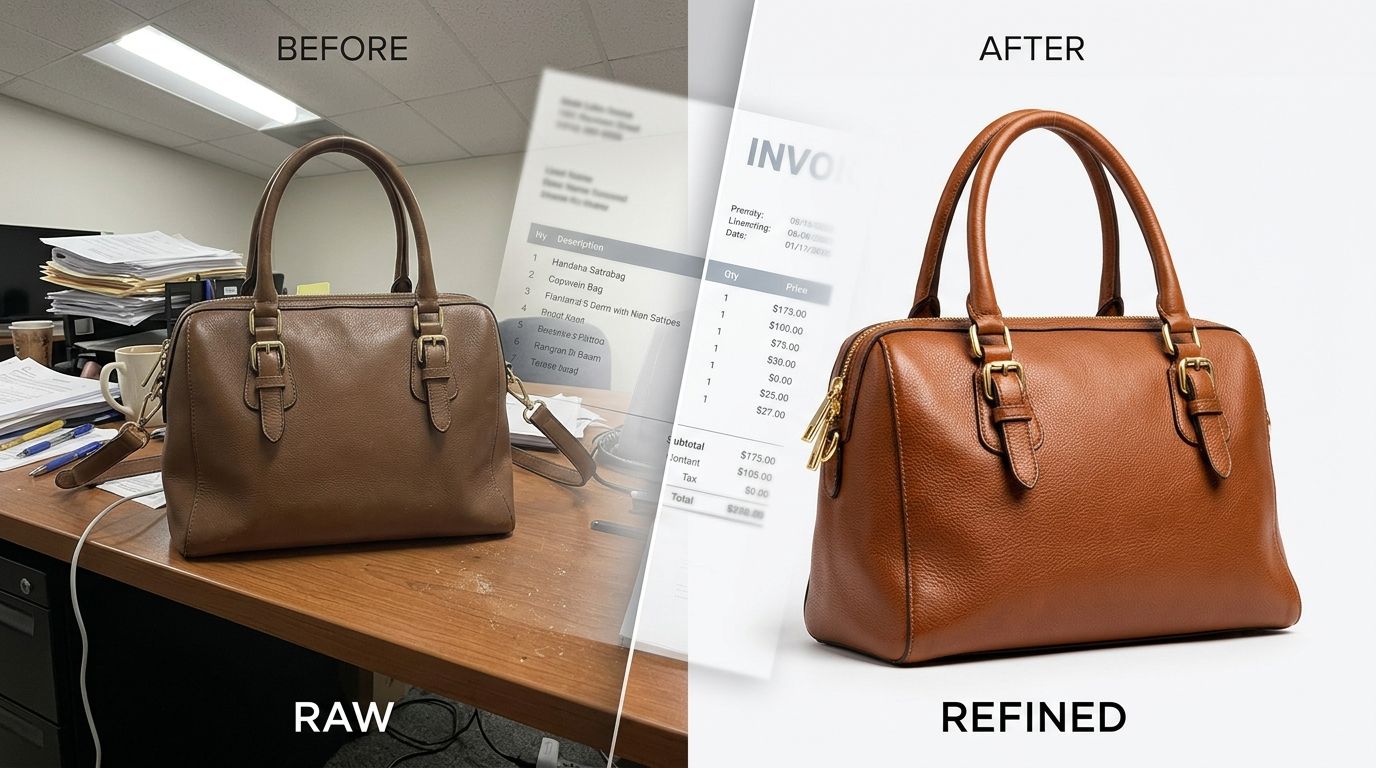
    Product photo retouching services clean up raw images by removing backgrounds, correcting colors, and fixing imperfections so items look perfect online. Basic edits cost between $1 and $3 per image, while complex composite work runs upward of $25 per file. You need these services because raw camera files rarely match the final visual standard required for a high-converting product page.

    Paying a human editor to manually cut out white backgrounds in 2026 is a complete waste of your operating budget. Brands that scale quickly automate the baseline edits and only pay human retouchers for complex hero image composites. Operations teams must understand exactly what tasks they are outsourcing to avoid paying premium hourly rates for basic clipping paths.

    Key Takeaways

    • Basic ecommerce photo retouching includes color correction, blemish removal, and background extraction.
    • Manual product photo editing costs compound quickly when accounting for multiple angles per SKU.
    • Operations teams save thousands by replacing traditional clipping path services with AI generation.
    • Accurate color representation directly reduces ecommerce return rates and improves customer trust.
    22%

    of online product returns happen because the item looks different in person than it did in the photos. Invesp, 2024

    What Actually Happens During Ecommerce Photo Retouching

    Many founders assume a photographer hands over finished files at the end of a shoot day. The reality is that raw images straight from a professional camera look flat and lack the crispness associated with premium online stores. The files require hours of post-production work to become usable. A dedicated product image editing service takes those raw files and standardizes them to fit your specific brand guidelines.

    High-volume studios rely heavily on specialized clipping path service providers to handle the bulk of their image masking. Editors manually draw vector paths around the product to separate it from its original background. This allows the brand to place the item on a pure white canvas for marketplace compliance or a branded hex color for their own store. Transparent materials like glass bottles or soft edges like wool sweaters require complex image masking ecommerce techniques to look natural. The manual nature of this work creates an unavoidable bottleneck in the production timeline.

    Background Removal Editing and Clipping Paths

    The most common line item on any retouching invoice is background removal editing. Almost every major online marketplace requires main product images to sit on a pure white background (RGB 255, 255, 255). Achieving this in-camera is nearly impossible without overexposing the product itself. Therefore, editors must digitally extract the product from the studio backdrop.

    Basic shapes like square boxes take seconds to trace. Organic shapes like jewelry chains or apparel worn by models require intense manual effort. When you outsource this step to a traditional photo retouching for online store agency, you pay directly for the time it takes an editor to zoom in and click around every curve of your merchandise.

    Side by side comparison of a raw on-model fashion photo and a final retouched ecommerce image featuring a tailored navy blazer
    Before and after states highlight the core tasks of a product image editing service, including color correction and background cleanup.

    Colour Correction Product Photos and Consistency

    Studio strobes flash at different color temperatures throughout a long shoot day. A red shirt photographed at 9:00 AM might look slightly different than the exact same shirt photographed at 4:00 PM due to shifting ambient light or a dying flash bulb. Colour correction product photos ensure every item in a collection shares the exact same tonal values.

    Accurate color representation directly impacts your bottom line. When a customer receives a product that looks darker or less saturated than the website image, they initiate a return. A professional product photo editing cost always includes a color-matching phase where editors compare the digital file against a physical reference sample or a verified pantone swatch to ensure total accuracy.

    Breaking Down Product Photo Editing Costs

    Understanding your product photo editing cost requires looking at your total volume. Most agencies charge per image based on the complexity of the required edits. A simple shoe against a white background might cost $1.50 to clean up. A complex piece of machinery with multiple hollow areas and reflective surfaces could cost $12.00 per image.

    Volume dictates everything in ecommerce operations.

    A mid-sized apparel brand processing 200 new SKUs a quarter faces a massive operational hurdle. If they need four angles per product, that equals 800 images. At an average manual retouching rate of $4 per image, the brand spends $3,200 just on basic post-production. This does not include the cost of the photographer, the studio rental, or the models.

    The Hidden Costs of Revision Cycles

    The invoice from your retouching agency only tells half the story. The true cost of manual product photo editing is the time your team spends managing the process. Someone has to package the raw files, write detailed briefs, review the initial deliverables, and send back revision notes.

    (Worth noting: the real cost of manual retouching is rarely the invoice itself, but the two weeks your inventory sits in a warehouse waiting for images to be finalized.)

    Every day a product sits offline because the images are stuck in a revision cycle is a day of lost revenue. Traditional workflows require a high degree of project management to keep things moving. This administrative burden scales linearly with your product catalog size.

    How Operations Teams Reduce Image Masking Expenses

    Smart ecommerce managers look for ways to bypass post-production entirely. The most effective way to reduce your product photo editing cost is to stop paying humans to fix bad inputs. Instead of shooting a mediocre photo and paying an editor to clean it up, modern brands generate the perfect image from the start.

    This is where AI platforms change the math for ecommerce logistics. By using a tool like CherryShot AI, you eliminate the need for an external clipping path service. You simply upload a basic photo of your product. The system automatically handles the background removal editing instantly. You then select a visual mode (like Minimalist or Lifestyle) and the AI generates a campaign-ready image with flawless lighting, natural shadows, and accurate colors.

    The math changes completely when you remove the studio from the equation.

    Instead of waiting weeks for an outsourced team to manually mask your images, you get high-converting assets in minutes. This approach frees up your budget to invest in marketing rather than routine operational overhead.

    Automating the Ghost Mannequin Retouching Process

    Apparel brands rely heavily on ghost mannequin retouching to show the fit of a garment without the distraction of a model. Traditionally, this requires photographing the shirt on a mannequin, then photographing the inside collar separately. A retoucher then carefully merges the two images together to create a 3D hollow effect.

    This is one of the most tedious and expensive tasks in ecommerce photo retouching. Specialized editors charge a premium for this composite work because the alignment must be perfect. However, AI generation completely bypasses this manual merging process. By feeding a flat lay or simple mannequin shot into CherryShot AI, the system understands the volume and shape of the garment, outputting a highly realistic on-model or clean lifestyle shot without needing a human to stitch collar pieces together.

    Standardizing Shadows and Reflections

    An item floating on a pure white background looks fake. To ground the product, retouchers manually paint drop shadows or create digital reflections beneath the item. Creating realistic shadows requires a deep understanding of light direction and intensity. Poorly drawn shadows immediately make a brand look cheap.

    Instead of paying an editor hourly to paint shadows under hundreds of products, AI tools handle this natively. Because platforms like CherryShot AI generate the environment alongside the product, the shadows and reflections are physically accurate to the simulated light source. The resulting images look like they were captured in a high-end commercial studio, requiring absolutely zero manual post-production.

    Frequently Asked Questions

    What does product photo retouching include?

    A standard product image editing service includes background removal, color correction, blemish cleanup, and alignment. Advanced retouching handles ghost mannequin effects, complex shadow creation, and image masking for difficult textures like transparent plastics or fine fabrics. The goal is to take a raw camera file and turn it into a high-converting asset that meets standard ecommerce marketplace requirements.

    How much does product photo retouching cost per image?

    Basic product photo retouching costs between $1 and $3 per image, while complex composite work or ghost mannequin editing can cost up to $25 per final photo.

    Do I need to retouch product photos for ecommerce?

    Yes. Unedited raw photos rarely represent the true color of a product due to studio lighting variations. Furthermore, major marketplaces require pure white backgrounds for main listings. Proper colour correction product photos also reduce customer return rates by setting accurate visual expectations before the checkout process happens.

    Can AI replace manual photo retouching for product images?

    AI tools effectively eliminate the need for routine manual retouching by generating campaign-ready images from the start. Instead of shooting a product in a studio and paying an editor to fix the background or lighting, brands upload a single reference image to an AI platform. The software then outputs a flawless image in the desired setting. This completely bypasses the traditional clipping path service bottleneck and reduces image production costs significantly.

    If you want to stop paying hourly rates for manual clipping paths and start generating flawless product images instantly, CherryShot AI offers plans starting at $10 for 50 images at cherryshot.ai.