Ecommerce Photography: The Complete 2026 Guide to Product Images That Actually Convert
Ecommerce photography is no longer about proving your product exists. It is about removing the friction between a browser and a buyer. By 2026, the standard for online store photography has completely changed. You do not need to spend ten thousand dollars on a location shoot to launch a basic catalog update. You need absolute clarity, visual consistency across your site, and a production workflow that does not hold your inventory hostage for a month.
Definition
Ecommerce photography is the technical process of capturing clear, high-quality images of products for digital storefronts. These images function as a substitute for physical in-store inspection, answering customer questions about scale, texture, and contextual use. Modern workflows combine traditional camera capture with digital environment generation to build complete catalog assets.
Any brand still running a full studio shoot for standard catalog images is paying for logistics, not quality. You are paying for studio rentals, catered lunches, and the art director arguing over lighting ratios. Most founders I talk to calculate their final per-image cost somewhere between $80 and $200. The invoice hides the real cost. The real cost is the three weeks you spend waiting for retouched files while your inventory sits in a warehouse doing absolutely nothing.
You can rethink this entire pipeline. The brands moving the fastest right now have stopped treating product imagery as an operational endeavor and started treating it as a strategic system. When you separate the technical requirement of displaying a product from the logistical nightmare of a photoshoot, you unlock a totally different speed of execution.
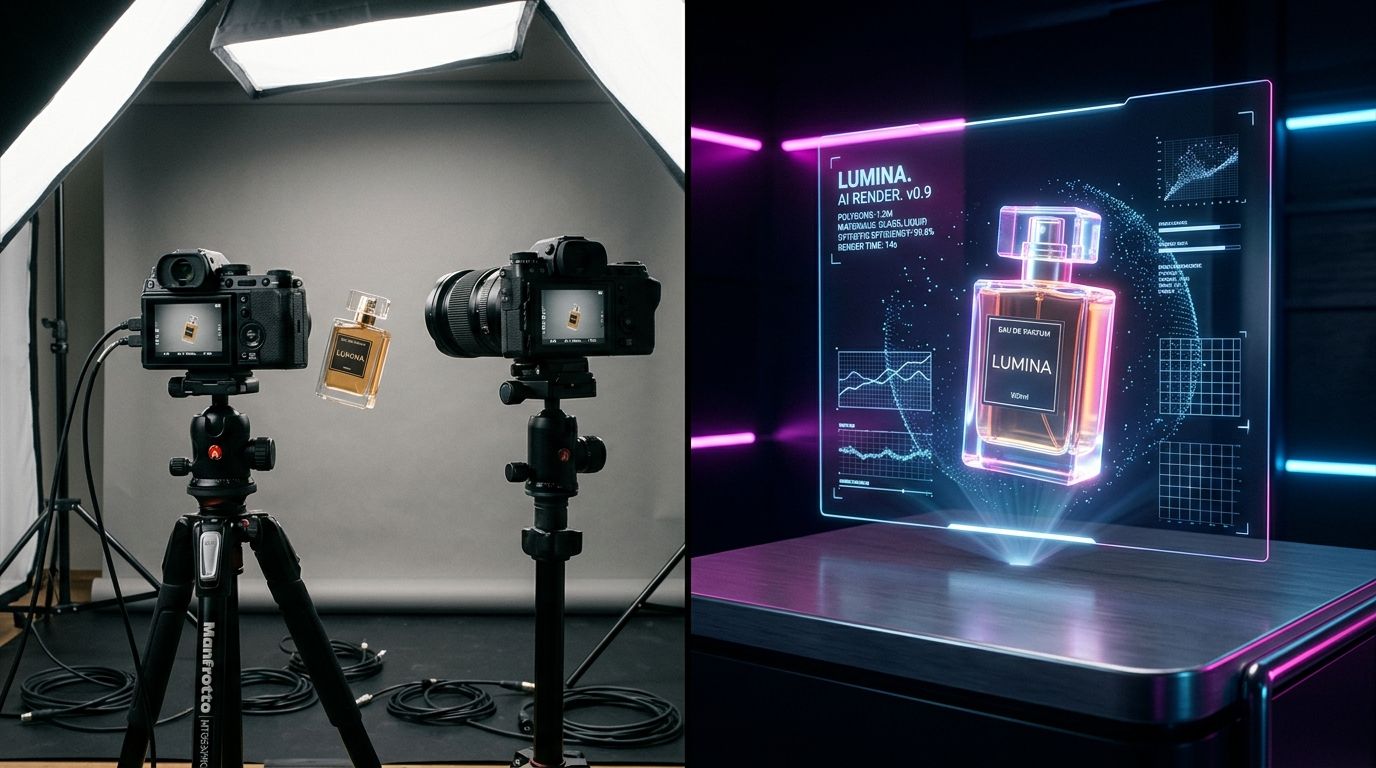
Why the traditional ecommerce photography workflow broke
The core problem with traditional ecommerce visual content is the required synchronization. A standard shoot requires the physical product, a photographer, a stylist, a location, and cooperative weather all to align on a specific Tuesday. If your factory delays the sample shipment by four days, the entire calendar collapses.
The illusion of creative control
There is a massive misconception that being physically present on set gives you control over the final product. I have sat through enough four-hour studio overruns to know this is a lie. What usually happens is you compromise on the background blur, accept a slightly awkward shadow because the lighting grid is too heavy to move again, and hope the retoucher can fix the color cast in post-production. You are paying top dollar to settle for close enough.
The reality is that your customers are rarely inspecting the artistic merit of your shadow falloff. They are looking for specific answers to specific questions. They want to know the texture of the fabric, the scale of the object, and what it looks like next to other items they own. They want information delivered visually.
The speed penalty
Ecommerce in 2026 requires velocity. A trend emerges on social media, and your ability to capitalize on it depends entirely on how fast you can push relevant inventory to a live product page. If your product image production requires calling an agency, booking a studio, and waiting two weeks for editing, you miss the window entirely.
Fast-moving brands understand that perfection is the enemy of launch. However, you can no longer get away with poorly lit iPhone shots taken on a warehouse floor. The market demands premium aesthetics delivered at the speed of social media. This tension is exactly why the traditional model is being replaced.
Building the essential 2026 image stack
You do not need infinite photos. You need the right photos. Every product listing on your store needs to answer a specific set of customer anxieties before they reach the add-to-cart button. If you want a deep dive into the psychology of this process, reviewing the key elements of converting product photos reveals exactly where browsers drop off your site.
The anchor hero image
The hero image is the first thing a customer sees. It is the thumbnail in the collection grid, the preview on social media, and the top frame of the product page. This image has one job. It must clearly present the entire product without any distracting elements. Pure white backgrounds or subtle, highly controlled gradient floors remain the industry standard here because they remove context and force focus entirely onto the item.
Context and lifestyle placement
Once the hero image establishes what the product is, the lifestyle shots establish who the product is for. This is where you inject brand identity. A coffee machine shot on a sterile counter feels completely different than the exact same machine shot next to a scattered newspaper, a ceramic mug, and morning sunlight cutting through a window.
Generating these environments used to be the most expensive part of any campaign. Renting a mid-century modern home just to get the right wood tones in the background destroys your margin. This is precisely when AI product photography makes sense for scaling brands. You can generate that morning sunlight environment digitally without ever leaving your desk.
Texture, detail, and scale
Macro shots reduce return rates. Period. If you sell leather goods, you need a tight shot of the stitching. If you sell skincare, you need a smear shot showing the viscosity of the cream. Customers cannot touch the product, so your camera must act as their hands.
Equally important is scale. An isolated product on a white background lacks physical reference. Placing a watch next to a known object, or showing a piece of luggage next to a standard door frame, instantly answers the size questions that text descriptions fail to communicate. You can implement brilliant product page fixes for higher conversion, but if the images themselves leave the customer confused about the size of the item, they will abandon the cart.
Evaluating production options
Knowing what you need is only half the battle. Executing the vision within your margin is where most brands fail. You generally have three paths for product photography workflow in 2026.
| Production Approach | Estimated Cost Per Image | Typical Turnaround Time |
|---|---|---|
| Freelance Photographer | $30 to $100 per image | One to three weeks |
| Creative Agency | $80 to $200+ per image | Three to six weeks |
| AI Digital Generation | Under $5 per image | Minutes to hours |
The freelance photographer route
Hiring a freelancer is the default step up from shooting products yourself. You box up the inventory, ship it to their home studio, and wait. The advantage here is customized attention. The downside is inconsistency. Freelancers get sick, they book larger clients and push your small catalog job to the back burner, or they upgrade their camera gear and suddenly your new batch of photos looks completely different from the batch they shot for you six months ago.
The agency model
Large agencies solve the consistency problem. They have standardized lighting rigs and dedicated retouchers. They also have immense overhead. Agencies make sense for your massive holiday hero campaign where you need complex creative direction involving human models and set builds. For your standard Tuesday drop of three new sweater colorways, an agency is a sledgehammer solving a nail problem.
The AI generation shift
This is where the math changes entirely. You upload a basic, cleanly lit image of your product to an AI platform. You select a visual aesthetic, and the software generates campaign-ready environments around your product.
With CherryShot AI, you pick a visual mode like Minimalist, Loud Luxury, or Avant Garde, and the engine handles the lighting consistency, the shadow placement, and the environmental styling. You get campaign-ready photos in minutes. Pricing starts at $10 for 50 images. Your per-image cost drops to literal pennies, and the turnaround time goes from weeks to an afternoon coffee break.
(Worth noting: AI is not a magic wand for garbage inputs. If you upload a blurry photo of a black t-shirt taken in a dark closet, the AI has no detail to work with. You still need to provide a clean, sharp input image. Give the software a good foundation, and it will build you a mansion.)
Visual standards you cannot ignore
Regardless of how you produce the assets, they must adhere to basic ecommerce photography standards. Inconsistent aspect ratios across a collection page look amateurish. Decide on your crop format early. Square (1:1) and portrait (4:5) remain the most effective for mobile shopping, which is where the majority of your traffic lives anyway.
Color accuracy is another non-negotiable metric. If your cherry red dress looks burgundy on the website, you will process a massive wave of returns. While lifestyle images can have artistic color grading, your main hero shots must represent the physical product exactly as it looks under neutral daylight.
Finally, stop fighting the math of traditional production. Stop paying high-end hourly rates for repetitive catalog tasks. Focus your creative budget on big ideas, and systematize the rest.
Frequently Asked Questions
What types of photos do I need for ecommerce?
Every product listing requires a clean hero image on a white background, an in-context lifestyle shot showing the item in use, a macro detail shot highlighting textures, and a recognizable scale reference. Shoppers rely entirely on this visual stack to evaluate quality before reading your written descriptions. Check your top five bestselling items today to ensure they contain all four specific image types.
How much does ecommerce photography cost?
Traditional studio shoots typically cost between $80 and $200 per finished image when factoring in day rates, equipment rentals, stylists, and post-production retouching. Software platforms process digital generation at a fraction of that baseline, dropping the per-image expense to under $5 by removing physical constraints. Calculate your current visual production budget over the last twelve months to identify exactly how much margin you lose to physical logistics.
Can AI replace traditional ecommerce photography?
Artificial intelligence successfully replaces traditional photoshoots for the vast majority of catalog updates and standard lifestyle imagery. The technology excels at placing existing products into realistic environments, matching lighting patterns, and exporting commercial assets in minutes. Keep your traditional agency on retainer for complex multi-model holiday campaigns, but shift all daily SKU launches to a digital platform to accelerate your release schedule.
What is the best approach to ecommerce photography for a small brand?
Small brands should focus exclusively on visual consistency rather than funding expensive, isolated creative shoots. Digital tools allow you to capture high-quality flat lays under even lighting and place those items into professional environments without a studio space. Set up a dedicated table with consistent window lighting to build your base asset library before passing those files into a generation tool.
How many photos do I need for each product listing?
Conversion rates historically optimize when a standard product listing features between five and seven highly descriptive images. Stores providing fewer than four frames consistently leave potential buyers with unanswered visual questions, while galleries exceeding eight pictures yield significant diminishing returns. Audit your lowest-converting product pages this afternoon to verify image counts, and add tight macro detail shots to reach that optimal threshold.
Key Takeaways
- Treat photography as a scalable operational system rather than an unpredictable artistic endeavor.
- Stop overpaying for studio logistics and start utilizing digital generation for environments.
- Every product needs a specific mix of hero, lifestyle, texture, and scale shots to minimize returns.
- Eliminating the production bottleneck allows you to launch new inventory instantly.
The brands winning online are the ones moving the fastest. If your photography pipeline takes a month to yield ten usable pictures, you are fundamentally broken at the structural level. Taking control of your visual production means you never have to wait on a studio rental again. You can see how fast this process has become by running your latest product photo through CherryShot AI to generate your next campaign today.
Audit your product page image stack today
Take ten minutes to review your top-selling items on a mobile device. Check if every listing includes a clear hero shot, a lifestyle context image, and a tight detail macro. If your visual catalog is missing these critical conversion assets, CherryShot AI can generate them from your existing base photos.
Try CherryShot AI