Pinterest Image Size 2026: Pin Dimensions & Best Practices
The optimal Pinterest image size for 2026 is 1000 x 1500 pixels. This creates a strict 2:3 aspect ratio. If you upload product images wider than this, Pinterest shrinks them to fit their column layout. If you upload images taller than this, the platform crops the bottom off in the feed. Getting these dimensions right is the difference between stopping a shopper mid-scroll and becoming invisible background noise.
Definition
Pinterest image dimensions refer to the pixel height and width settings required for content to display without automatic resizing or cropping. Maintaining these specifications is essential for ensuring product imagery remains legible and attractive within the vertical masonry layout of the Pinterest feed.
I spent years trying to force square Instagram graphics to work on Pinterest boards. The results were always terrible. We either cropped out the product details to hit the vertical requirement, or we uploaded a square and watched it get buried by taller, better-optimized competitor pins. Pinterest is a visual search engine, not a social network. Shoppers go there to plan purchases. Your imagery must own the screen to win the click.
Mobile dominance is exactly why vertical aspect ratios matter. A 1000 x 1500 pixel image occupies a massive portion of a smartphone screen. A horizontal image practically vanishes.
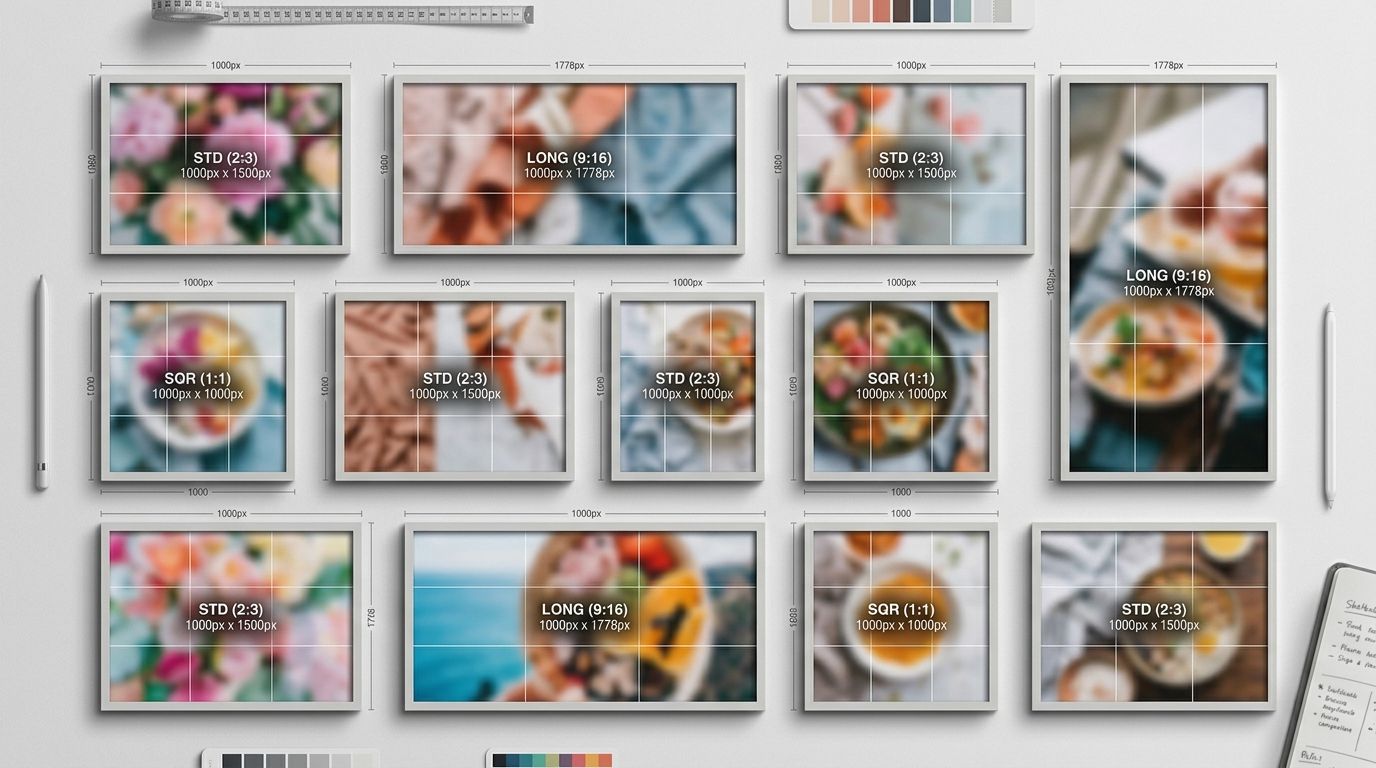
Optimized 2:3 ratio pins command significantly more attention in the mobile grid layout.
The Core Pinterest Image Sizes for 2026
Every asset you upload needs to serve a specific function within the platform architecture. You cannot apply one uniform dimension across standard pins, video covers, and profile branding.
Standard Pin Dimensions
The golden rule for a standard pin is 1000 pixels wide by 1500 pixels tall. This 2:3 aspect ratio perfectly aligns with the Pinterest masonry grid. The grid locks the width of every column at 236 pixels on desktop, but allows the height to scale based on your aspect ratio. By uploading a 1000 x 1500 file, you guarantee high resolution when a user taps to expand the pin, while maintaining the optimal shape for the feed preview.
Square Pins and Carousels
Square pins sit at 1000 x 1000 pixels. A 1:1 aspect ratio. (Worth noting, while 2:3 is the undisputed king of standard pins, square 1:1 formats still hold their own for carousel ads where users swipe horizontally rather than scroll vertically.) If you run carousel ad campaigns, mixing aspect ratios inside the same ad block creates a jarring experience. Keep the entire carousel uniform at 1000 x 1000 pixels.
Idea Pins and Video Pins
Idea Pins function much like mobile stories. The required Pinterest image size here is 1080 x 1920 pixels, which translates to a 9:16 aspect ratio. This format takes over the entire mobile screen. If you use video in this format, keep your most important visual elements and text overlays centered. The top and bottom edges are frequently obscured by platform interface buttons.
Pinterest Board Cover Size
Your board covers organize your brand profile. The ideal board cover size is 800 x 450 pixels, creating a 16:9 ratio. Some brands prefer a 1:1 square cover at 800 x 800 pixels depending on their profile layout. The goal here is legibility. Do not cram intricate product shots into a board cover. Use bold typography and simple, high-contrast imagery so a shopper can immediately understand the category they are clicking into.
| Format Type | Dimensions (px) | Best Use Case |
|---|---|---|
| Standard Pin | 1000 x 1500 | Organic discovery |
| Carousel Ad | 1000 x 1000 | Product collections |
| Video/Idea Pin | 1080 x 1920 | Brand storytelling |
Pinterest Product Pin Specs for Ecommerce
A Product Pin is fundamentally different from a standard saved image. Product Pins pull rich metadata directly from your ecommerce catalog, displaying real-time pricing and stock availability directly on the image.
Why Product Pins Demand Different Optimization
Shoppers interact with Product Pins with the direct intent to buy. Your lifestyle mood board might get repinned thousands of times, but if the product is hidden in the background, nobody is clicking through to checkout. The image must make the SKU the undeniable focal point.
The Catalog Data Feed Problem
When you automate your catalog feed, you run the risk of pushing poorly formatted imagery into the Pinterest ecosystem. If your baseline catalog is already built entirely around Shopify image dimensions which favor 1:1 squares, pushing those directly to Pinterest creates a feed full of undersized pins. Pinterest will accept them, but the algorithm will prioritize taller 2:3 pins from competitors.
Why You Cannot Just Recycle Instagram Content
Every brand tries to cheat the system by exporting their Instagram stories and dumping them onto Pinterest. It rarely works.
The Aspect Ratio Trap
Instagram stories are 9:16. If you upload a 9:16 image as a standard Pinterest pin, the platform crops the top and bottom to force it into a 2:3 container. If your logo or product name lived in that top margin, it is now completely gone.
The genuine trade-off here is operational drag. Maintaining a dedicated 2:3 asset library just for Pinterest adds overhead to your creative team. Syncing your standard catalog is faster, but you sacrifice the vertical screen dominance that actually drives traffic.
Solving the Content Bottleneck
Creating fresh 2:3 vertical product shots used to mean booking a photographer for an extra half-day specifically to shoot tall frames. With CherryShot AI, you skip the logistics entirely. Upload your existing horizontal or square product shot, select the Lifestyle or Influencer mode, and generate campaign-ready 2:3 vertical images in minutes. The per-image cost drops to under $5. You get the exact aspect ratio Pinterest demands without paying a studio invoice.
The Trade-off: High Resolution vs Load Speed
You have a maximum file size limit of 20MB for standard pins. However, uploading a 19MB uncompressed PNG file is a strategic mistake.
Keeping Files Clean
A massive file takes longer to render on weak cellular connections. If a user is commuting and your pin refuses to load, they will just keep scrolling. You must balance crisp resolution against file weight, much like choosing the best image formats for your main product pages. Export your pins as high-quality JPEGs or WebP files. Aim for a file size between 500KB and 2MB. This guarantees the 1000 x 1500 pixel resolution looks flawless when expanded without punishing mobile load times.
Refresh your Pinterest creative assets today
Audit your existing product catalog to identify which items are currently displayed in non-vertical formats. You can use CherryShot AI to instantly convert your square or horizontal product shots into high-converting 2:3 pins, ensuring your brand captures maximum screen space on every user's mobile feed.
Try CherryShot AI