Amazon A+ Content Images: The Visual Standards That Get the 10% Conversion Lift Amazon Promises
Amazon promises a measurable conversion lift when you add A+ Content to your listing. Most sellers read that stat, immediately apply for Brand Registry, and then hit a wall. They suddenly realize they need five to eight unique, high-resolution lifestyle images per SKU to fill out those custom modules.
Definition
Amazon A+ Content is a premium listing feature allowing brand-registered sellers to replace standard text descriptions with visually rich modules containing high-resolution lifestyle images and comparison charts. These enhanced layouts help vendors communicate product value visually, directly answering buyer objections to drive higher overall conversion rates.
Recycling your white background catalog shots in an enhanced brand content template looks incredibly cheap. Booking a completely new lifestyle shoot just to fill a 970 by 600 pixel banner module destroys your profit margin on that product. The invoice for the studio space, the stylist, and the photographer will easily top $1,500 before you even start editing.
This bottleneck is exactly why so many Amazon detail pages sit empty below the fold. Brand owners know they need the content but simply cannot afford the traditional production cycle required to feed the beast.
The visual requirements of Amazon A+ Content modules
Before you even think about building out your enhanced modules, you have to get the top of the listing right. Our guide on Amazon main image requirements explains how to avoid suppression on your hero image. Once your primary image is compliant and driving clicks, you can focus on the lower half of the page.
Amazon A+ Content does not use a freeform drag and drop builder. You must select from predefined module templates. Every template has strict, exact image dimensions. If your uploaded asset is one pixel too small, Amazon rejects it. If it is too large, the system scales it down and compresses the file, resulting in a blurry mess that damages your brand credibility.
(Worth noting: Amazon frequently adjusts the margins and layout spacing of these modules. Always verify the current pixel counts inside Seller Central before you export your final batch of assets.)
Standard Company Logo Module
This module requires an image sized exactly at 600 by 180 pixels. Sellers constantly mess this up by stretching a square logo to fit the rectangular frame. Your logo should be placed on a solid white or transparent background and centered within the canvas. Do not use this space for a lifestyle image.
Standard Image Header with Text
This is the workhorse module of any amazon enhanced brand content images strategy. The requirement is 970 by 600 pixels. This block sits right at the top of the A+ section and acts as a secondary hero banner. You need a striking lifestyle image here. A wide landscape shot showing the product being used by your target demographic works best.
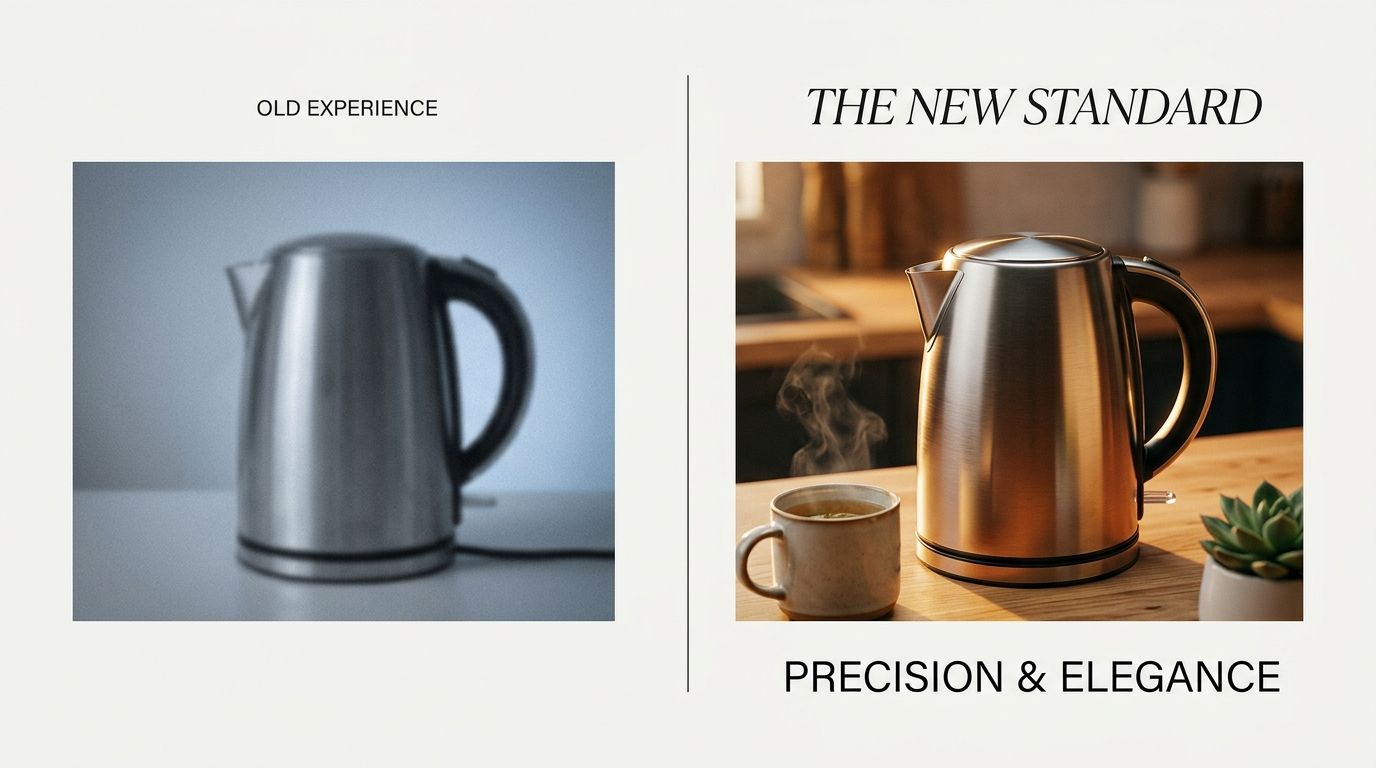
Standard Multiple Image Modules
When you want to highlight specific features, you will likely use the three-image or four-image standard modules. These require perfect squares, usually 300 by 300 pixels or 220 by 220 pixels. If you are confused by the shifting pixel dimensions across different templates, you can reference our complete breakdown of Amazon listing image sizes for every single slot on the product detail page.
Why traditional photography breaks A+ Content budgets
Let me tell you about a campaign I ran a few years ago for a simple line of silicone kitchen spatulas. We wanted to launch A+ Content across twelve different color variations. The plan was to use a large 970 by 600 banner showing the spatula resting on a marble countertop next to a hot pan.
The photographer charged a standard day rate. The studio kitchen rental cost $800. The lighting took two hours to dial in perfectly to avoid terrible glare on the silicone handles. We spent an entire day shooting and walked away with six usable lifestyle photos. The per-image cost was absolutely absurd. When you are selling a $14 spatula, spending thousands of dollars on a single amazon product page enhanced content module destroys your unit economics.
AI product photography completely changes how sellers approach this. Using a tool like CherryShot AI, you simply upload a flat photo of your product, select the Lifestyle or Minimalist visual mode, and generate campaign-ready scenes in minutes. You get the exact dimensions you need. The per-image cost drops to under $5. The turnaround time drops from three weeks to an afternoon. You can generate a unique lifestyle scene for every single color variation without renting a single studio space.
| Production Method | Estimated Turnaround Time | Cost Scalability |
|---|---|---|
| Traditional Studio Shoot | 1 to 3 weeks | High fixed studio and photographer fees |
| Stock Photography Composites | 2 to 4 days | Medium cost but lacks exact product match |
| AI Image Generation | Under 10 minutes | Scales affordably across all color variations |
Designing A+ images for the mobile scroll
Building a layout on a massive desktop monitor gives you a false sense of security. More than half of Amazon traffic comes through the mobile app. On desktop, standard A+ Content sits quietly below the fold. You have to actively scroll past the reviews and related items to find it.
On the Amazon mobile app, the layout hierarchy flips. The A+ Content block frequently appears directly below the initial product bullet points, long before the customer sees a single review.
This layout shift means your amazon EBC images are doing the heavy lifting for your mobile conversion rate. If your modules are packed with tiny text overlays that become entirely illegible on a phone screen, the customer will bounce. You must rely on visual storytelling. Show the scale of the product. Show the texture. Getting the shot right requires understanding the role of images in sales across the entire browsing session.
The text overlay trap
Many sellers bake paragraphs of text directly into their image files. Do not do this. Amazon provides text boxes below or beside the image modules for a reason. Text embedded in a JPEG cannot be read by Amazon's indexing algorithm. It also scales poorly on mobile devices. Use your images to show the product in action and use the native text blocks to list your technical specifications.
Navigating Amazon image rejection and compliance
Submitting A+ Content is not an instant process. The Amazon manual review team evaluates every module you submit. This approval process takes anywhere from two to seven days. If they reject your submission, you get a vague email, and you have to start over.
They will reject your amazon a plus content images for several reasons. You cannot include pricing details, promotional language like "Best Seller" or "Number One Rated," or direct links away from Amazon. You cannot use blurry images or low-quality renderings. Review our full Amazon image compliance breakdown to make sure your assets pass the review team on the first attempt.
There is a genuine trade-off to acknowledge here. Using AI for every single image asset is not always the correct play. If your product features a highly specific, complex mechanical hinge that requires a macro lens to fully document, you still need a traditional photographer to capture that specific detail shot. But for the broader, mood-setting lifestyle scenes that fill out the bulk of an A+ layout, generating them is much faster and dramatically cheaper.
Mastering these modules is the fastest way to distance your brand from cheap dropshippers. High-quality imagery builds immediate trust. When you combine strict compliance with visually stunning lifestyle contexts, you earn the conversion metrics that make the Amazon platform so lucrative. We cover these advanced visual concepts deeply in our guide on product photography for conversion.
Key Takeaways
- Amazon A+ Content requires specific image crops, most notably a 970 by 600 pixel hero banner and several 300 by 300 pixel feature blocks.
- Traditional lifestyle photoshoots break content budgets, pushing the per-image cost far past what is reasonable for a standard Amazon product launch.
- Mobile users see your A+ modules before they see your reviews, making high-quality visual storytelling critical for mobile conversion.
- AI generation tools allow sellers to bypass the studio bottleneck and produce compliant, perfectly sized lifestyle assets in minutes.
Frequently Asked Questions
What images do I need for Amazon A+ Content?
You need high-resolution lifestyle photographs, contextual scene shots, and brand storytelling graphics for Amazon A+ Content modules. Unlike your primary product images that require a pure white background, these enhanced brand modules showcase the item functioning within its natural environment to build buyer trust. Sellers must prepare at least one large hero banner measuring 970 by 600 pixels and three supporting lifestyle scene images for a standard listing.
What size should Amazon A+ Content images be?
The exact required dimensions depend entirely on the specific layout module you select within Seller Central. The most common Standard Image Header module requires an asset sized perfectly at 970 by 600 pixels to avoid automatic cropping or blurriness. When mapping out your listing structure, account for the Standard Single Image and Sidebar modules that require 300 by 300 pixel square formats, while Premium tier upgrades expand the main hero banner to 1464 by 600 pixels.
How do I create A+ Content images?
Sellers construct these assets using traditional studio photography, stock image composites, or modern artificial intelligence generation tools. You must map out your desired layout structure and record the specific pixel dimensions for every individual block before beginning any production work. Generate lifestyle scenes that match these exact crop ratios perfectly so your core product features remain fully visible and centered when uploaded to the marketplace dashboard.
Does A+ Content improve Amazon conversion?
Adding basic A+ Content to a standard product listing increases sales by an average of 5.6 percent according to Amazon data. The enhanced visual layout keeps shoppers engaged longer and answers common buying objections directly on the page before they ever scroll down to read negative reviews. Well-optimized Premium A+ Content can push this conversion lift up to 20 percent when brands effectively match high-resolution contextual lifestyle imagery with concise product specifications.
Can AI create Amazon A+ Content images?
Artificial intelligence tools excel at generating completely custom lifestyle scenes mapped to the exact pixel dimensions required for Amazon listing modules. You bypass expensive traditional studio photoshoots and lengthy production delays by automating the rendering process for your entire catalog. Upload a flat product photograph into a platform like CherryShot AI, select a specific aesthetic style like Minimalist, and generate dozens of compliant layout variations in under ten minutes.
Empty A+ Content sections are a massive missed opportunity for Brand Registered sellers. You already paid for the traffic to get the customer to the page. You just have to give them the visual proof they need to click the buy button.
Stop waiting weeks for a photographer to deliver three usable banner images. Try CherryShot AI today, upload your product, and generate your entire Amazon A+ layout before lunch.
Audit your current Amazon A+ Content image sizes
Review your existing active listings to ensure your current banner images perfectly match the required 970 by 600 pixel dimensions. If your mobile layout looks blurry or your lifestyle scenes are outdated, you can generate fresh perfectly-sized assets right now without booking another studio shoot.
Try CherryShot AI