Product Photo Editing Software in 2026: Adobe, Canva, and AI
If you are an ecommerce founder trying to choose product photo editing software in 2026, stop looking at tools designed for professional photographers. Photoshop and Lightroom are built for pixel manipulation and raw batch processing. Canva is a layout tool disguised as an editor. For high-volume product launches, AI product photography software has replaced manual editing entirely. Upload a basic shot, pick a visual mode, and generate campaign-ready assets in minutes.
Definition
Product photo editing software encompasses digital tools used to alter, correct, or generate imagery for retail catalogs. Traditional applications focus on manual pixel correction and raw file grading, while modern AI platforms bypass manipulation to render completely new lifestyle environments around a core item.
I have spent years running ecommerce operations where post-production was the single biggest bottleneck in our supply chain. We would get the physical inventory into the warehouse, shoot it the next day, and then wait three weeks for freelance retouchers to manually clip out backgrounds and fix lighting errors. The software choices you make directly dictate how fast your brand moves.
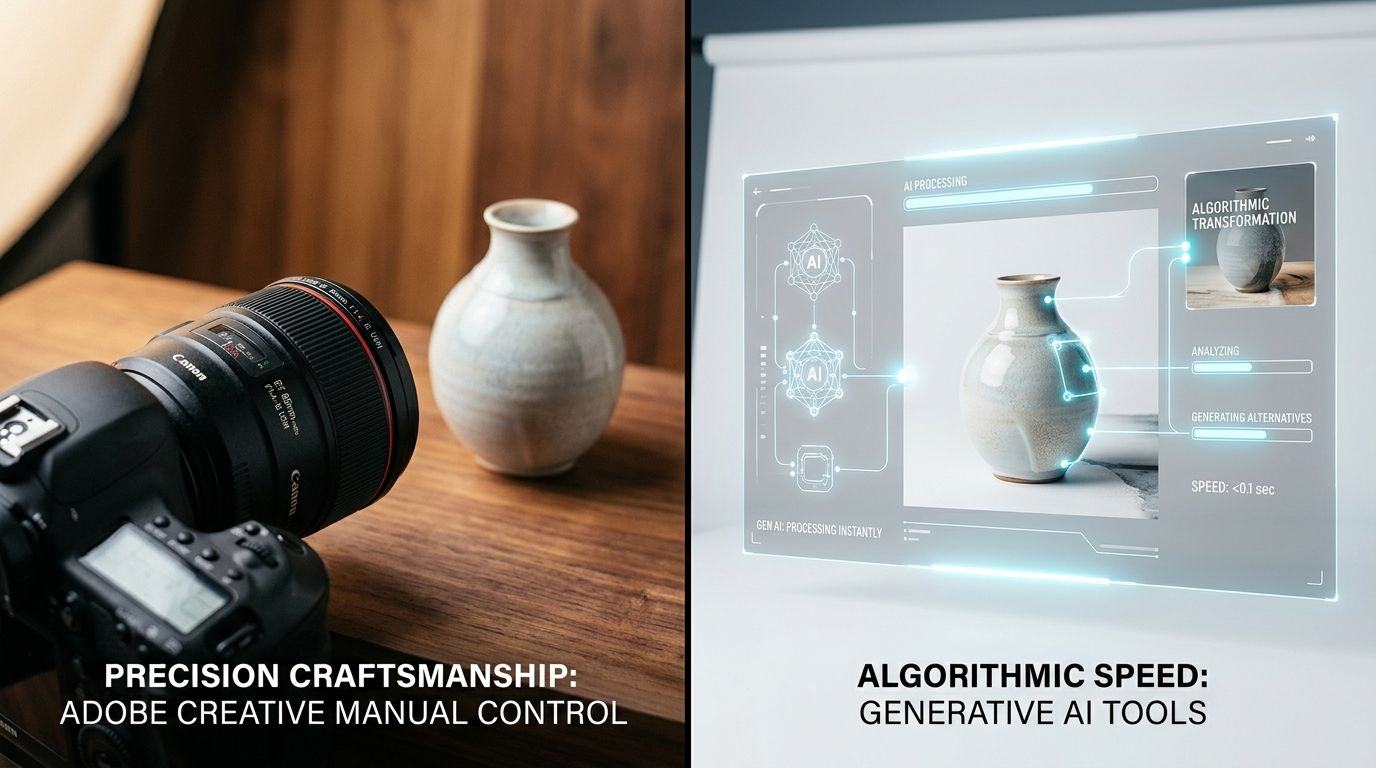
The landscape of product photography editing software has shifted from manual manipulation to AI generation.
The legacy stack: Adobe Photoshop and Lightroom
When someone mentions photo editing, the Adobe suite is universally the first thing that comes to mind. These tools essentially created the digital photography industry. They are incredibly powerful, exceptionally complex, and completely overkill for a brand operator who just needs a clean lifestyle shot of a new serum bottle.
Adobe Photoshop is for retouchers, not operators
Photoshop is a pixel editor. It allows you to zoom in to a single dot of color on a product and change it. If you need to manually draw clipping paths around the intricate spokes of a bicycle wheel to remove a background, Photoshop is the tool for the job. It handles complex layering, precise blemish removal, and composite imagery better than anything else on the market.
Photoshop remains the undisputed standard if you need to manually rebuild a damaged reflection on a metallic watch face. However, for daily ecommerce workflows, it is wildly inefficient. The learning curve requires hundreds of hours. Brands that rely on Photoshop usually end up outsourcing the work. When you calculate the true cost of photo retouching, you are not just paying an offshore agency a few dollars per image. You are paying for the time spent writing revision notes because the editor accidentally clipped off the edge of your product packaging.
Adobe Lightroom excels at volume color correction
Lightroom solves a completely different problem. It is not designed to cut a product out of its background. Lightroom is essentially a massive database tool designed to process raw camera files. If your photographer just shot eight hundred photos of a model wearing your apparel and all eight hundred photos are slightly too dark, Lightroom allows you to fix the exposure on one photo and instantly sync that exact correction across the other seven hundred and ninety-nine.
It is brilliant for catalog management and basic color grading. But again, it requires you to already have a highly produced, perfectly styled studio photograph to begin with. It does not fix a boring set or a poorly lit environment. It just tweaks the colors of what is already there.
The layout tools: Canva and its alternatives
Because Photoshop is too complex for most founders, many brands default to Canva. Canva has transformed digital marketing by making graphic design accessible to anyone. But graphic design is not photo editing.
Canva is for marketing graphics, not product editing
Canva has a very popular background removal tool. You click one button, and it strips away the studio backdrop. The problem is what happens next. You are left with a floating, flat product. When operators drag that product onto a new stock photo background in Canva, it looks entirely fake. The lighting direction of the product does not match the lighting of the background. There are no realistic drop shadows grounding the item to the surface.
Canva is a layout engine. It is brilliant for dropping a text overlay onto a finished picture to announce a flash sale. But if you are trying to handle your primary editing without Photoshop, Canva will leave your product catalog looking cheap and pasted together. Customers subconsciously notice when shadows look wrong, and that lack of visual trust directly depresses conversion rates.
The 2026 shift: AI product photo editing software
The fundamental problem with Photoshop, Lightroom, and Canva is that they all require you to start with a great photograph. They are corrective tools. If your original studio shot is boring, no amount of editing will turn it into an engaging lifestyle scene. You can fix the color balance, but you cannot realistically paint a marble bathroom set around a shampoo bottle.
AI product photography software fundamentally changes this workflow. Instead of correcting bad pixels, AI generates entirely new pixels. With tools like CherryShot AI, you do not need to book a location shoot to get a lifestyle image. You simply upload a flat photo of your product, taken on your phone against a blank wall. You select a visual mode like Loud Luxury or Minimalist, and the software renders the product into a completely new scene.
Generation replaces manual manipulation
Understanding when to use AI product photography comes down to volume and speed. If you are launching a new flavor of a beverage brand, you do not need to send the physical cans to a studio, wait for a shoot day, and then wait for the retoucher to clean up the reflections. You run the flat art through CherryShot AI. The software understands the geometry of a cylinder, maps realistic lighting across the metallic surface, and generates the accompanying lifestyle props automatically.
(Worth noting: if you have a highly reflective technical product where specific light fall-off is a strict legal requirement, you might still need a traditional studio and a human retoucher. For everything else, manual editing is a waste of your operating margin.)
This is why the term editing software is almost outdated. We are no longer editing. We are directing. The skill has shifted from knowing how to use the magnetic lasso tool to knowing how to prompt the software for the exact brand aesthetic you want.
Comparing the ecommerce photo software stack
| Software Tool | Primary Function | Learning Curve | Best For |
|---|---|---|---|
| Adobe Photoshop | Pixel manipulation | Extremely steep | Complex reflection repair and clipping paths |
| Adobe Lightroom | Raw file processing | Moderate | Batch color grading massive studio shoots |
| Canva | Graphic layout | Minimal | Adding text overlays to finished photos |
| CherryShot AI | Image generation | Minimal | Creating campaign assets instantly from flat photos |
Frequently Asked Questions
What software should I use to edit product photos?
Your specific role dictates the correct tool for processing ecommerce images. Professional retouchers repairing complex reflections or merging focus-stacked composite files require Adobe Photoshop for its exact pixel control. Ecommerce operators needing fast campaign assets should choose AI product photography software like CherryShot AI to completely bypass manual manipulation and generate ready-to-publish visuals instantly from flat reference photos.
Is Lightroom or Photoshop better for product photography?
These two Adobe applications handle entirely separate phases of professional post-production. Lightroom processes massive volumes of raw camera files, allowing editors to synchronize identical exposure corrections across hundreds of images from a single studio shoot. Photoshop manages granular pixel manipulation, meaning you must switch to it whenever an isolated product image requires deep blemish healing, intricate background extraction, or precise layer masking.
Is Canva good for editing product photos?
Canva operates as a layout engine rather than a true post-production environment. Stripping away a background with its automated tool leaves a flat product lacking the realistic drop shadows and directional lighting required to build visual trust. Operators should restrict its use to adding text overlays to already finished assets instead of relying on it to correct poor original photography.
Can AI replace photo editing software for ecommerce?
Artificial intelligence completely replaces manual retouching for standard catalog and lifestyle visual requirements. Software generators skip the corrective phase entirely, reading the geometry of a flat product shot to render new pixels rather than fixing damaged ones. Brand managers can upload basic inventory photos taken against blank walls to instantly produce fully styled, perfectly lit marketing scenes without launching Photoshop.
What is the fastest product photo editing workflow?
The most efficient post-production process avoids manual pixel manipulation completely by relying on automated generation. Shifting to an AI product photography pipeline converts hours of drawing clipping paths into a few seconds of prompting. Founders can process raw inventory images through a visual mode like Minimalist to render multiple finalized campaign assets, moving SKUs from the warehouse to the storefront immediately.
Key Takeaways
- Adobe Photoshop is essential for complex manual retouching but presents a massive learning curve for brand operators.
- Canva is excellent for adding text overlays to existing images but lacks the features needed to process a raw product photo.
- Manual photo editing is the primary bottleneck delaying ecommerce product launches across the industry.
- AI product photography tools completely eliminate the need for pixel editing by generating perfect lifestyle imagery from a single reference shot.
If you are tired of paying invoices for clipping paths and waiting weeks for freelancers to fix lighting errors, it is time to upgrade your tech stack. CherryShot AI removes the friction of post-production completely, delivering campaign-ready assets in the time it takes to brew a cup of coffee.
Audit your post-production bottleneck today
Review your last three product launches and calculate exactly how many days your inventory sat waiting for freelance retouchers to finish clipping backgrounds. If manual pixel editing is delaying your speed to market, you can shift to automated generation right now.
Try CherryShot AI