Shopify Product Image Size Guide 2026: Dimensions, Formats, and Optimization
The recommended Shopify product image size for 2026 is strictly 2048 by 2048 pixels. This square aspect ratio triggers the native zoom functionality built into Shopify without overwhelming mobile browsers and ruining your page load times. Most founders I speak with overcomplicate this exact step. They upload massive uncompressed files directly from their photographer and then wonder why their product pages take six seconds to render on a smartphone. You absolutely do not need 4000 pixel images to sell a sweater online.
Definition
Product image optimization is the process of resizing and formatting high-resolution photography to fit digital store requirements. It ensures images display crisply on all devices while minimizing file weight to keep website performance fast for shoppers.
Uploading print resolution files to an ecommerce storefront is a vanity metric that actively harms your daily conversion rate. It drains customer data plans and forces buyers to wait for excess pixels they will never actually see on a glass screen. Shrinking your file sizes does mean you will lose some microscopic texture detail upon maximum zoom, but the immense speed gains easily offset these minor compression artifacts. Your customers care about how the product fits and looks, not whether they can see the molecular structure of the cotton.
(I have personally seen brands cut their site bounce rate in half just by running a bulk script to resize their entire catalog down from poster print dimensions to proper web formats.)
What are the exact Shopify image dimensions for 2026?
The 2048 x 2048 rule for product photos
Shopify technically allows file uploads up to 4472 by 4472 pixels and file sizes reaching up to 20 megabytes. You should never actually approach those maximum limits. Keeping your product images firmly at 2048 by 2048 pixels guarantees that your customers can double tap to zoom in and examine stitching while keeping the total file payload under a lightweight 500 kilobytes.
This specific dimension acts as the functional sweet spot for modern ecommerce. When an uploaded image hits 800 by 800 pixels, Shopify natively enables the zoom feature across almost all standard theme files. Going all the way up to 2048 ensures that the zoomed image remains incredibly crisp on high retina displays. Anything pushed beyond that threshold is wasted bandwidth that only serves to slow down your checkout funnel.
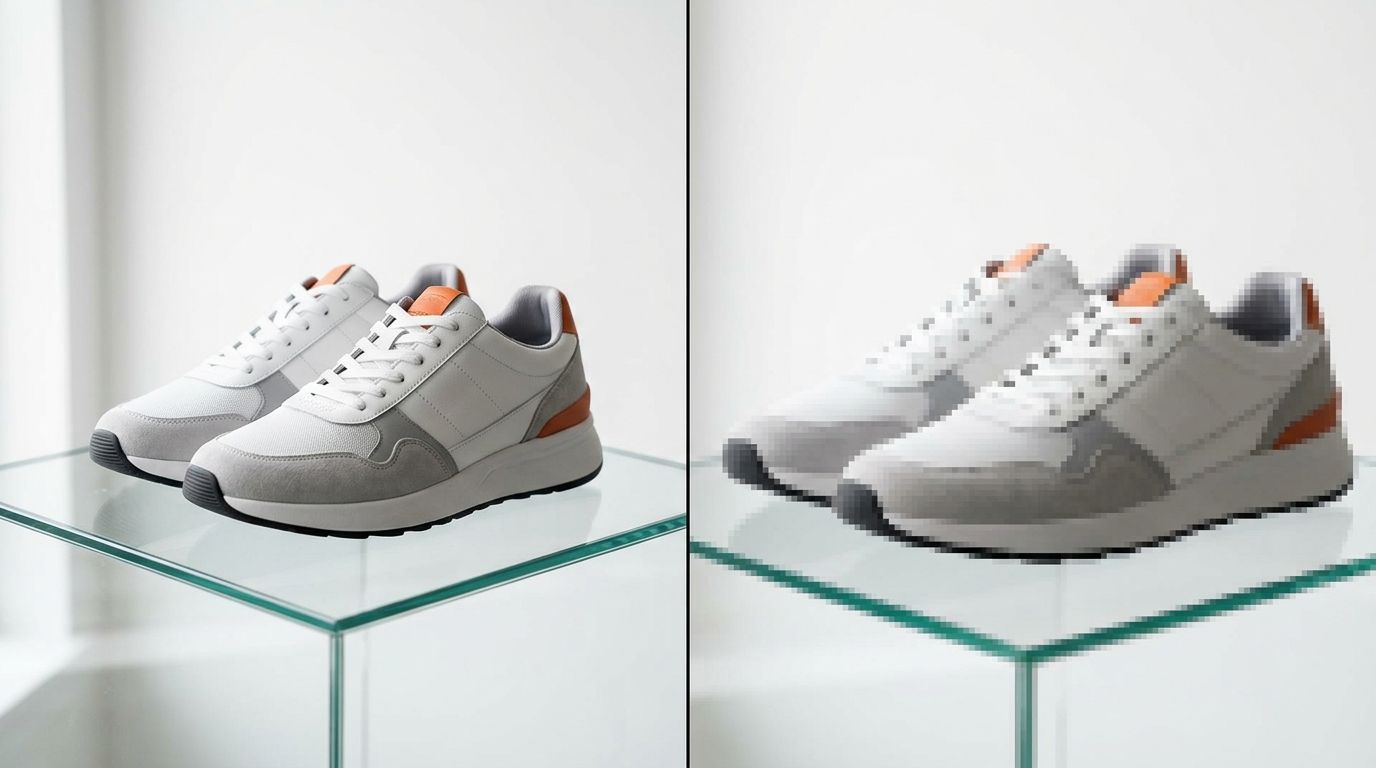
Standardizing your catalog to a square 2048 by 2048 resolution ensures consistent grid alignment across all your collection pages.
Keeping your aspect ratios completely uniform
Getting the dimensions right is only half the technical battle. Your aspect ratios must remain identical across every single variant photo. If your main product image is perfectly square, every other angle and color variant must also be a perfect square.
When a mobile user taps a new color swatch and the resulting variant image has a portrait aspect ratio instead of a square one, the entire page content physically jumps up or down on their screen. In the web development world, this is called Cumulative Layout Shift. It deeply frustrates mobile shoppers who were just about to tap the add to cart button. The button literally moves away from their thumb. Consistent sizing eliminates this friction instantly.
Shopify theme image dimensions for hero sections
Desktop versus mobile banner sizing
Product gallery pages require one set of rules, but your homepage hero banners demand a completely different approach to file sizing. For massive full width hero images, the ideal Shopify image resolution is 1600 by 1200 pixels for traditional desktop viewing. However, mobile banners should be cropped entirely differently to 800 by 1200 pixels to accommodate standard vertical scrolling behaviors.
Do not try to force the exact same image file to serve both your desktop and mobile hero sections. The main visual focal point will inevitably crop poorly on one of the devices, usually cutting off a model's head or obscuring the product itself. Most modern Shopify themes allow you to upload separate dedicated image files for desktop and mobile views. You need to take advantage of this native feature.
Which Shopify image format converts best?
WEBP vs JPEG vs PNG
For the last ten years, ecommerce catalog managers debated furiously between using JPEG or PNG files. That debate is entirely over today. WEBP is the definitive image format for any Shopify store operating in 2026. WEBP files are roughly thirty percent smaller than standard JPEGs while retaining the exact same visual quality and color depth.
If you are still uploading heavy PNG files for standard product photos with solid color backgrounds, you are intentionally sabotaging your website speed. The PNG format should be reserved exclusively for images that require a transparent background layer, like floating logos or highly specific overlapping layout elements.
Understanding the best image formats for ecommerce is a mandatory technical skill for any modern brand operator. If you get your baseline file formats wrong, every other optimization effort you make will fall completely flat.
| Format | Best Use | File Size |
|---|---|---|
| WEBP | Standard Product Photos | Smallest |
| JPEG | Lifestyle/Hero Images | Medium |
| PNG | Transparent Backgrounds | Largest |
How to balance Shopify image resolution and page speed
Compression workflows that actually work
Shopify automatically compresses images under the hood when you upload them to the server. If you proactively hyper compress your files in Photoshop down to thirty percent quality before uploading them to your store, Shopify will run its algorithm and compress them a second time. This double compression creates incredibly ugly color banding and ruins sharp edges.
The correct workflow is to export your master images at 2048 by 2048 pixels with a baseline quality setting of roughly eighty percent. Let Shopify handle the final compression layer natively when serving the image to the customer's browser. When you optimize Shopify product page images properly using this method, your entire storefront feels significantly snappier without sacrificing the premium look of your brand.
The Largest Contentful Paint metric
When Google evaluates your Shopify store for search rankings, it measures a metric called Largest Contentful Paint. This simply tracks exactly how long it takes for the single largest visual element on the screen to load completely. On a standard product page, this element is always your main product carousel image.
If that primary image is an unoptimized three megabyte file, your metric score will fail instantly. A failing score hurts your organic search placement and drives up your paid ad costs. If you are desperately trying to reduce Shopify checkout abandonment, looking at the payload size of your cart thumbnail images is the very first technical audit you should run.
The hidden cost of ignoring Shopify image optimization
Why massive files kill mobile sales
Over seventy percent of all ecommerce traffic now comes from mobile devices. These specific users are often browsing on cellular networks with highly fluctuating signal strength. A massive product image might load instantly on your office fiber connection, but it will stall out entirely on a commuter train or in a busy coffee shop.
When mobile users are forced to wait for a spinning loading wheel, they just hit the back button and buy from a competitor. Your paid ads might be performing perfectly at the top of the funnel, but poor site speed will destroy your actual return on ad spend. Often, unoptimized product images losing conversion momentum is the real underlying reason your ads get cheap clicks but generate zero actual sales revenue.
Automating the resizing bottleneck
During my time running ecommerce brands, I once spent an entire Tuesday manually cropping and resizing four hundred lifestyle photos because our studio photographer delivered them as massive uncompressed TIFF files. The product launch was delayed by two full days simply because of incorrect file dimensions. That is a purely logistical bottleneck that should not exist.
When you hire a traditional freelance photographer, you are paying for their artistic eye, not their meticulous file management skills. You end up with a messy Dropbox folder full of heavy files that require hours of tedious Photoshop batch processing before they can touch your live theme. Knowing exactly how many product images convert best is useless if you cannot get them formatted and uploaded on time.
This exact frustration is why CherryShot AI handles the output formatting natively. When you upload a base product image and select a visual mode, CherryShot AI generates stunning, campaign ready photos in minutes. More importantly, those generated images are already properly sized and optimized for immediate web use. You skip the Lightroom batch exports entirely. You drop them straight into Shopify, write your descriptive alt text for product images, and push the collection live before lunch.
Audit your product images before your next campaign
Review your top performing collection pages to ensure all images are 2048 pixels wide and in WEBP format. If you find inconsistently sized or heavy files, replace them to improve your site speed and mobile checkout conversion rates.
Try CherryShot AIFrequently Asked Questions
What is the recommended image size for Shopify products?
Optimal dimensions for product pages are 2048 by 2048 pixels. This square size activates the native zoom feature on Shopify while ensuring fast load times for mobile shoppers. You will notice the best balance between high visual fidelity and site performance by adhering to this specific resolution for all primary product catalog items.
What image format should I use for Shopify?
Use the WEBP format for all standard product photography and website banners. WEBP files provide superior data compression compared to older standards, allowing for smaller file sizes without sacrificing visible clarity. If your current camera equipment or editing software cannot export directly to WEBP, choose JPEG as your secondary option because it remains widely supported and efficient for most web browser applications.
How do I optimize product images for Shopify speed?
Export your photos at 2048 by 2048 pixels using an initial quality setting of eighty percent. Shopify applies its own compression logic upon file upload, so avoiding extreme pre-compression in Photoshop prevents issues like color banding or pixelation. Testing your mobile load speeds immediately after adding new batches of inventory will confirm your images are sized correctly for your current store theme.
Can I use WEBP images on Shopify?
Shopify fully supports the native upload of WEBP image files for all store collections. The platform even converts standard JPEG or PNG uploads into the WEBP format automatically to improve browser compatibility for your site visitors. Uploading your own WEBP files from the beginning saves significant storage space and reduces the total time required for bulk image imports into your backend.
What image size causes slow Shopify stores?
Individual image files exceeding 500 kilobytes will negatively impact your page load speed. Photographs larger than one megabyte act as a primary technical bottleneck for any ecommerce storefront. Uncompressed raw files straight from a digital camera sensor will cause visible scrolling lag and increase the likelihood of customers abandoning their carts due to poor performance on mobile network connections.
Key Takeaways
- The golden rule for standard Shopify product images is precisely 2048 by 2048 pixels.
- WEBP is the optimal file format for balancing crisp visual quality and rapid mobile page speed.
- Never upload raw, uncompressed camera files directly to your storefront theme.
- Inconsistent aspect ratios across your variants will cause layout shifts that actively kill mobile checkout flows.
Wrestling with file dimensions and export settings is not why you started an ecommerce brand. If you want to stop paying retouchers just to resize files, CherryShot AI generates perfectly optimized, campaign ready product photography in minutes.