AI Product Photography for Shopify: The Complete Guide to Apps, Web Tools, and Workflows (2026)
How do I use AI product photography for my Shopify store?
You have three paths: the built-in Shopify Magic editor for quick background swaps, a third-party app installed from the Shopify App Store for in-admin generation, or an external AI platform where you upload raw photos, generate images, and bulk-upload the finished files to your product pages. In-admin tools keep everything inside your dashboard; external platforms are dedicated studios with a wider set of rendering modes, at the cost of one extra upload step. There is no single best answer. It depends on volume and how much control you need over the final look.
The rest of this guide breaks down each path: what Shopify Magic actually does, the apps currently in the App Store with their real pricing, the image specs the platform recommends before you upload anything, and honest cost math across all three options.
Definition
Shopify AI product photography apps are software tools that use machine learning to automatically remove backgrounds, generate realistic environments, and map accurate shadows for ecommerce product images. These platforms replace traditional studio shoots by allowing merchants to create professional catalog and campaign visuals directly from raw smartphone photos.
What is Shopify Magic product photography?
The native solution for simple edits
The platform introduced Shopify Magic to keep merchants inside its ecosystem. It includes a native AI image editing tool built directly into your admin panel. The workflow is entirely frictionless. You open a product listing, click on an existing image, and ask the built in AI to change the background. It handles basic masking and background generation remarkably well.
If you just need to strip out a messy warehouse background and replace it with flat white, the Shopify Magic background editor does the job perfectly. It saves you from opening Photoshop and spending twenty minutes drawing clipping paths with the pen tool. For new stores with limited budgets and basic visual needs, this native tool is a massive operational upgrade.
The trade-off is complete control.
Shopify Magic struggles significantly with complex lighting interactions. If you have a glossy skincare product that naturally reflects its environment, dropping it onto a new AI-generated beach background often looks like a cheap sticker. The lighting on the product simply does not match the lighting of the newly generated scene. It works brilliantly for quick administrative fixes. It falls apart entirely when you want campaign-grade visuals that actually stop a customer from scrolling past your ads.
What's actually in the App Store
Lightbox and Snapshot: the two most-installed options
Two apps currently lead the App Store's AI photography category by review volume. Lightbox - AI Product Images generates photos from inside your admin panel and runs a tiered plan: a free tier for 5 generations a month, then $15, $30, or $100 a month as volume scales, rated 4.5 out of 5 across 20 reviews as of August 2026. Snapshot: AI Image Generator uses one-time credit packs instead of a subscription. It is free to install with 2 credits, then $10 for 15 credits, $50 for 100 credits, or $225 for 500 credits, rated 5.0 out of 5 across 6 reviews as of August 2026.
Both apps generate images without leaving your dashboard, which is their real advantage: no export and import step, no separate login. That convenience is what they are built around. Dedicated external platforms are built around the generation step itself, with a wider set of rendering modes, and ask for one extra upload in exchange. Which trade fits you depends on how much of your catalog you generate and how much you want to control the final look.
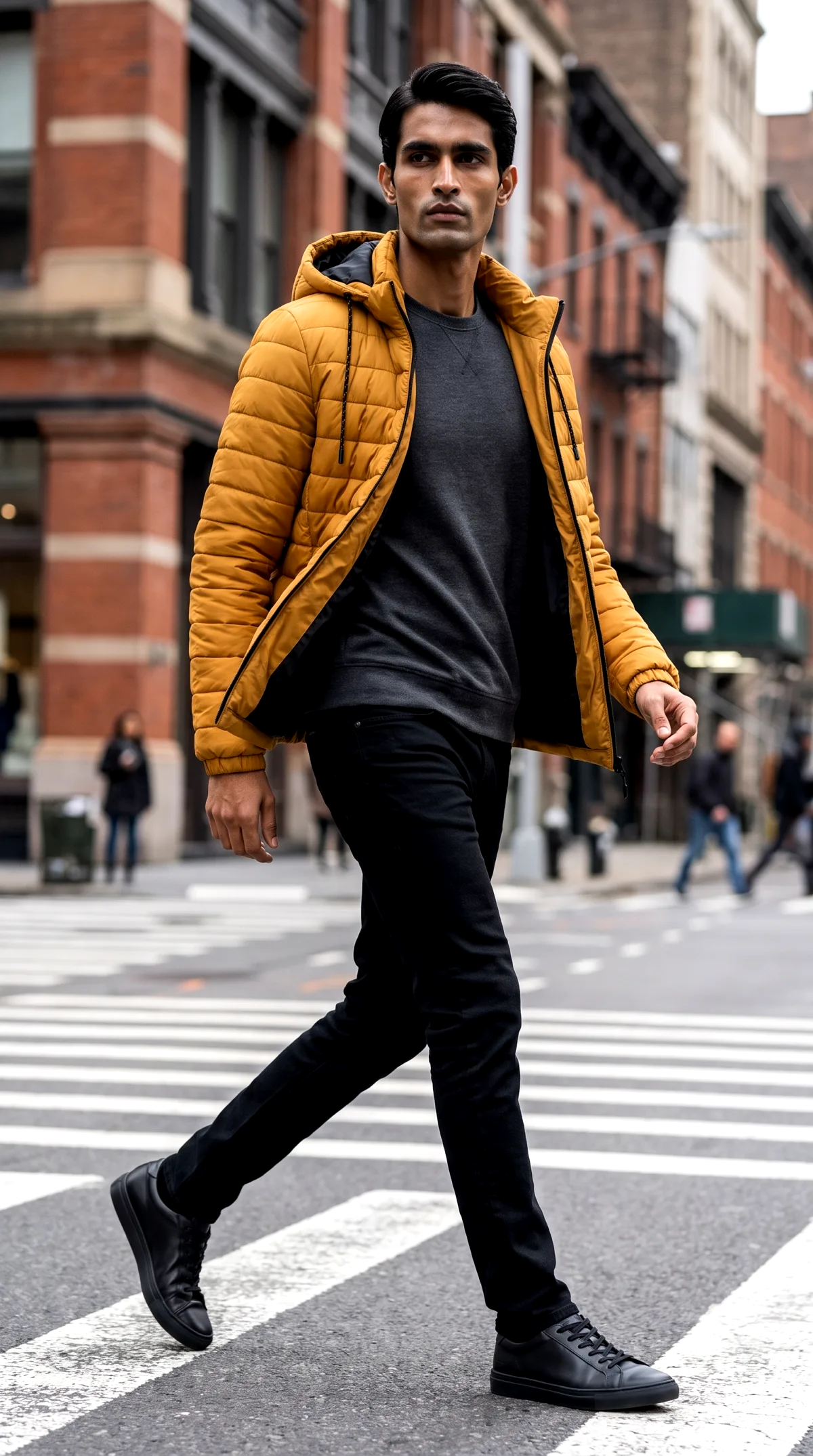
A lifestyle shot generated from one uploaded product photo, the kind of image sellers pull from a dedicated platform. Lifestyle mode, generated August 2026.
Lightbox, Snapshot, and other Shopify App Store listings are products of their respective companies. Their names are trademarks of their owners; this guide has no affiliation with either app and the pricing above is pulled directly from their public App Store listings, checked August 31, 2026.
Why rely on a dedicated external AI platform instead of an app?
Direct integrations versus standalone platforms
In-admin apps optimize for convenience: everything happens without leaving the admin. CherryShot AI is a different kind of tool, a dedicated external studio focused on rendering across a range of visual modes (Minimalist, Luxury, Avant Garde, and others). You upload your raw product photo at cherryshot.ai, choose a mode, generate the image, then download it and upload it to your product page yourself. CherryShot does not have a Shopify App Store app today. The workflow is upload, generate, download, upload to your store, which is one extra step versus an in-admin plugin. For a handful of hero images a month that extra step costs almost nothing. For someone regenerating an entire seasonal catalog, the range of modes and the control over the final look are what make the extra step worth it.
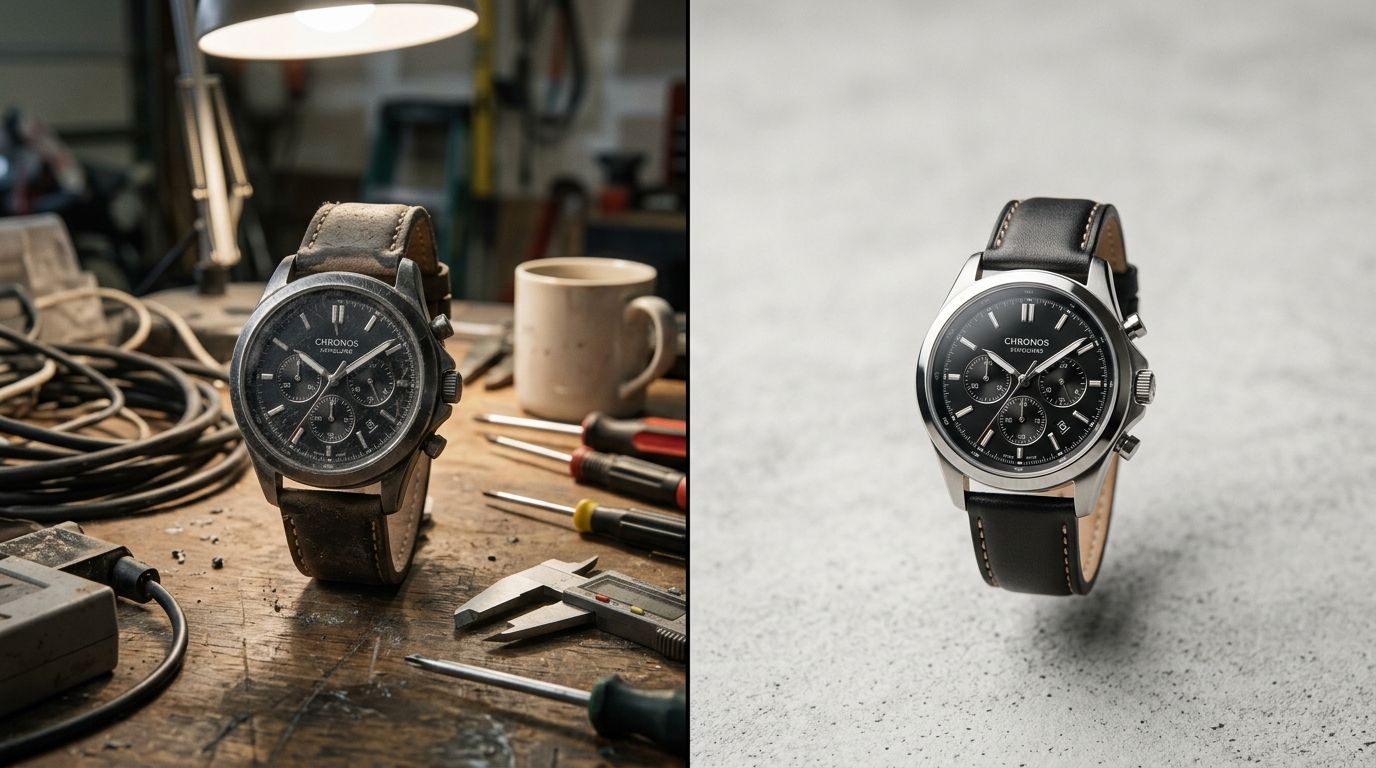
Standalone AI platforms typically offer far more granular control over lighting and scene composition than native admin widgets.
Shopify image specs: what size and format actually work
Getting the file right before you upload
Shopify recommends square product images at 2048 x 2048 pixels, a 1:1 aspect ratio for your main product thumbnails, and WebP as the file format for the best balance of sharpness and load speed (Shopify, "Website Image Size Guidelines," updated June 30, 2026). The platform accepts uploads up to 5000 x 5000 pixels and 20MB, but anything under 800 x 800 pixels loses the zoom function customers use to check texture and stitching before buying.
When you generate images with an AI tool, export at 2048 x 2048 or larger and let Shopify's CDN handle the resizing down to thumbnail and mobile sizes. Do not pre-shrink your files. If you're standardizing a whole catalog, a white background product photography approach keeps every image on the same lighting baseline and aspect ratio, so your collection grid doesn't show mismatched crops next to each other. Selling on Amazon too? Its image requirements are stricter on background color and margin than Shopify's, so it's worth generating to the tighter spec first.
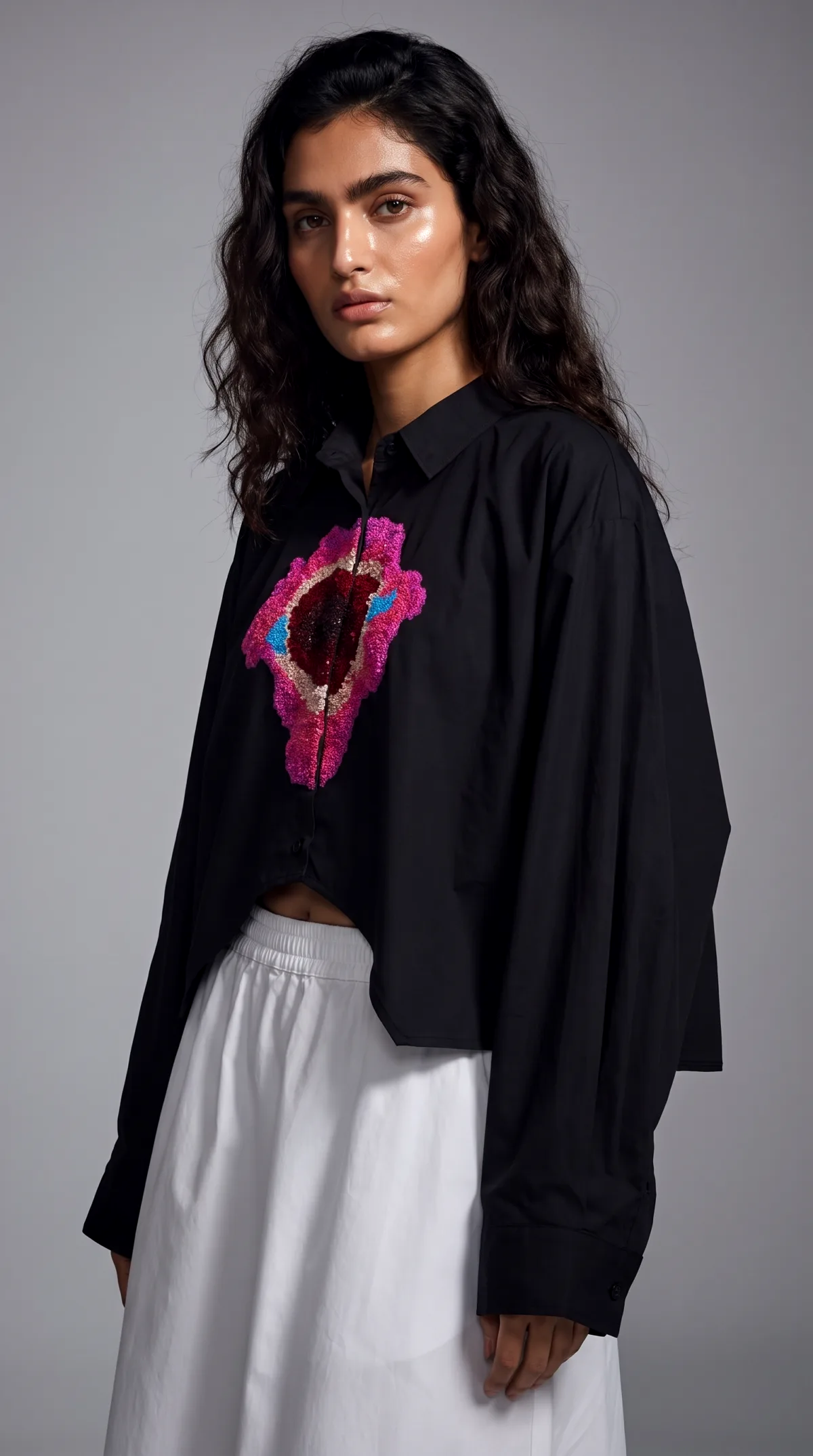
A consistent studio base across a catalog keeps the collection grid uniform. Reference mode, generated August 2026.
Evaluating the cost of different AI solutions
Calculating your real visual production spend
Shopify Magic is free with any Shopify plan, genuinely the best value if flat-background edits are all you need. Third-party apps like Lightbox and Snapshot run $15 to $100 a month or $10 to $225 in one-time credit packs, reviewed above. Standalone platforms price per generation: CherryShot AI runs $9.99 for 50 credits, with most single-image generations costing 1 to 4 credits depending on mode, plus 5 free credits on signup to test output before paying. That puts a typical generated image somewhere between roughly $0.20 and $0.80, depending on which visual mode you use.
Compare that to a traditional shoot. Industry-reported ranges put freelance product photography at $75 to $200 per SKU and full studio catalogs at $500 to $2,000 per shoot day (Prodofoto, "The Complete Guide to AI Product Photography for Shopify," updated February 10, 2026; MindStudio, "AI Image Generation + Shopify," February 13, 2026). Neither figure is ours to verify first-hand, so treat them as directional, not exact. Even with wide error bars, the gap between per-image AI pricing and per-SKU studio pricing is large enough that the comparison holds. The full math behind the cost of AI photography vs. studio shoots is broken down in our pricing guide.
| Tool | Model | Typical Cost | Where You Work |
|---|---|---|---|
| Shopify Magic | Free with Shopify plan | $0 | Inside Shopify admin |
| Lightbox - AI Product Images | Subscription | $15-$100/month | Inside Shopify admin |
| Snapshot: AI Image Generator | Credit packs | $10-$225 one-time | Inside Shopify admin |
| CherryShot AI | Credit packs | $9.99 for 50 credits (1-4 credits/image) | External web app, upload to Shopify |
Pricing checked August 31, 2026 from each provider's public listing or pricing page; subject to change.
Handling complex categories in the ecosystem
The challenge of human models and apparel
Apparel is undeniably the hardest category for any product image app to get right. If you sell t-shirts or activewear, flat lays get boring very quickly. You need to show the fit on a human body.
The genuine limitation of pure AI generation is exact material texture accuracy on highly complex woven fabrics. Shopify Magic does not generate human models at all, and basic background tools are not built for hands, faces, or fabric draping.
If you want to place your clothing on a person without hiring a modeling agency, you need a specialized tool. The debate surrounding AI models vs. real models usually comes down to scale and margin. If you sell a single hero jacket with a massive profit margin, hiring a real model makes sense. If you have five hundred basic tees in different colorways, AI models are the only profitable path forward. You can generate a lifestyle image of a model wearing your product in minutes using a platform that actually understands fabric draping and human anatomy.
Prompting and controlling your visual output
Getting professional results every time
No AI image editing tool will save a terrible source photo. If you upload a blurry, poorly lit photo taken in a dark basement, the AI will fight you every step of the way. You do not need professional equipment. You just need clear, even lighting. Taking a product photo near a large window on an overcast day is usually enough to give the AI a perfect starting point.
Once you have a clean input, the way you guide the artificial intelligence determines the final output. Native tools offer highly limited prompting capabilities. Advanced tools let you dictate the exact mood, setting, and time of day. Mastering the nuanced skill of prompting AI for professional results is something every ecommerce manager should prioritize. A generic prompt like "bottle on a rock" gives you generic garbage. A detailed prompt like "skincare bottle resting on black volcanic rock, harsh noon sunlight, dramatic shadows, minimalist luxury" gives you an asset you can confidently run in a paid social campaign.
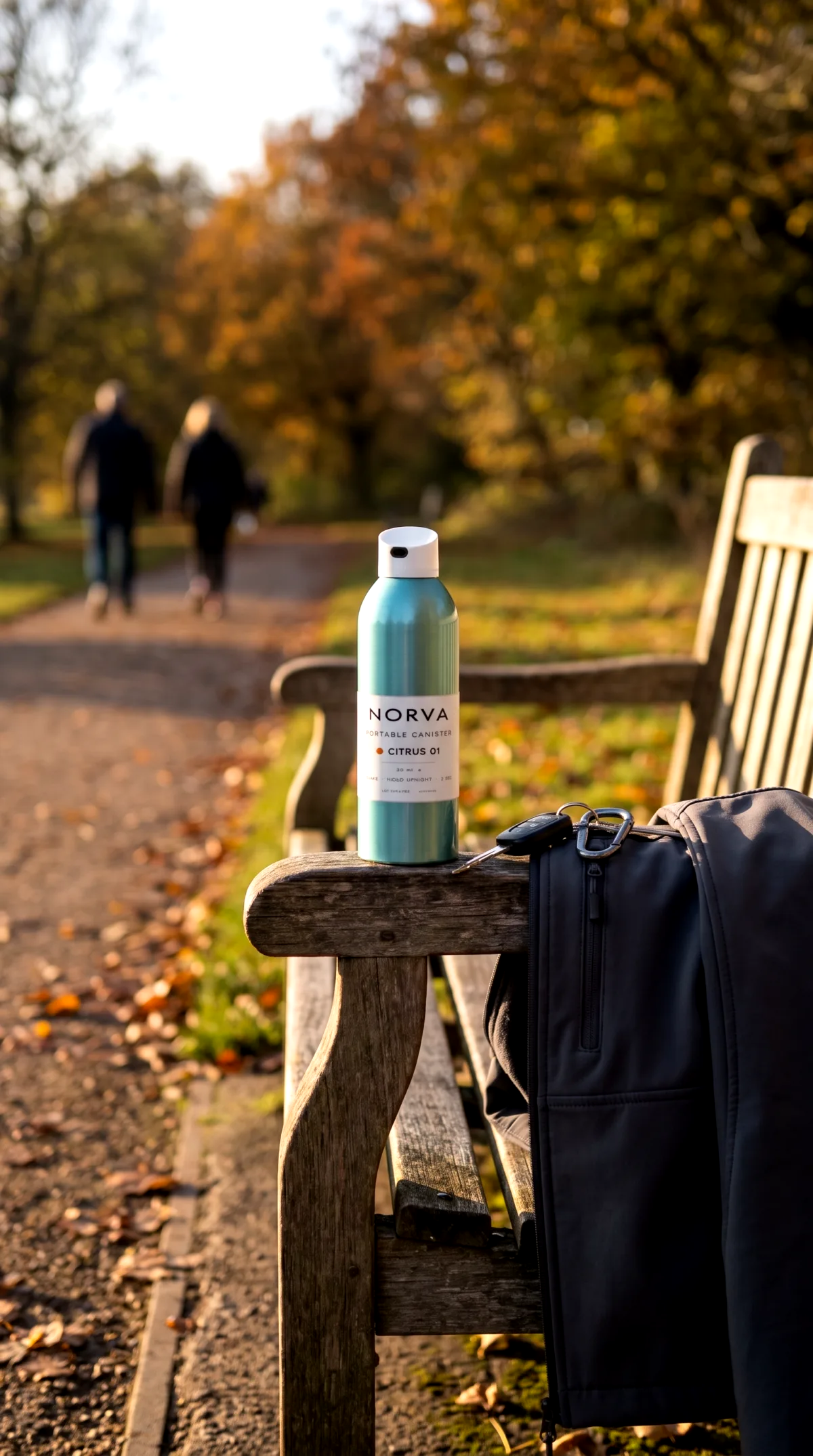
A specific scene brief rendered from one uploaded product photo. Custom mode, generated August 2026.
Frequently Asked Questions
Can I use AI for product photography on Shopify?
Yes. You can use Shopify Magic for free background edits inside your admin, install a third-party app like Lightbox or Snapshot for in-dashboard generation, or use an external platform like CherryShot AI, a dedicated studio you upload to and download from manually. All three approaches are common; most stores that ship serious volume use more than one.
Which AI works best with Shopify?
There is no single winner across every use case. Shopify Magic wins on convenience for quick fixes. In-admin apps like Lightbox and Snapshot win on workflow speed since nothing leaves your dashboard. External platforms are built for range: dedicated rendering modes for hero shots, seasonal campaigns, and apparel-on-model photography, with one extra upload step.
What is the best AI app for product photography on Shopify?
Among Shopify App Store listings, Lightbox and Snapshot currently have the most reviews in this category, at 4.5/5 (20 reviews) and 5.0/5 (6 reviews) respectively as of August 2026. Best depends on whether you value a monthly subscription with more generations (Lightbox) or one-time credit packs (Snapshot).
Does Shopify have its own AI product photography tool?
Yes: Shopify Magic, built into every store's admin panel at no extra cost. It handles background removal and basic scene swaps well but struggles with complex lighting, reflective materials, and human models, which is where dedicated apps or external platforms take over.
What image size does Shopify recommend for product photos?
Shopify recommends square images at 2048 x 2048 pixels in WebP format, uploaded no smaller than 800 x 800 pixels so the built-in zoom feature works. It accepts files up to 5000 x 5000 pixels and 20MB (Shopify, "Website Image Size Guidelines," updated June 30, 2026).
Key Takeaways
- Shopify gives you three real paths: free native Magic edits, an in-admin app like Lightbox or Snapshot, or an external platform like CherryShot for campaign images.
- In-admin apps optimize for convenience inside the dashboard; CherryShot is a dedicated external studio focused on rendering across modes, at the cost of one extra upload step.
- Export product images at 2048 x 2048 pixels in WebP to match Shopify's own guidance and keep the zoom feature working.
- CherryShot AI has no Shopify App Store app today. The workflow is generate, download, upload to your product page, and at $9.99 for 50 credits it is priced well under both in-admin subscriptions and traditional per-SKU studio photography.
Stop letting visual production bottleneck your launch calendar. If you are ready to move beyond basic background removal and start generating campaign-quality imagery in minutes, see how CherryShot's AI product photography works on real store catalogs.
Audit your current product page backgrounds
Take five minutes to review your top-selling products and identify any inconsistent lighting or messy backgrounds. If your current catalog looks disjointed, you can upload a few raw smartphone photos right now to see the exact quality difference a dedicated rendering engine makes.
Try CherryShot AI